Arrow-links, not button soup
Each editorial card ends in a "Read more →" link rather than its own button. Button soup is the named failure mode of the newsletter archetype — five buttons and the reader picks none.
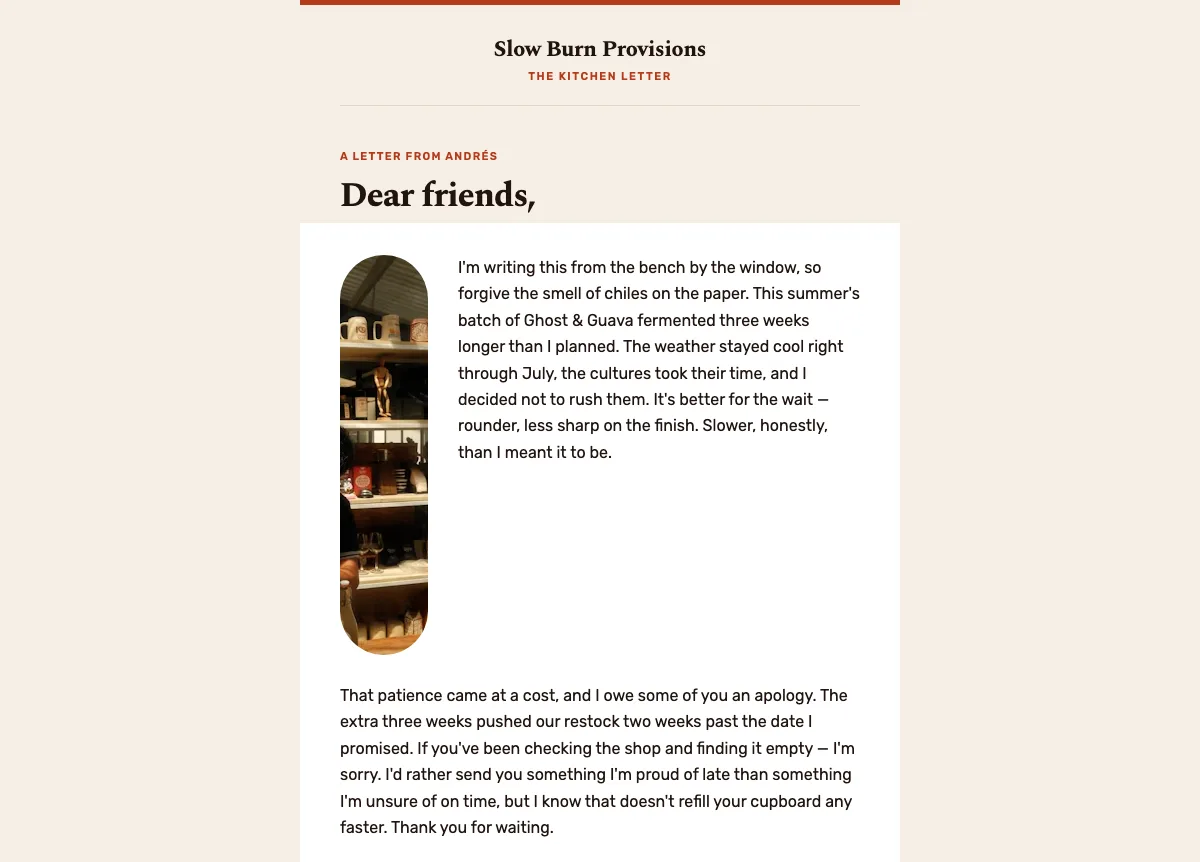
Preview
What's inside
Read off the file itself, not a spec sheet. This is the module order the download actually ships with, in the order a reader meets them.
Import
The download is a single HTML file. Here is where it goes in Klaviyo, what the platform expects, and which tags are already wired up.
Editing Klaviyo opens an imported HTML template in its own editor. Copy and images are editable there, and the underlying structure stays as generated, so the layout does not drift between sends.
Watch for Klaviyo rejects an import that carries no unsubscribe tag. This template already wraps {% unsubscribe_link %} in its footer link, so it imports as-is — if you rebuild the footer, keep that tag.
Klaviyo opens an imported template in its own editor, so the images can be swapped there without touching the HTML. Upload yours to Klaviyo first, then point each image block at it. Editing the file before you import works too — Klaviyo keeps whatever src it is given.
<img src="https://images.unsplash.com/photo-1774527917…opy&q=80&auto=format"
     alt="Jars of Ghost & Guava fermenting on the shelf"
width="600">How to use it
A founder letter is a campaign, and it still needs a schedule — quarterly suits most small makers, because a letter has to have something true to report. Put the slot in the calendar and hold it, since the value of a letter is that the audience learns to expect one. Klaviyo handles the scheduling and its reports will show the slot your list reads in, but read the result on click rate rather than open rate, because Apple Mail Privacy Protection inflates opens everywhere.
The letter is the template. Andrés’s four paragraphs run a specific delay, an apology, a sourcing change and a hint at what comes next — keep that shape, replace every word and do not send this at all if you have no news. Then swap the 88px inset portrait and the sign-off, the “Ghost & Guava” batch name, the 600px fermentation-room photo and its caption about twelve weeks, the “Join the restock list” button and the Oaxaca address at 118 Mill Road.
The craft
Each editorial card ends in a "Read more →" link rather than its own button. Button soup is the named failure mode of the newsletter archetype — five buttons and the reader picks none.
One reading path, scannable blocks, alternating image-left and image-right between consecutive cards so the eye keeps moving without the layout repeating itself.
A fixed section order and a consistent send time turn a newsletter into something a reader can locate instantly, issue after issue. Morning Brew built a daily habit on exactly that predictability.
Or refine this
Generate your own with this template as a starting point. Change the colors, the voice, the offer — describe what you want different and the studio recomposes it. Apply your brand kit and ship in your tone, not the template's.
The download is yours either way.
Open this template in the studio →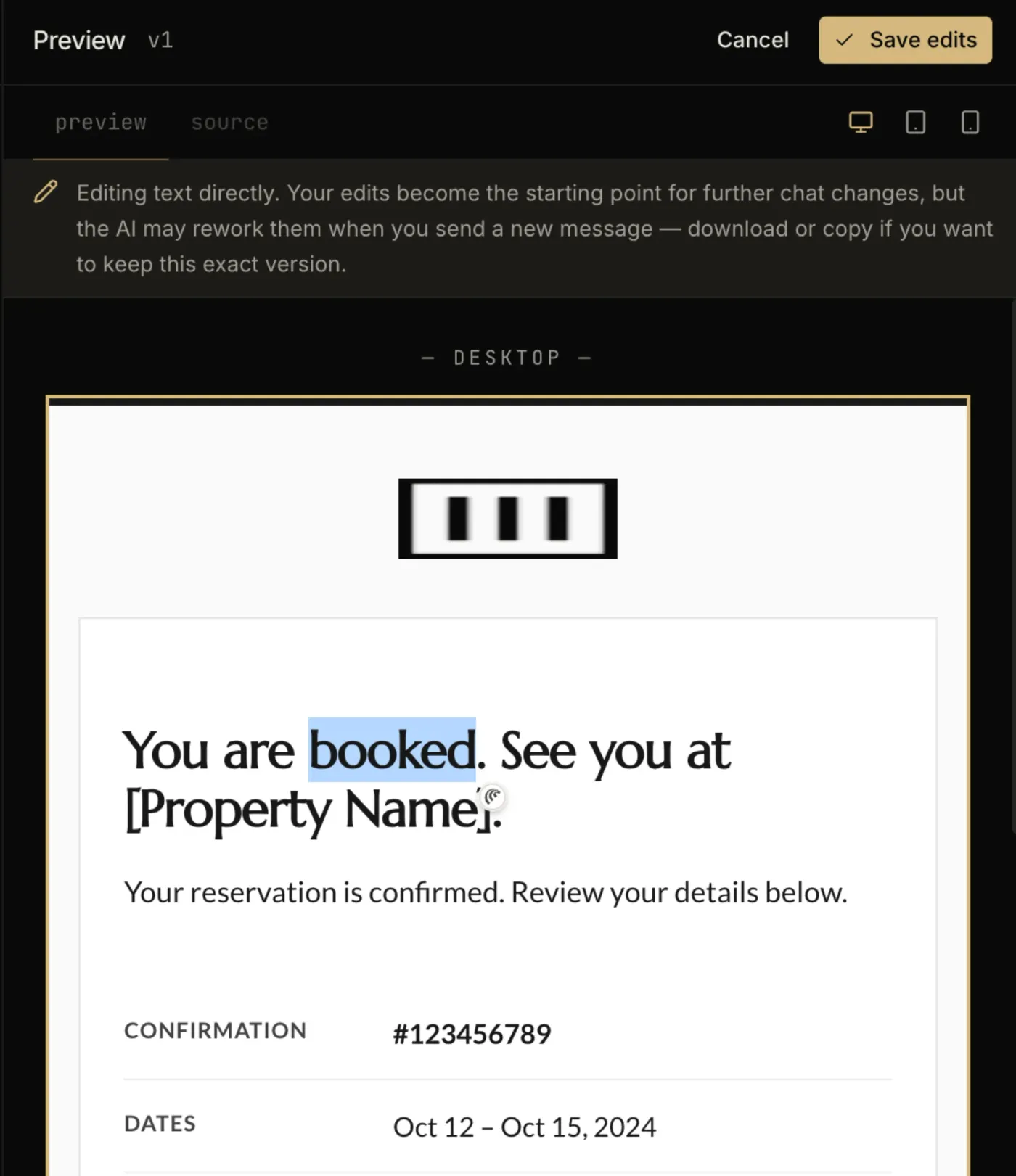
Questions
Both. An imported template is available to any campaign or flow email you build afterwards. The trigger and the timing are configured on the flow itself, not in the template.
No. Template import is available on Klaviyo’s free tier, which covers up to 250 profiles. Removing Klaviyo’s own footer branding is the paid-plan feature, not the import.
Consistency beats any theoretical best hour. Pick a slot your audience already reads in, then hold it — the predictability is the point. Read your ESP reports to find it, and judge by clicks rather than opens, because Apple Mail Privacy Protection inflates open rates industry-wide.
Every zone sets its background twice — once as a bgcolor attribute and once as an inline background-color — which is the pattern that survives dark-mode inversion in clients that repaint backgrounds.
The “Join the restock list” button is a bulletproof VML button, so Outlook on Windows draws a real filled button instead of collapsing it to a bare text link.
The layout is a 600px table backbone with a mobile breakpoint, and the CSS is already inlined for the clients that strip style blocks.
In the studio
Describe what you want to send. Get a high-converting, dark-mode-safe template in seconds. Free tier, three generations a month, no card required.