Trust over marketing
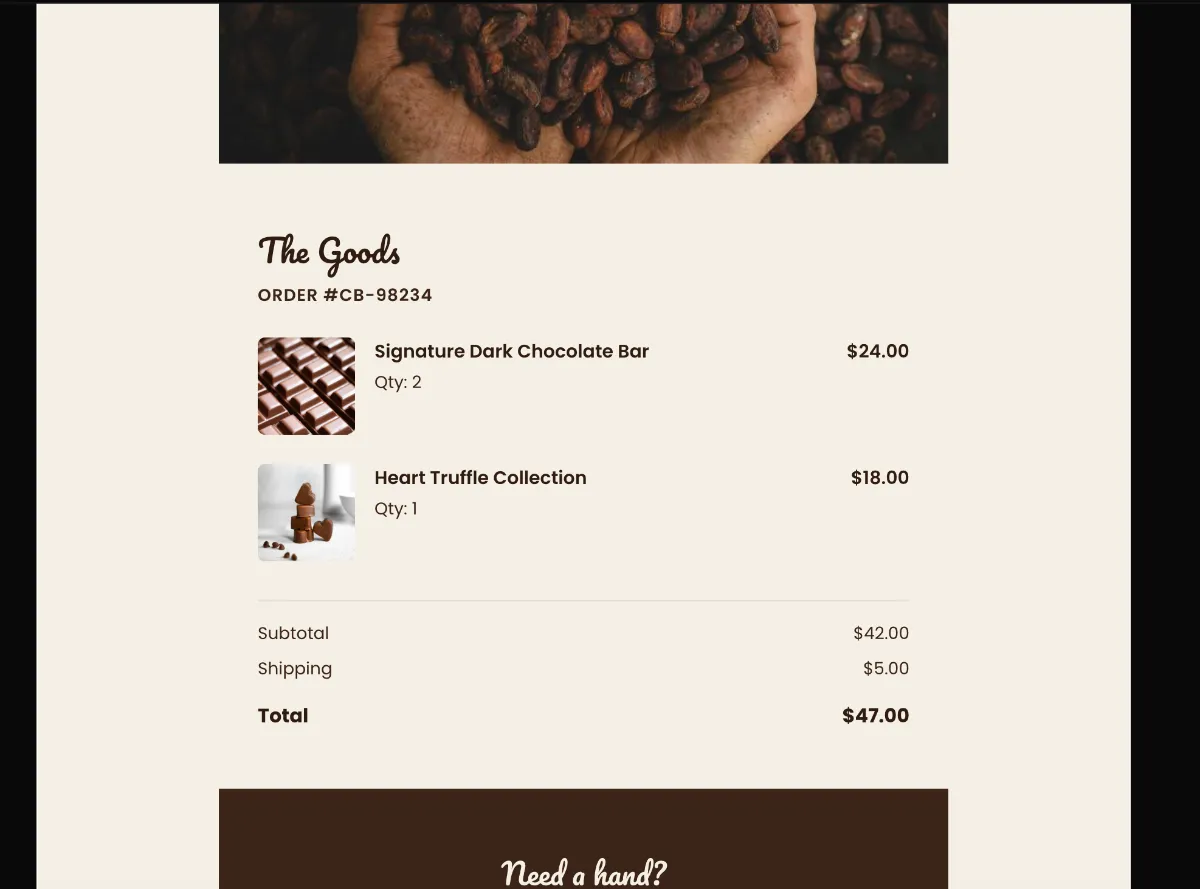
Zero cross-sells, no promotional arrow-links, no discount strip. Visual restraint is what signals trustworthiness — the moment a receipt starts selling, it stops reading as a receipt.
Preview
What's inside
Read off the file itself, not a spec sheet. This is the module order the download actually ships with, in the order a reader meets them.
Import
The download is a single HTML file. Here is where it goes in Klaviyo, what the platform expects, and which tags are already wired up.
Editing Klaviyo opens an imported HTML template in its own editor. Copy and images are editable there, and the underlying structure stays as generated, so the layout does not drift between sends.
Watch for Klaviyo rejects an import that carries no unsubscribe tag. This template already wraps {% unsubscribe_link %} in its footer link, so it imports as-is — if you rebuild the footer, keep that tag.
Klaviyo opens an imported template in its own editor, so the images can be swapped there without touching the HTML. Upload yours to Klaviyo first, then point each image block at it. Editing the file before you import works too — Klaviyo keeps whatever src it is given.
<img src="https://app.emailtemple.com/api/assets/79355…33-9e74-22c1244eb541"
     alt="The Solstice Pendant"
width="80">How to use it
Transactional, fired by the purchase and sent immediately. At this price point the confirmation does reassurance work as much as record-keeping, so let the packaging and insured-shipping lines carry it and keep product recommendations out entirely. The customer has just spent real money. Give them the receipt, the concierge line and nothing to reconsider. The trigger is a placed-order flow in Klaviyo.
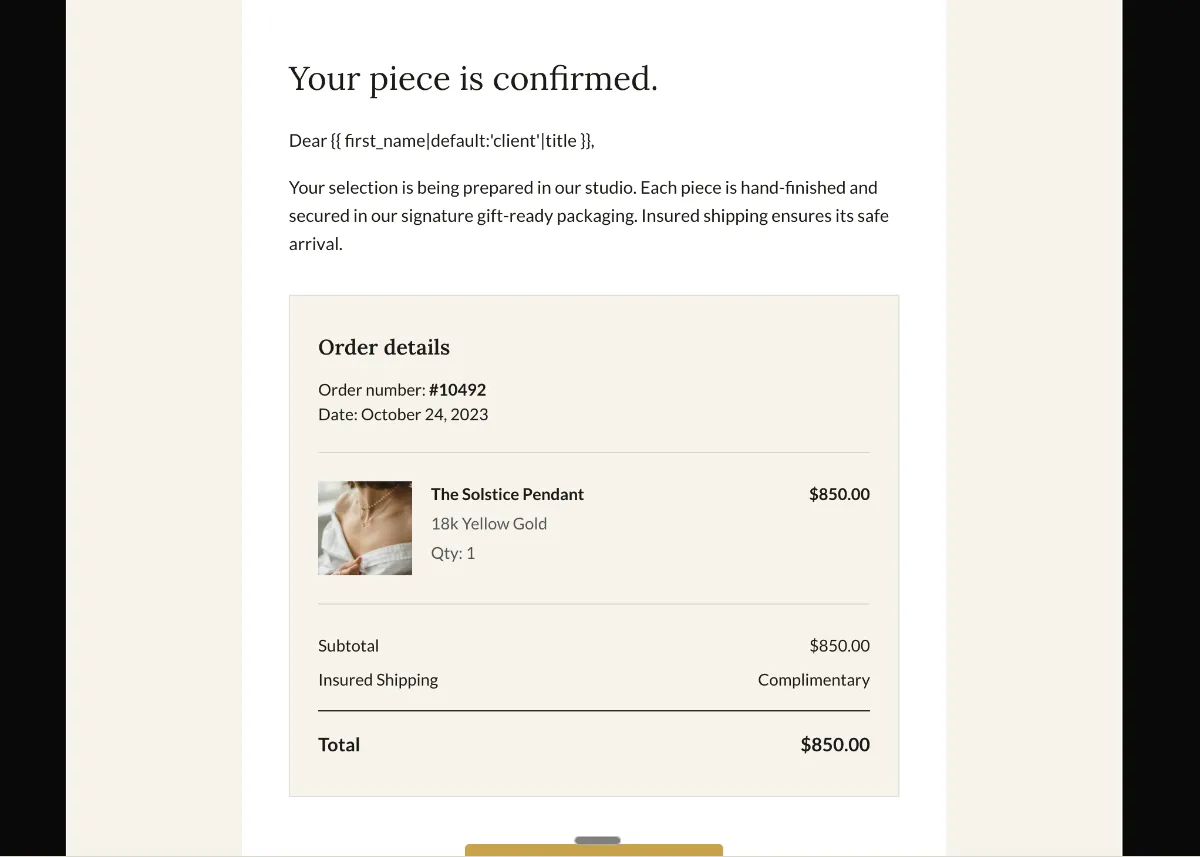
The order card is frozen: “Order number: #10492”, a date reading July 24, 2026 and one item row, The Solstice Pendant in 18k Yellow Gold at $850.00 with insured shipping listed as complimentary. All of it needs Klaviyo order variables, the date most urgently — hardcoded, it is wrong on every send but one. The button reads “Track your order”, but there is no tracking at purchase, so relabel it or point it at the order status page rather than example.com/gifts. Aurelia sits in the preheader, masthead and footer, and the concierge link is still mailto:concierge@example.com.
The craft
Zero cross-sells, no promotional arrow-links, no discount strip. Visual restraint is what signals trustworthiness — the moment a receipt starts selling, it stops reading as a receipt.
One order summary, receipt or confirmation card with clearly labelled rows carries the whole message. One or two modules is the whole archetype.
"View order" or "Track shipment" — the button exists so the reader can finish the thing they started, and it does not compete with anything.
Or refine this
Generate your own with this template as a starting point. Change the colors, the voice, the offer — describe what you want different and the studio recomposes it. Apply your brand kit and ship in your tone, not the template's.
The download is yours either way.
Open this template in the studio →
Questions
Both. An imported template is available to any campaign or flow email you build afterwards. The trigger and the timing are configured on the flow itself, not in the template.
No. Template import is available on Klaviyo’s free tier, which covers up to 250 profiles. Removing Klaviyo’s own footer branding is the paid-plan feature, not the import.
The archetype says no. Cross-sells and discount strips undercut the trust signal that makes a confirmation read as a confirmation, and in many jurisdictions adding promotional content changes the email’s legal classification.
Every zone sets its background twice — once as a bgcolor attribute and once as an inline background-color — which is the pattern that survives dark-mode inversion in clients that repaint backgrounds.
The “Track your order” button is a bulletproof VML button, so Outlook on Windows draws a real filled button instead of collapsing it to a bare text link.
The layout is a 600px table backbone with a mobile breakpoint, and the CSS is already inlined for the clients that strip style blocks.
In the studio
Describe what you want to send. Get a high-converting, dark-mode-safe template in seconds. Free tier, three generations a month, no card required.