Acknowledge the silence, skip the guilt
"We miss you" works. "We noticed you haven’t opened our last eight emails" does not — it reads as surveillance, and post-MPP it is often not even true.
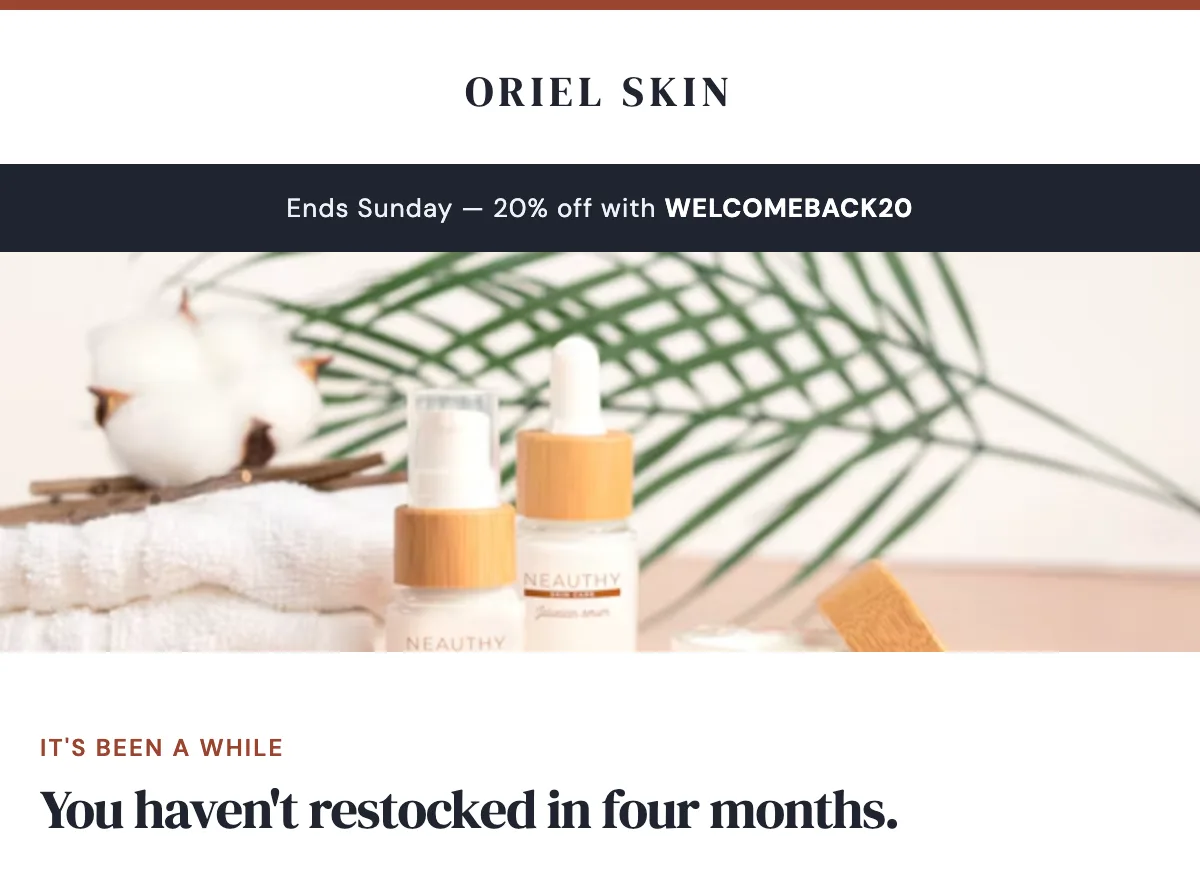
Preview
What's inside
Read off the file itself, not a spec sheet. This is the module order the download actually ships with, in the order a reader meets them.
Import
The download is a single HTML file. Here is where it goes in Mailchimp, what the platform expects, and which tags are already wired up.
Plan Custom-coded templates are a paid-plan feature. Mailchimp’s free tier does not offer the code-your-own path.
Editing This is a Classic template. Every region marked mc:edit opens in the campaign builder as an editable region with a WYSIWYG toolbar, so a non-technical teammate can change copy and images without touching HTML. Classic and the Drag-and-Drop builder are not interchangeable — an imported HTML template always lands in Classic.
Watch for Do not paste this into the Drag-and-Drop builder. There is no path from custom HTML into a Drag-and-Drop template — importing as code-your-own always yields a Classic template, which is what the mc: regions are built for.
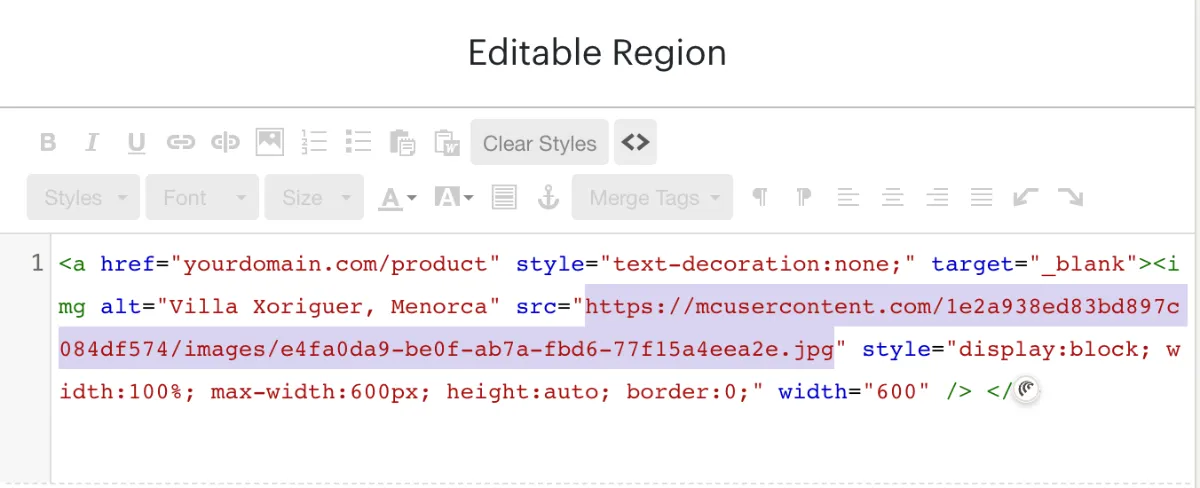
A custom-HTML template opens in Mailchimp’s legacy builder. Click the image, open the source view on that editable region, and replace the src with an image from your Mailchimp file manager — those URLs start with mcusercontent.com. The rest of the block can stay as it is.
Shortcut You can skip this entirely. Connect Mailchimp under Connectors in the studio and EmailTemple transfers the files over the API when it pushes the template, so there is no source code to edit. Connectors are on the Starter and Pro plans.
How to use it
Trigger this from a lapsed-customer segment, for example buyers whose last order was more than 120 days ago. It fits as the second step of a win-back flow, after a softer check-in has gone unanswered, or as a standalone campaign when the offer is the reason to write. Only send the deadline version when the code really expires on the date you print. Remove anyone who orders from the flow so a returning customer is not chased with a discount they already used.
Oriel Skin is the placeholder brand. The code WELCOMEBACK20 and “Ends Sunday” appear in the promo strip, the hero and beside both buttons, so all four have to match the offer you configure in your store. Replace the three product cards (Barrier Cream 50ml, Daily Gel Cleanser 150ml, Mineral SPF 30) with your own reorder favourites, prices and images. Rewrite the founder note, then repoint every orielskin.com link.
The craft
"We miss you" works. "We noticed you haven’t opened our last eight emails" does not — it reads as surveillance, and post-MPP it is often not even true.
A preferences arrow-link and a soft "or unsubscribe here" in the pre-footer. Respecting the reader’s choice is part of the voice, and a clean list is worth more than an inflated one.
Frequency should match engagement — send most often to the recently engaged, and to contacts dormant past six months only inside a campaign like this one. Repeatedly mailing the disengaged is what trains inbox providers to route you to spam.
Or refine this
Generate your own with this template as a starting point. Change the colors, the voice, the offer — describe what you want different and the studio recomposes it. Apply your brand kit and ship in your tone, not the template's.
The download is yours either way.
Open this template in the studio →
Questions
No. The code-your-own path is a paid-plan feature — Mailchimp’s free tier does not expose custom-coded templates. Everything else about this template is free and unrestricted.
Yes, for the regions marked editable. Each mc:edit region opens in the campaign builder with a WYSIWYG toolbar, so copy and images can change per send while the layout stays fixed.
Only if the reason they left was price. Give them a reason to stay or an easy exit — a reflexive discount teaches the engaged half of your list to wait for the next one.
Every zone sets its background twice — once as a bgcolor attribute and once as an inline background-color — which is the pattern that survives dark-mode inversion in clients that repaint backgrounds.
The “Redeem the offer” button is a bulletproof VML button, so Outlook on Windows draws a real filled button instead of collapsing it to a bare text link.
The layout is a 600px table backbone with a mobile breakpoint, and the CSS is already inlined for the clients that strip style blocks.
In the studio
Describe what you want to send. Get a high-converting, dark-mode-safe template in seconds. Free tier, three generations a month, no card required.