
If you’re thinking about email list segmentation for under 1,000 subscribers, the answer is yes, it still matters, but only if you’re a small operator with a list you’re not sending to enough. You do not need complex flows or enterprise logic to make your sends more relevant.
What you do need is a handful of practical ways to separate buyers, non-buyers, recent clickers, and people who have gone cold. This playbook gives you a few simple tactics you can actually use, and it stays strictly organic: no bought lists, no broker pitches, no shortcuts.
Segmentation Under 1,000 Subscribers: The Short Answer
Under 1,000 subscribers, segment on three axes from day one: source, intent, and engagement in the last 30 to 60 days. Skip everything else until the list is bigger, because small lists break when you over-sort them.
The 3 tags every small list needs from day one
- Source: where the subscriber came from, for example homepage popup
- Intent: what they opted in for, for example weekly tips
- Engagement: recent activity, for example clicked in last 30 days

What to ignore until you cross 1,000
- Demographic segments
- Lifecycle VIP tiers
- Behavioral micro-segments
- Purchase-history segments if you have fewer than 50 buyers
Why Segmentation Matters Sooner Than You Think
What segmentation actually is (in plain terms)
Segmentation is grouping subscribers so you can send relevant messages instead of one blast to everyone. The common advice that it only matters once you have 20,000 subscribers gets this backwards, because small lists need clarity earlier, not later.
The compounding cost of an untagged list
Every untagged subscriber you add now is a subscriber you cannot speak to specifically later. Cleanup gets harder with every form, freebie, referral source, and campaign you add.
For example, 300 podcast listeners and 300 lead-magnet downloaders look identical on an untagged list, but they need very different first emails. One group already knows your voice, the other only knows the promise on the opt-in form.
Tag by Source: The Single Most Important Signal
Source is the most under-discussed and most useful tag on a small list. Where someone subscribed tells you what they came for, how warm they are, and what to send next.
Common sources and what each one tells you
- Website inline form: usually a lower-friction subscriber with broad interest in your brand or newsletter.
- Exit-intent popup: often a colder visitor who needs a stronger first email and a clearer reason to stay subscribed.
- Lead magnet: signals specific intent tied to one problem, promise, or topic.
- Podcast or YouTube CTA: usually a warmer subscriber who already knows your voice and needs less introduction.
- Partner swap or bundle: often the least context-rich source, so expectations and interest can vary a lot.
- Manual import from a Typeform or Fillout: signals a more deliberate action, but only if you preserve the form context during import.
How to tag source automatically in your ESP
Most ESPs let you pass a hidden source field on the form, capture it through UTM logic, or attach it during a webhook or API handoff. The point is simple: the source should arrive with the subscriber, not get guessed later.
Webhook-based subscribers, especially from bundles, partner campaigns, or external forms, are the most likely to go untagged and need extra care. If the tag is missing at capture, list quality drops fast, and no amount of copy will fix not knowing why that person joined.
Tag by Intent: Use Your Opt-in Form to Do the Work

Simple opt-in form vs. data-rich opt-in form
A two-field form collects name and email, and that is often enough to start a list. A four-field form adds one self-selecting question, such as what brought you here or what stage you are at, and gives you usable intent data before the first send.
That extra answer changes what you send next. Someone who selects getting started does not need the same first email as someone who selects comparing options or ready to buy.
Using Typeform or Fillout to extract more signal
Tools like Typeform and Fillout let you ask conditional questions and pass the answers into your ESP as tags through a webhook. That means you can collect interest and stage data on day one, instead of trying to recover it later with a survey campaign.
This works especially well when the first answer determines the next question. You keep the form relevant to the person filling it out, and your list arrives already organized.
The form length trade-off
More fields give you more signal, but they also lower conversion. Under 1,000 subscribers, one extra question, single-select, with 3 to 5 options is the sweet spot.
Do not treat surveying the list later as the main plan. That is backfill, not a system.
Tag by Behaviour: Engagement Is the Only Behaviour That Matters at This Size
The 30/60/90 engagement window
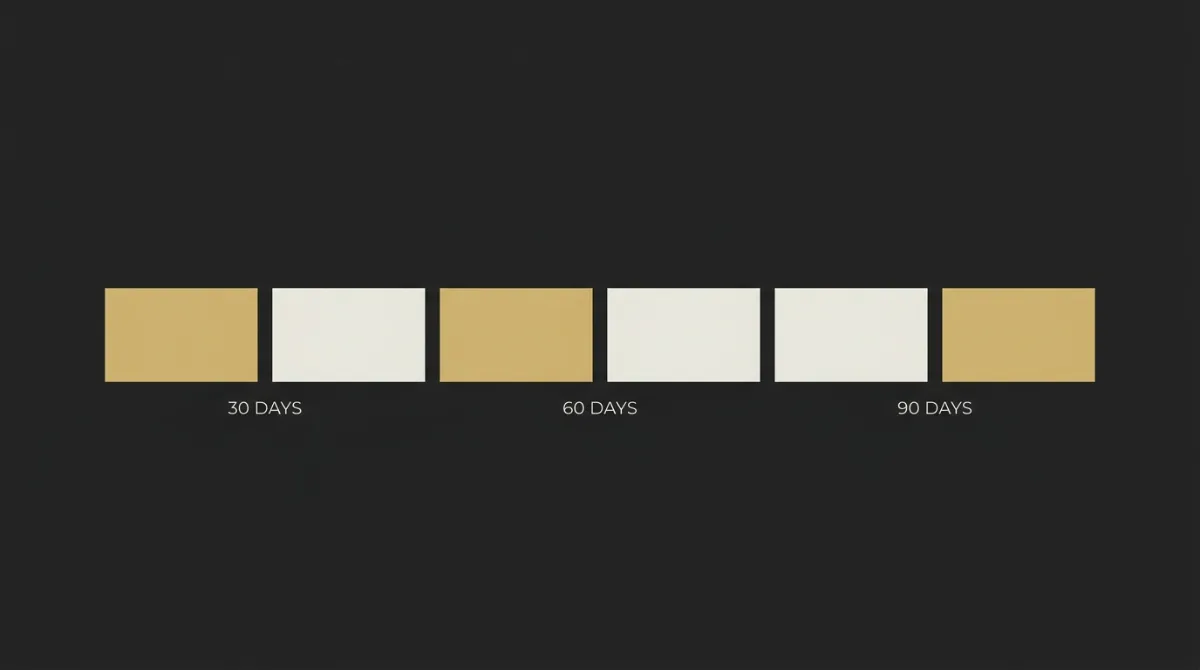
For a small list, an engaged subscriber is someone who opened or clicked in the last 30 to 60 days. If you want one simple rule, use 30 days for active, 60 days for fading, and 90 days for likely disengaged.
Why purchase-history segments are premature under 1,000
A lot of advice for segmentation starts with purchase history, cart abandonment, and browse behavior. Under 1,000 subscribers, that is usually too thin to be useful, and most readers do not have enough buyer volume for those groups to say anything reliable.
Skip purchase-based segments until you have at least 50 buyers. Before that, engagement tells you more, faster, and with less mess.
What to do with the disengaged
Do not build elaborate win-back flows for a list this size. Send one or two honest re-engagement emails using a clear subject line, then remove the people who still do nothing.
Smaller lists with higher engagement beat larger lists full of dead weight. That helps deliverability, because inbox providers pay attention to whether people keep interacting with what you send.
Comparing the Three Tag Types
These three tag types are enough for most lists under 1,000 subscribers. They tell you who joined, why they joined, and whether they are still paying attention.
| Tag type | What it captures | When to apply it | What it lets you send | Effort to set up |
|---|---|---|---|---|
| Source | Where the subscriber came from before joining your list | Apply it on signup, before the contact enters your ESP | First emails matched to source, context, and expected interest | Very low, one hidden field on the signup form |
| Intent | What they opted in for, wanted, or needed most | Apply it on signup through one extra form question | Topic-specific sends and lead-magnet follow-up that fits the signup | Low, one extra field with clear answer options |
| Engagement | Opens and clicks recorded in the last 30 to 60 days | Apply automatically through your ESP as activity updates accumulate | Send-frequency control, win-back emails, and cleaner list management | Very low, built into most ESPs by default |
Lead Magnets and List Growth That Actually Tag Themselves
One lead magnet per topic, not one for everyone
One well-targeted lead magnet per audience segment beats one universal freebie. The lead magnet itself becomes the intent tag, which means growth and segmentation happen at the same time.
What each lead magnet tells you about the subscriber
A first 1,000 subscribers guide usually attracts beginners. A segmentation playbook attracts operators who already have a list, and a niche case study tends to attract people closer to a buying decision.
Those are not interchangeable signals. If all three people land in the same generic welcome sequence, you lose the context they gave you for free.
Popup vs. inline forms: where each tag lands
Popup forms usually capture colder, broader interest, so tag them accordingly. Inline forms inside a blog post or mid-scroll section usually capture warmer, more topic-specific interest, because the subscriber has already spent time with that exact subject.
Keep the growth model organic and tagged from the start. No bought lists, no industry email lists, no scraped leads.
Five Segments Worth Building Before You Hit 1,000
These are the five segments worth setting up first on a small list. They are ordered by impact, not by how many filters your ESP happens to offer. If you are also weighing which platform to run this on, see our guide to the best email service provider for small business.
1. Engaged in last 30 days
Subscribers who showed recent activity and are still paying attention.
opened OR clicked any campaign in last 30 days.
send your weekly newsletter or current offer.
5 minutes.
2. By source (top 3 sources only)
Subscribers grouped by where they joined, using only your main sources.
source equals your top three signup sources.
send a source-matched first follow-up email.
10 minutes.
3. By lead magnet / opt-in topic
Subscribers grouped by the topic or freebie that got the signup.
lead magnet or topic tag matches form selection.
send a topic-specific follow-up or related lesson.
10 to 15 minutes.
4. New subscribers (last 14 days, still in welcome flow)
Recent subscribers who are still early in the relationship.
joined in last 14 days AND welcome flow active.
send welcome emails before regular broadcasts.
10 minutes.
5. Disengaged (no open in 60+ days)
Subscribers who have stopped interacting and need a final check.
no open in 60 or more days.
send a short re-engagement email, then remove.
5 minutes.
List Hygiene at This Size: Less Cleaning, More Discipline
Suppress hard bounces and spam complaints automatically
Hard bounces and spam complaints should already be auto-removed or suppressed by your ESP. You usually do not need a manual process here, beyond checking once that the setting is on.
Sunset the truly disengaged after 90 days
A sensible sunset rule for a small list is 90 days of zero opens, one final re-confirm email, then removal. Keep that last email plain and honest, because a dramatic cleanup blast can create more problems than it solves.
Why over-cleaning a small list is a real risk
A lot of top-ranking advice assumes a much bigger list and tells you to clean aggressively. Under 1,000 subscribers, removing 200 people is a 20% cut, so be deliberate. Rules like 30-day inactive removal are usually overkill at this size.
Common Mistakes When Segmenting a Small List
Over-segmenting before you have signal
This happens when a small list gets split into too many tiny groups before there is enough real behavior to justify it. You end up with segments that look organized in the ESP but are too small to guide what you send next. The fix is simple: stick to the 3-tag rule, source, intent, and engagement, until the list gives you more signal.
Treating tags and lists as the same thing
A lot of people use separate lists when they really mean categories inside one list. Tags layer on top of a shared subscriber base, while separate lists split that base apart, and under 1,000 subscribers that usually creates more mess than control. The fix: use one main list and use tags to segment inside it.
Forgetting to set the source tag on imports
This usually happens with bundle signups, webhook captures, or manual imports from outside the ESP. The contact arrives, the email is there, but the context is gone, and now you cannot tell what that person opted in for or how warm they are. The fix: set the source field at import time, every time.
Building segments around data you don’t have
This is the fantasy-segmentation problem. People plan birthday campaigns, industry segments, and demographic splits without ever collecting birthdays, industry, or demographic data in the first place. The fix: only build segments from fields you actually capture or behavior your ESP actually records.
How EmailTemple Treats Segments Inside the Template
One template, many segments: variables and conditional blocks
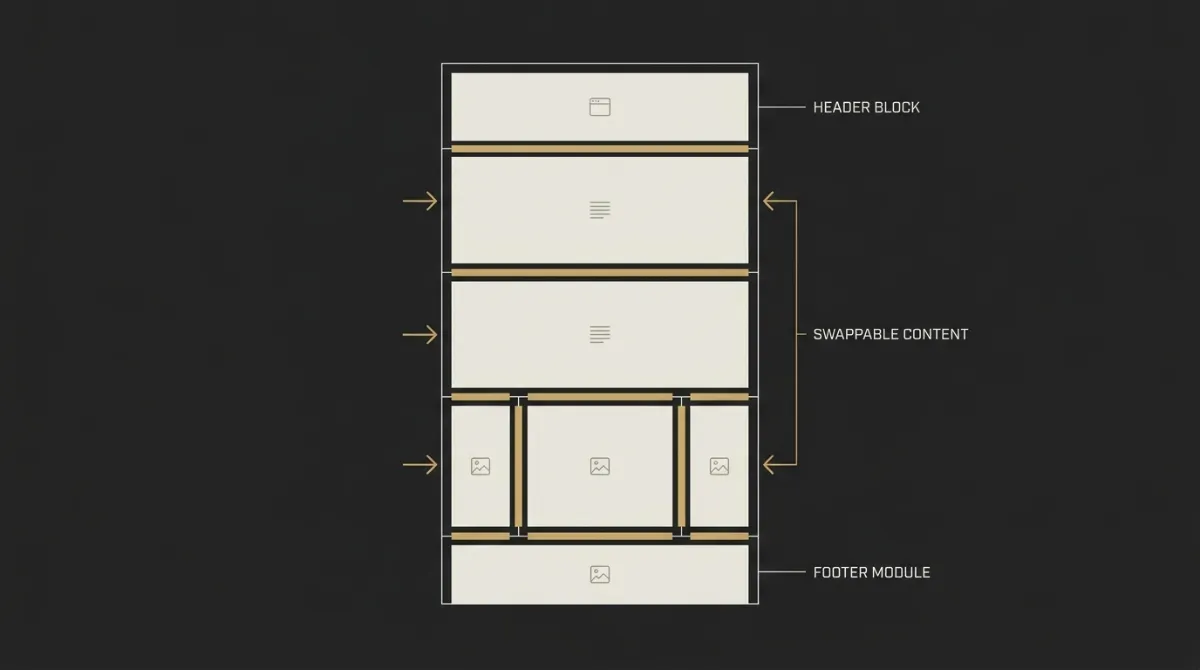
A production-ready template can use merge tags and conditional blocks to swap the headline, offer, or CTA based on the subscriber’s tag. Same send, different message per segment, with the studio handling the structure inside Mailchimp, ActiveCampaign, or MailerLite.
Why a segment-aware template beats a generic blast
The real cost of segmenting is usually not tagging the list. It is building emails that can actually change by segment, and a dark-mode safe template built for conditional content removes the last excuse to keep sending generic blasts.
Frequently Asked Questions
What is the minimum list size where segmentation is worth it?
There is no real minimum. Even a list of 100 subscribers benefits from a source tag, because it tells you why someone joined and what to send next.
The math gets convincing fast on a small list. When every subscriber is a bigger share of total attention and revenue, relevance matters sooner, not later.
Should I use tags or separate lists?
Use tags almost every time. Separate lists usually only make sense when you need to separate contacts for legal or permission reasons.
For a small list, separate lists create fragmentation and duplicate management. Tags keep one audience together while still letting you send different messages to different groups.
How do I tag subscribers who joined before I had a system?
If the list is small enough, usually under 500, you can backfill tags manually based on where people came from or what they signed up for. That is often worth doing once.
If the history is unclear, accept that older contacts are untagged and start tagging everyone going forward. A clean system from today is better than waiting for perfect historical data.
Will more segments hurt my deliverability?
No, more segments do not hurt deliverability on their own. Sending irrelevant blasts to everyone is the bigger problem.
Segmentation usually improves relevance, which gives more people a reason to open or click. That is healthier than treating the whole list like one generic bucket.
Can I segment without a paid ESP plan?
Yes. Most free ESP tiers support tags and basic segments, including platforms like Mailchimp, MailerLite, Beehiiv, and ConvertKit.
You may hit limits on automation depth or total contacts, but basic source, intent, and engagement tagging is usually available without paying first.
How often should I review and clean my segments?
Under 1,000 subscribers, review your segments quarterly. That is frequent enough to catch drift without turning list management into a weekly project.
Cleaning rules can run automatically in the background. What needs human review is whether your tags still match how people are joining, clicking, and buying.
