

Choosing the best email service provider gets harder once you already have a list and real sends going out. Most small business owners do not just need deliverability and automation. They need an ESP that helps their emails look credible when they land, because a cheap-looking default template can drag the whole brand down.
This guide is for small business owners and operators with an existing email list. We cover 3 ESPs, ranked editorially by best overall fit, and score them against 12 criteria: deliverability, templates, automation, pricing, support, migration, segmentation, A/B testing, integrations, reporting, AI and ease of use.
The ordering is based on best overall fit, not who has the longest feature list. We also call out a gap most comparison posts miss: whether the default templates actually look good out of the box, with a simple 12-point framework so you can score the options side by side.
TL;DR: which email service provider should you choose
Best email service provider verdict: Mailchimp is best overall, MailerLite is best for simplicity, ActiveCampaign is best for advanced automation.
- For all-in-one features and deliverability claims: Mailchimp
- For ease of use and affordability: MailerLite
- For advanced automation and CRM: ActiveCampaign
How we evaluated these email service providers
We applied the same 12 criteria to all 3 ESPs so the ranking reflects a consistent editorial standard, not feature-list bias. The same 12-point framework is easy to reuse, so you can grade your current platform against the exact criteria used here.
Deliverability and inbox placement
Deliverability is the baseline. If a platform cannot reliably get marketing, broadcast or triggered emails into the inbox, the rest of the stack matters a lot less.
We looked at how strongly each ESP positions itself around inbox placement, sending reliability and tools tied to large-scale email sending. That includes whether the platform is clearly built for marketing and bulk email, not just basic business email.
Templates and email design
Template quality matters more than most rankings admit. A high score on every other criterion still produces emails that look cheap if the default templates are weak.
We scored both template availability and template quality. That means asking whether the default designs look current, credible and ready to send without heavy editing, or whether they push you into generic layouts that make the brand feel smaller than it is.
Automation and workflows
Automation is about what happens after the first send. We grouped workflow depth, triggered sequences and A/B testing here because they all affect how well an ESP can improve lifecycle performance over time.
A simple newsletter tool may be enough for basic campaigns. But if you need branching flows, behavior-based sends and testing built into the workflow, this category carries more weight.
Pricing and free plans
Pricing is not just the monthly number. We looked at entry cost, how usable the free plan is and whether the platform looks practical for a small business before list size and workflow complexity start climbing.
Free tiers can be useful, but only if they allow real sending and not just a trial version of the product. We also considered whether pricing feels proportionate to the depth of features on offer.
Support, migration and ease of use
This final group covers the operational side: support, migration, segmentation, integrations, reporting, AI features and day-to-day ease of use. These are the details that decide whether a platform feels smooth after setup or turns into admin overhead.
We checked whether each ESP gives small teams enough control without requiring a specialist for every change. Where relevant, we also looked for signs of built-in CRM, analytics, personalization or separate interfaces for different use cases, since those affect how easy the platform is to run in practice.
If you mainly want strong defaults to start from, browse our free email templates for Mailchimp, MailerLite and ActiveCampaign.
Best email service provider comparison table
This table gives you the fast read across the 3 ESPs in this list. It uses the same dimensions for each option so you can compare trade-offs without digging through every entry first.
| ESP | Best for | Deliverability claim | Standout strength | Pricing entry | Main limitation |
|---|---|---|---|---|---|
| Mailchimp | All-in-one | 99% transactional delivery claimed | 300+ templates | Free tier, Standard from $20/mo | Cost rises with contacts |
| MailerLite | Simplicity | High deliverability claimed | Verifier and 24/7 support | Free tier and 14-day trial | Smaller integration ecosystem |
| ActiveCampaign | Automation | No stated rate | 1,000+ integrations and AI | Quote-based, no free tier | Steeper learning curve |
1. Mailchimp
Overview
Mailchimp is an all-in-one email and SMS marketing platform for businesses of all sizes.
It ranks first here because it covers more of the category than the other two options. If you want email, testing, reporting, AI help and a broad template library in one place, Mailchimp is the most feature-complete pick in this shortlist. To get usable output from that AI help, see how to use AI for email marketing.
The trade-off is cost once your list grows. It is easy to start with, but not always the cheapest platform to keep as contact volume climbs.
Best for: businesses that want a broad all-in-one platform with strong testing and reporting
Key features
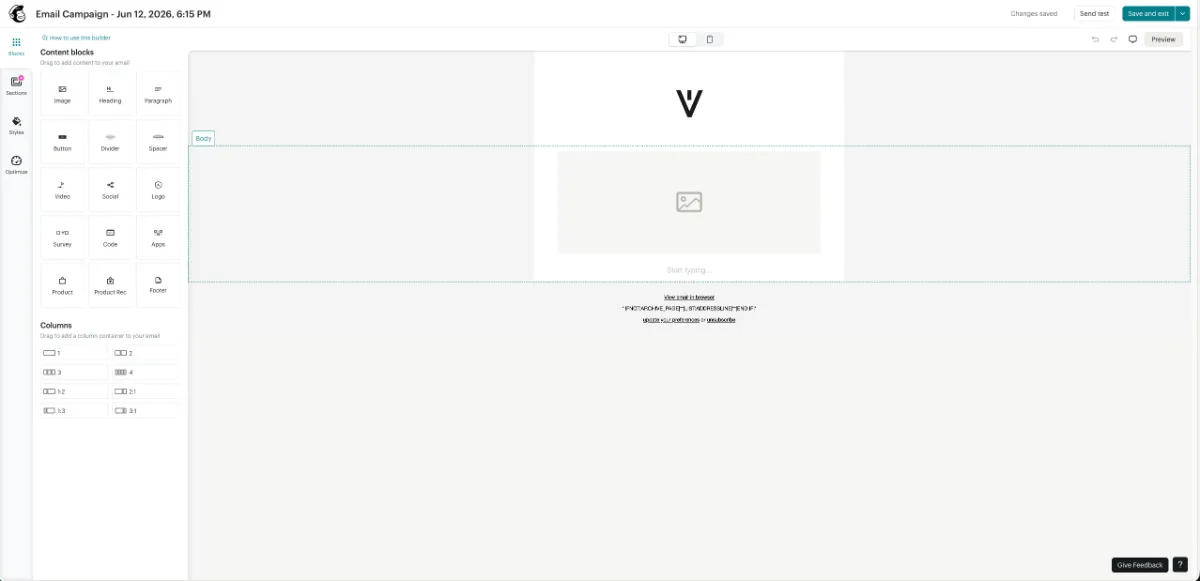
- Drag-and-drop builder with 300+ templates: Gives teams a large starting library for campaign creation.
- Advanced automation with interaction triggers: Supports customer journeys based on actions and behavior.
- Predictive segmentation and dynamic content: Helps tailor campaigns to audience patterns and attributes.
- A/B and multivariate testing: Offers deeper testing than most small-business tools.
- AI content generation: Adds built-in help for faster drafting and campaign setup.
- 300+ integrations: Connects with a wide range of business tools and platforms.
Strengths
- It has the strongest deliverability claim in this group, including a 99% transactional delivery figure and customer outcomes cited as 99.99%.
- Testing depth is a real advantage, especially for teams that want to optimize campaigns instead of just sending them.
- Reporting is stronger than the simpler options, with benchmarking and comparative analysis built into the platform.
- The interface is broadly approachable for small to medium-sized businesses.
Weaknesses
- Pricing rises sharply as contact count increases.
- Forms and landing pages are not positioned as strongly as its email and reporting features.
- SMS is part of the broader platform story, but it is a paid add-on.
- Lower-tier support can be more limited than some teams expect.
Who it’s for
Mailchimp fits businesses that want one platform to cover most email marketing needs without stepping up immediately to a more automation-heavy system. It works especially well for teams that care about testing, reporting and having a large set of built-in campaign tools from day one.
Pricing
- Free tier: Available.
- 14-day trial: Available.
- Standard: From $20/month for 0 to 500 contacts.
- Higher-volume pricing: Discounts are noted at 10,000+ contacts.
- Other paid tiers: Confirm current plan details and feature limits on the pricing page before choosing.
2. MailerLite
Overview
MailerLite is an email marketing platform built for creators and small businesses that excels at simplicity and affordability.
Its position here comes from being easy to run without giving up the core ESP fundamentals most small teams actually need. For owners sending newsletters, promos and basic automations, it covers the workflow without feeling heavy.
It also fits this ranking well because the product is accessible for non-specialists. That matters when the person choosing the ESP is often the same person writing, sending and checking results.
Best for: small businesses and operators who want an easy ESP with a real free starting point
Key features
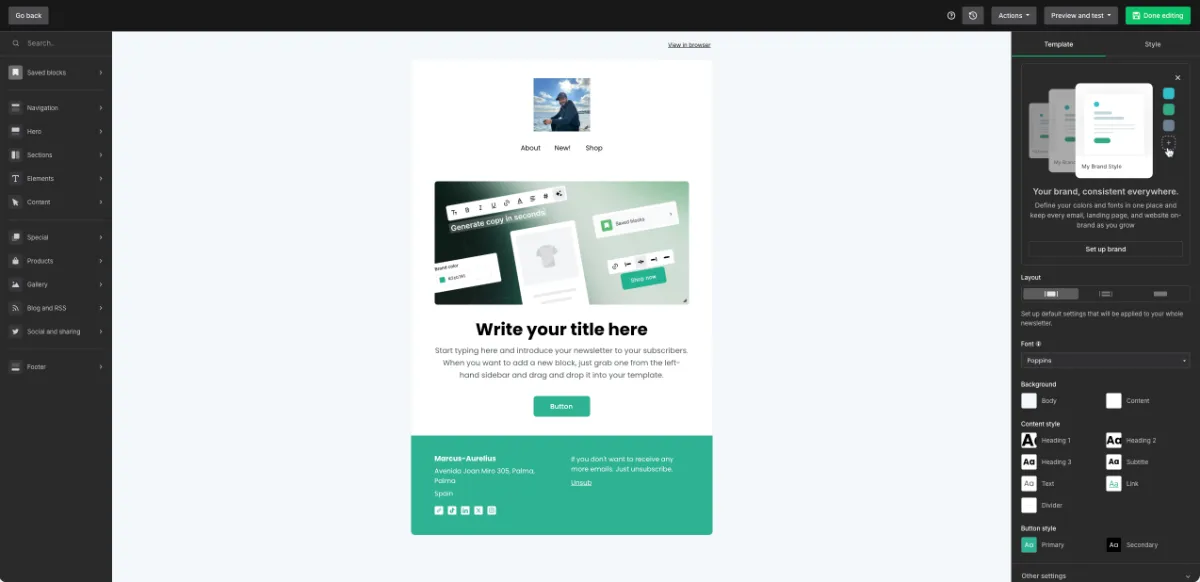
- Drag-and-drop editor: Build campaigns visually without needing code or a complicated setup.
- Template, landing page and popup library: Covers email creation plus list-growth assets in the same platform.
- Automation workflows: Supports triggered sequences for common lifecycle and campaign use cases.
- Segmentation and dynamic content: Lets you tailor sends by audience group and content rules.
- Bundled email verifier: Adds list-cleaning support inside the platform, which helps its deliverability positioning.
- AI design tools: Includes AI-assisted creative help for faster campaign setup.
Strengths
- Support is a real standout, with 24/7 availability, a 97% satisfaction claim and chat replies reportedly around the 5-minute mark.
- The free tier makes it easier to start sending before committing to a paid plan.
- The interface is approachable for beginners but still usable for teams that send regularly.
- It covers the main jobs many small businesses need in one place, without much setup friction.
Weaknesses
- The integration ecosystem is smaller, with common connections like Stripe, Zapier, Shopify, WordPress and WooCommerce, but less breadth than larger platforms.
- Reporting is lighter than what more advanced teams may want.
- A/B testing is not presented as a headline strength.
- Teams with very custom workflows may outgrow it faster than they would a deeper automation platform.
Who it’s for
MailerLite fits small business owners, creators and operators who want to get campaigns out fast without a steep learning curve. It makes the most sense when ease of use, affordability and a clean starting workflow matter more than having the deepest ecosystem in the category.
Pricing
- Free tier: Available for getting started.
- 14-day premium trial: Available to test paid features.
- Paid tiers: Confirm current plan names and pricing on the pricing page before choosing a plan.
3. ActiveCampaign
Overview
ActiveCampaign is a marketing automation platform for businesses that want advanced, automation-led customer journeys.
It stands out here because the product is built around workflow depth, cross-channel automation and sales-marketing coordination. If MailerLite is the simpler operating system, ActiveCampaign is the one for teams that want much more control.
That also means it asks more from the user. The platform makes the most sense when automation is the priority and the team is willing to trade simplicity for capability.
Best for: power users and growing teams that want deep automation across marketing and sales
Key features
- Automated journeys and workflows: Build detailed customer paths based on behavior, timing and triggers.
- Active Intelligence AI agents: Extends automation across email, SMS and WhatsApp use cases.
- Built-in CRM and sales automation: Connects marketing activity with pipeline and follow-up workflows.
- Segmentation and AI-suggested segments: Helps teams organize audiences with both manual and AI-assisted logic.
- 1,000+ integrations: Connects with a very large app ecosystem for broader workflow coverage.
Strengths
- It has the deepest automation setup in this shortlist.
- The 1,000+ integration ecosystem gives it the most flexibility for custom stacks.
- Built-in CRM plus sales automation makes it stronger for teams that need marketing and pipeline data in one system.
- Its headline claim around cutting 13 hours of busywork per week speaks directly to the platform’s workflow-first value.
Weaknesses
- The learning curve is steeper than the other options in this list.
- There is no free tier, and pricing tends to be quote-based.
- The product positioning is automation-first, not design-first.
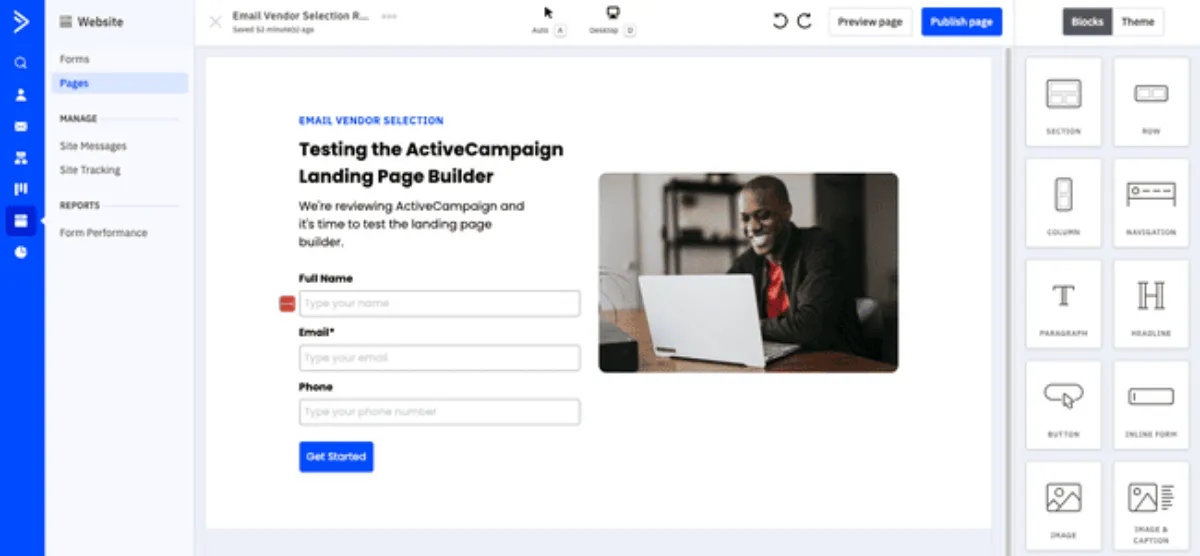
- Templates and the builder are not the main story, which matters if email appearance is a key buying factor.
Who it’s for
ActiveCampaign is a better fit for sales and marketing teams, operators with more complex funnels and businesses that want automation to do real work across channels. It is less suited to owners who mainly need a simple newsletter and campaign tool.
Pricing
- 14-day trial: Available.
- Free tier: Not available.
- Paid plans: Tends to be the priciest option in this shortlist, so confirm current tiers and packaging on the pricing page before choosing.
How to choose the right email service provider for your business
A good choice is less about picking the platform with the longest feature page, and more about matching the tool to how you actually send. Use the same decision rules across every option, then pressure-test the part most buyers skip: how the emails look when they leave the platform.
Match the platform to your sending volume and budget
Start with list size, send frequency and how often you need automation. If you send occasionally, have a smaller list and want low upfront cost, a real free tier or lower paid entry matters more than enterprise depth.
Use this quick filter before you compare anything else:
- If you have a smaller list and send simple campaigns: start with the free tier or lowest paid plan.
- If you send weekly and need customer journeys: compare paid entry plans and automation limits.
- If your list is growing fast: check how pricing changes as contacts increase, not just the starting price.
- If sales and marketing both need the same system: give more weight to CRM, segmentation and workflow depth.
- If your sends depend on product or behavior data: make sure integrations and syncing are not an afterthought.
Score your shortlist on the 12 criteria
Once you narrow it to two or three options, score each ESP on the same 12 criteria: deliverability, templates, automation, pricing, support, migration, segmentation, A/B testing, integrations, reporting, AI and ease of use.
The easiest way to do this is to grade every platform side by side on the same criteria. Give each one a simple score, note any deal-breakers, then compare totals instead of deciding from memory after three pricing-page tabs.
For the pricing side specifically, our pricing page shows how a template-first workflow fits alongside whichever ESP you choose.
Test template quality before you commit
This is the step most lists underweight. Even a top-scoring ESP often ships default templates that make sends look cheap, which means the email lands in the inbox but still works against the brand.
Before you commit, build one real campaign in each shortlisted platform and check it in desktop, mobile and dark mode. Score the default template quality on one simple question: does this look like your brand out of the box, or does it look like a generic ESP demo?
If the platform is right but the templates are weak, that gap can be fixed separately. EmailTemple can generate a branded, dark-mode-safe template and export it to any of these ESPs, which is useful when the sending stack is solid but the design layer is not. If you are specifically weighing email builders, our Stripo alternatives compares the main editors on workflow, ESP export and dark-mode rendering.
Frequently asked questions
What is the best email service provider for small businesses?
For most small businesses, MailerLite is the best fit if simplicity and affordability matter most. Mailchimp is the stronger choice if you want a broader all-in-one setup with more testing, reporting and built-in features.
The right pick depends on how you send. If you mainly run newsletters and basic automations, simpler usually wins. If you need deeper reporting and more marketing features in one place, Mailchimp has the broader stack.
Is there a free email service provider?
Yes, both Mailchimp and MailerLite offer free tiers. ActiveCampaign does not have a free tier in this shortlist, though it does offer a trial.
A free tier is useful for testing the interface, template builder and basic campaign flow before paying. It is still worth checking the limits on contacts, sends and feature access before you commit.
Which email service provider has the best deliverability?
Mailchimp states the strongest deliverability numbers in this comparison, including a 99% transactional delivery claim. That makes it the clearest deliverability leader based on published figures in this shortlist.
That said, deliverability is never just the platform. List hygiene, domain authentication, sending behavior and engagement quality all affect whether your emails reach the inbox or the spam folder.
Do I need more than one email service provider?
Usually, no. Most businesses should run one main ESP for marketing email and keep the system as simple as possible.
The main exception is when you want to separate transactional email from marketing email. That setup can make sense for businesses sending product emails, account notifications or other system-triggered messages alongside campaigns.
How do I migrate to a new email service provider?
Start by backing up your contacts, segments, templates and automation logic before you move anything. Then create the new account, connect your domain, repoint the needed DNS records and set up IMAP or SMTP if your migration requires it.
Many platforms offer migration resources or guided setup, and some businesses use a migration tool or outside help to reduce risk. After the move, test signup forms, automations and a live campaign before fully switching over.
What is the difference between an email service provider and an email provider?
An email service provider is built for sending bulk, marketing and transactional emails. An email provider is the inbox you use for personal or business communication, such as Gmail or Outlook.
The difference is mainly purpose. ESPs focus on automation, analytics, segmentation and large-scale sending, while email providers focus on receiving, storing and managing everyday email.
