
Introduction
A warm list nobody is sending to still has buyers on it. The campaigns that do go out look generic, so inactive subscribers treat the next one like every other email that day. Operators with a list, a number to hit and nobody to hand the job to need re-engagement email templates that revive lists.
We give you 8 working archetypes, each with a prompt to generate your own in an LLM. Run them as a re-engagement email campaign, and use a win-back email when the offer should earn the click. EmailTemple generates ready-to-send campaigns exported to any major ESP.
Which Template to Reach For First
Start with the we miss you check-in for quietly lapsed inactive subscribers, then switch to a win-back email when a cart or purchase has gone cold and to a preference check-in when frequency is the issue.
- For a quietly lapsed subscriber: the we miss you check-in
- For a cart or purchase gone cold: the win-back incentive
- For a subscriber overwhelmed by frequency: the preference check-in
- For a contact ready to leave the list: the break-up email
The re-engagement email examples below walk through each of those eight campaigns.
When the pick is clear, generate your first campaign.
What Makes a Re-Engagement Template Work, and How to Prompt for It
A re-engagement email template works when it names the gap, asks for one action, and makes leaving visible. These four tests are how to write re-engagement emails that inactive subscribers will still open, and they recur across every entry below.
It acknowledges the silence instead of pretending
Open with a warm Greeting or Text hero that names the gap, then give a reason to stay. Keep the voice sincere, low-pressure and a little vulnerable: respecting the reader’s choice is part of the design.
One offer, one clear call to action
One primary CTA per zone, rendered as a button, with secondary CTAs as arrow-links. An email with five buttons has no CTA, so keep a single come-back action and put any second equal action in a side-by-side row that stacks on mobile.
The prompt is specific enough to beat generic output
The brief, not the model, decides whether AI email sounds generic, so the prompt has to carry the offer, the audience and one action. Add constraints, tone and a line on re-engagement email subject lines, then run the five-step workflow: brief, copy, HTML, verify, then hand a draft to the ESP.
It gives subscribers an easy way out
Pair the come-back CTA with a visible Update preferences arrow-link and a soft unsubscribe text link in the pre-footer. Make leaving easy: two to three modules across three zones is enough.
1. The We Miss You Check-In
Overview
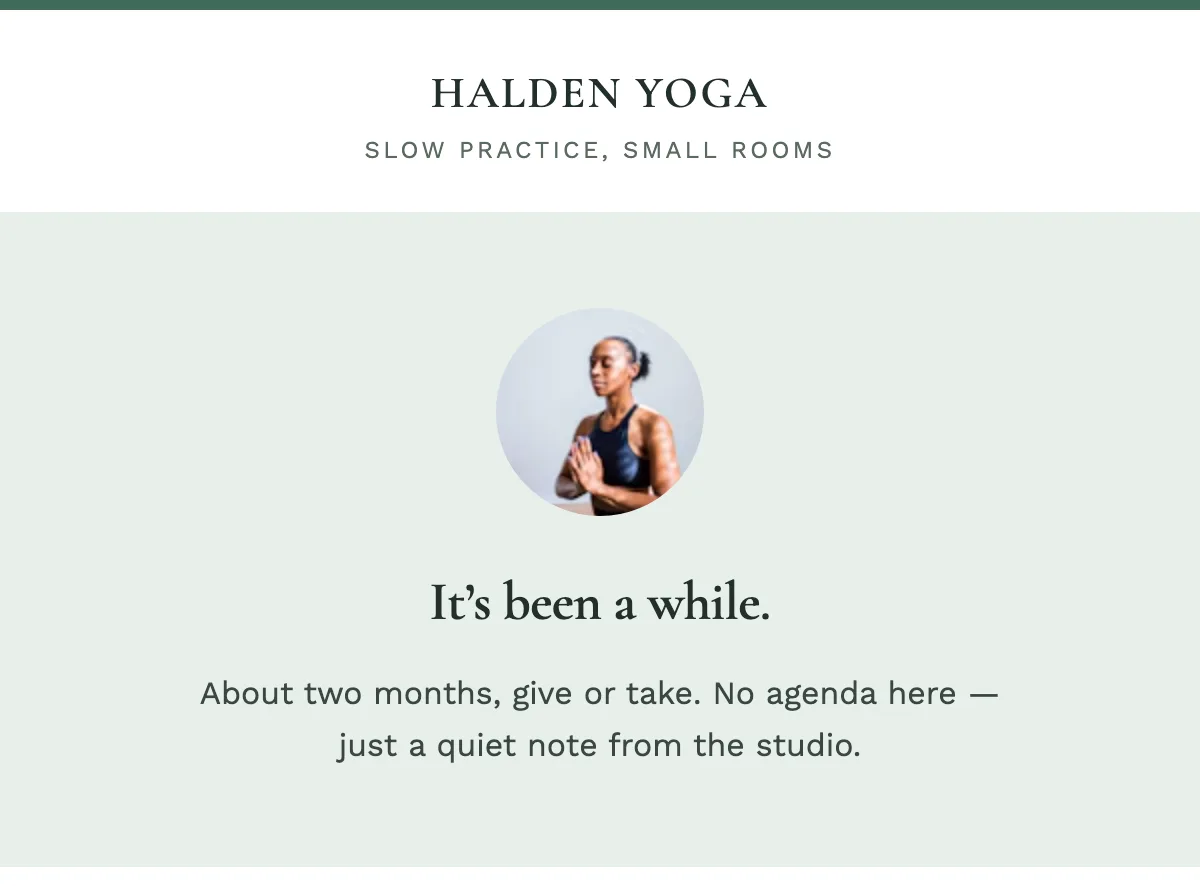
The We Miss You check-in is the lowest-friction re-engagement email, best for subscribers who quietly went cold. It names the gap, says the list still wants them, and asks for one small return: a click, a reply or a preference update.
This is the emotional-nudge archetype. You write to people who already chose you, then went quiet, and the job is to make the next send feel considered again.
Best for: quietly lapsed inactive subscribers at the first stretch of silence, when goodwill is the offer.
When it works best
This check-in works best at the first quiet stretch, while your name still looks familiar in the inbox. It fits a newsletter, a local service or a brand people already bought from, where the relationship is the reason to write.
Send it while goodwill can still carry the click. Let this note do the noticing.
The prompt to copy
Copy this prompt to draft the re-engagement check-in in one pass, then replace the brackets with your audience, offer and action.
Write a short we-miss-you check-in email for [audience] who have gone quiet. Open by naming that it has been a while. Keep the body to three or four sentences. The offer is [what they get by coming back]. Ask for one action: [click through / reply / update preferences]. Close with a visible way to change frequency or leave. Keep a calm, operator-to-reader voice.Fill every bracket before you generate. The output should read like a person noticing the silence, then pointing at a single next step.
Pitfalls to avoid
Length and a buried ask are the two craft points that decide this email. Keep the body to a few sentences and put one verb on screen.
A check-in subject should sound like a person noticing the silence. That difference is what earns the open from a list that has been skimming you.
2. The Win-Back Incentive
Overview
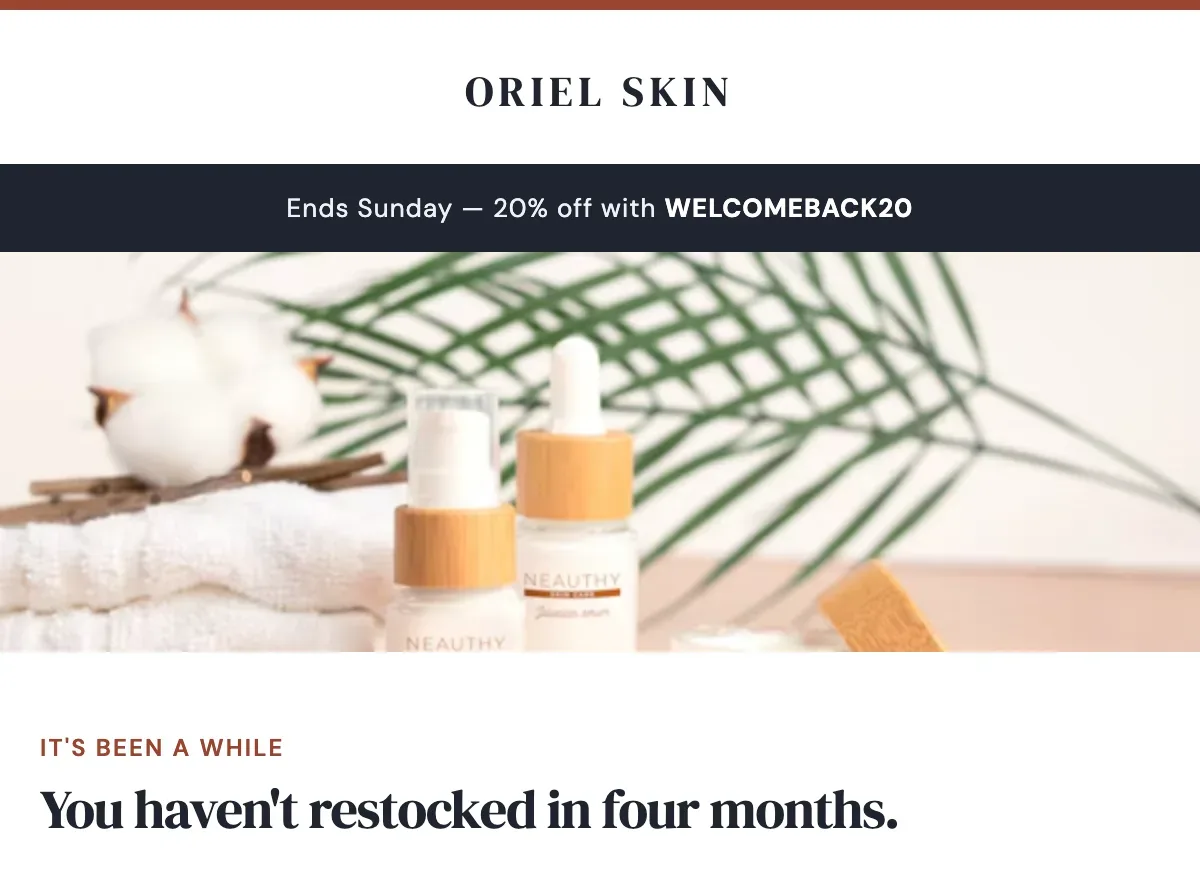
The win-back email is an offer-led re-engagement send for lapsed customers that names one discount or exclusive and asks for one click.
When a cart or last purchase has gone cold, the offer is the message. Name the gap, name the deal, and point to one product, cart or collection.
Best for: e-commerce operators and purchase-driven lists that still have a real offer for lapsed buyers.
When it works best
Reach for this on e-commerce and other purchase-driven lists, where the next action is a reorder, a cart return or a product page. Revenue per send is the test: the offer has to be worth the click.
Use it when the lapse is commercial, after a quiet check-in or on its own. Match the prize to the tier: give VIPs exclusivity and early access, and give non-buyers a different incentive on a slower cadence so each send still earns its keep.
The prompt to copy
Copy this re-engagement prompt, fill the brackets and generate. The brackets are the brief: who it is for, what they get and where they click.
Write one email for [audience tier: VIP lapsed buyers, or non-buyers who browsed and never purchased] who have been inactive for [number] days.

Offer: [named discount or exclusive access]. Deadline: [Ends Sunday, or the real date from the brief]. One CTA: [Shop the restock / Redeem the offer / Open early access], same label both times.

Open by naming the silence. Put the offer in the hero. Place the deadline in the promo strip and again beside the button. Keep the body short. One offer, one button, one destination.
Keep the audience tier honest. Give each tier the incentive it will actually use.
Pitfalls to avoid
Put a dated deadline in the promo strip, the hero or beside the CTA so it is visible on first glance. A line like “Ends Sunday” is specific enough to register.
Write a deadline only when the brief supplies one. Keep one offer, one button and one destination.
3. The Preference Check-In
Overview
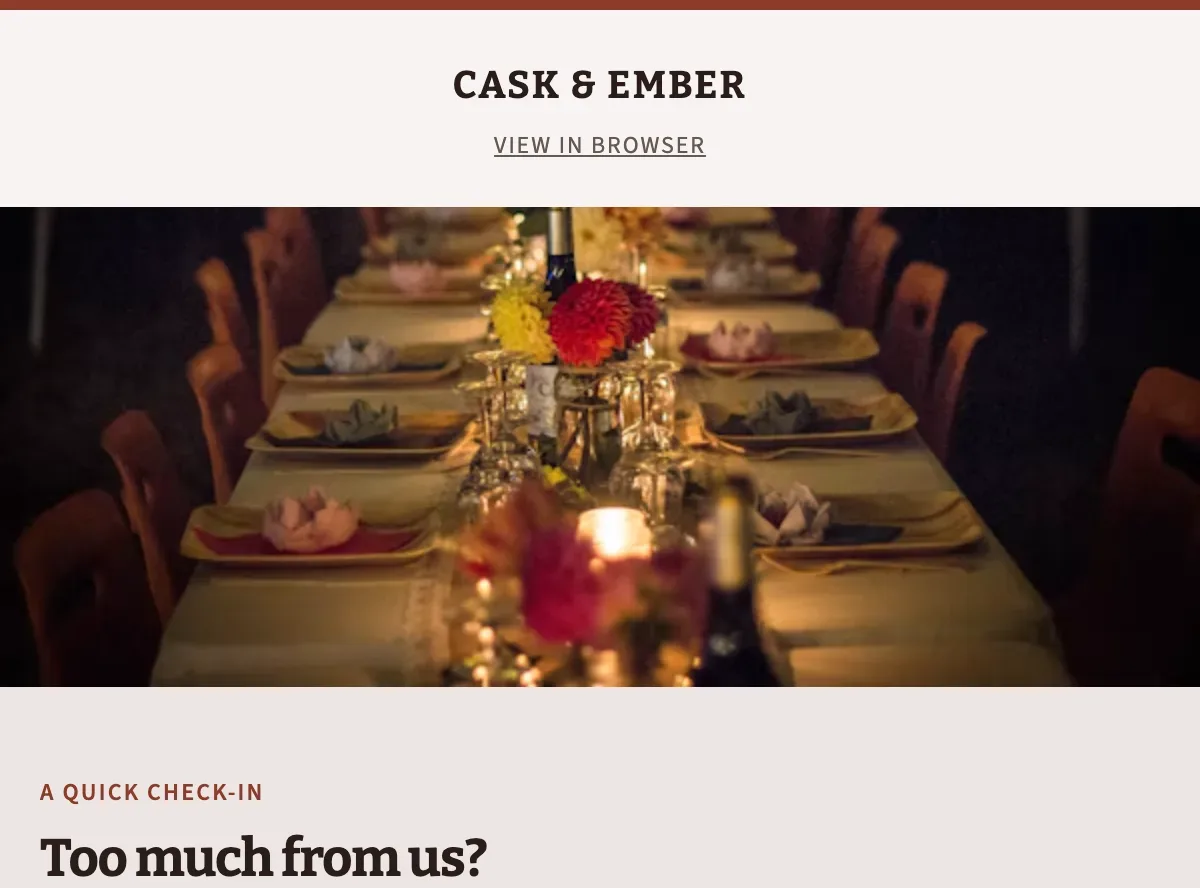
The preference check-in is a choice-led re-engagement email for subscribers who went quiet because the cadence or the topics drifted. It asks them to pick what still belongs in the inbox.
It names the mismatch, puts a short type-and-cadence menu in view, and treats that click as the whole job. The copy sells the choice.
Best for: lists that went quiet after volume or topic drift, where one cadence click would bring people back.
When it works best
This send fits subscribers who still care about the brand and have started skipping because the calendar or the content drifted.
Use it after a volume spike, a new editorial stream, or a season of launches and newsletters sharing one list. The people who click are the ones who would stay if the inbox felt like theirs again.
The prompt to copy
Paste this into your drafting tool, fill the brackets, and generate a preference check-in that asks for email types and frequency, then stops.
Write a preference check-in email for [brand] to people who have not opened or clicked in [N] days.

Job: one update to email types and send frequency.
Tone: [one-line brand voice].
Output: subject line, preheader, and body only.

Body: 2 to 4 short sentences that name the inbox mismatch, then:
- three content options written as [option 1], [option 2], [option 3]
- three frequency options with [weekly] already selected
Primary CTA label: Update my emails
Close with a line that they stay on the list at the new cadence.

Keep one ask. Skip product pitches, discounts, and countdown language.
Pitfalls to avoid
Cap the menu at three content types so the click stays obvious. Label each type in plain language: launches, stories, or how-tos.
Pre-select a frequency so confirming takes one click. Weekly (or your real default) should already be marked when the email opens.
4. The What You Missed Digest
Overview
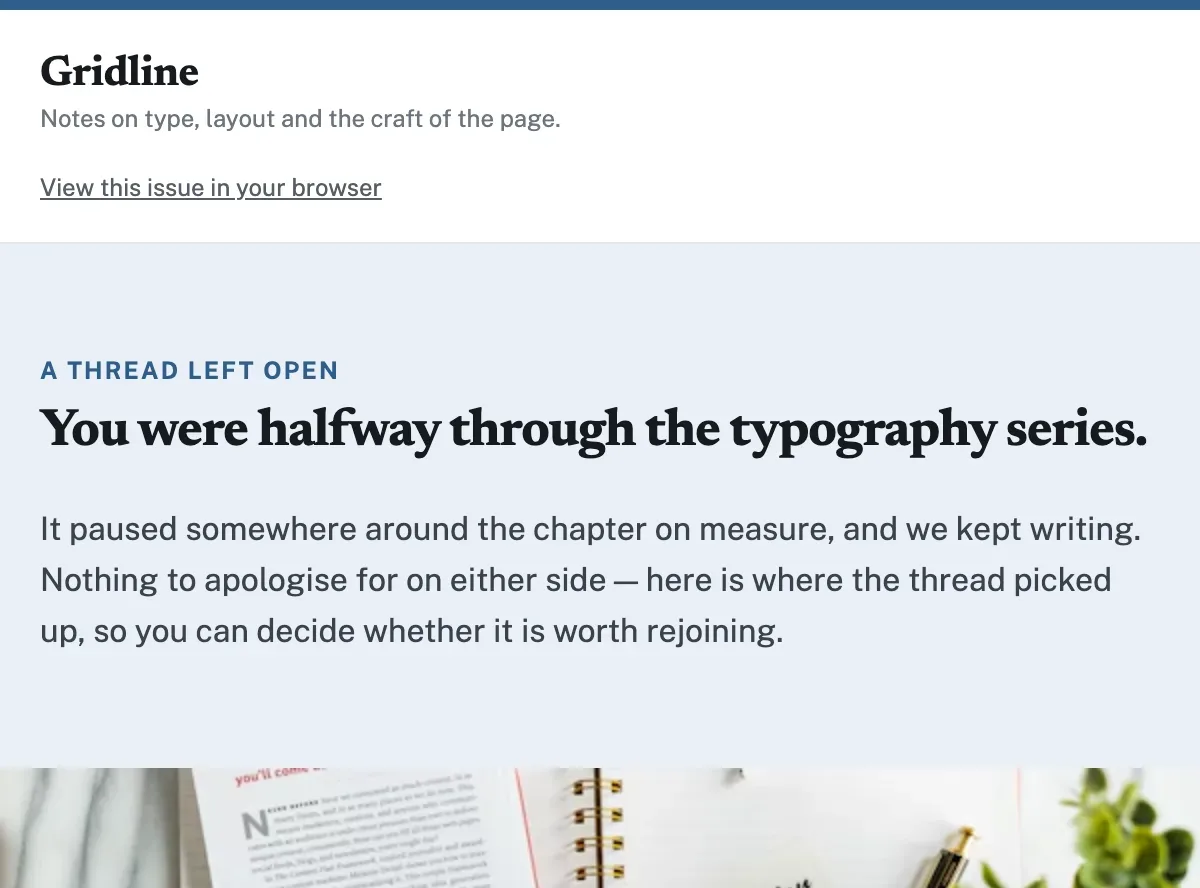
The what you missed digest is a catch-up re-engagement email for quiet readers that opens on a topic they already chose, then hands them a short best of from the archive. Name the last interest, put that thread in the hero and send them back to one piece that continues it.
The body handles the stall: they fell behind, so you sort the archive for them. Keep the set small, make the lead item the click and treat the rest as supporting.
Best for: newsletter lists with a back catalog and a last click, tag or issue you can name.
When it works best
This send fits content and newsletter lists that already have a back catalog. Inactive subscribers still care about a topic they chose. They just fell behind on the issues.
Use it when you can name the last click, tag or issue they finished, and you have a handful of strong pieces in that same lane. The job is to put them back in the story they already started.
The prompt to copy
Fill the brackets and paste this as written. A re-engagement digest converts when the model is told the past interest, the pieces and the single return click.
Write a what-you-missed email for inactive subscribers on [list name].

Past interest to lead with: [last click / last issue / tagged topic]
Lead piece (primary click): [title] | [URL] | [one line on why it continues that interest]
Supporting pieces:
1. [title] | [URL] | [one line]
2. [title] | [URL] | [one line]

Rules:
- Open on the past interest. The hero is that unfinished thread.
- Reintroduce value through those pieces. Skip a from-scratch brand pitch.
- One primary CTA: send them to the lead URL.
- Keep supporting links quieter than the primary CTA.
- Direct, considered tone. No fake urgency. No we-miss-you framing.
- Output: subject line, preview text and body. Subject references the missed topic.
Pitfalls to avoid
Make the lead piece the only ask. The digest earns the click when one return path is obvious: the top article, the filtered archive or the next issue.
Keep the set short enough that each item continues the interest you named. Design supporting links quieter than the primary CTA.
5. The New Features Reminder
Overview
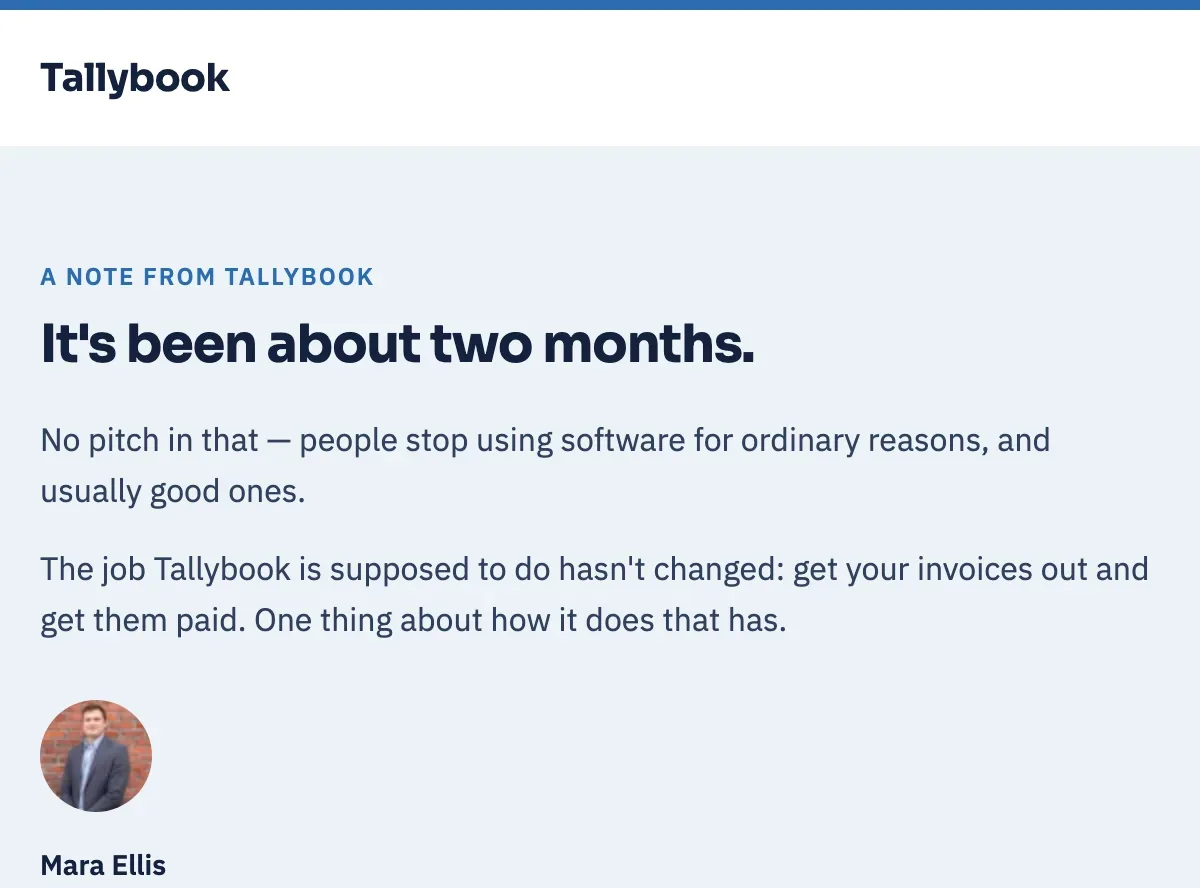
The new features reminder is a product-update re-engagement email designed for lapsed customers that names one shipped change and asks them to try it.
Quiet users often left because a job in the product was unfinished. This send treats that release as their reason to come back: the old friction, the fix, and one click into the live feature.
Best for: SaaS and product lists where a recent release may have closed the gap that sent them quiet.
When it works best
Use this on SaaS and product lists after a release that would have kept a quiet customer in the tool. The original leaving reason is now a live fix: a missing integration, a workflow they bounced on, a limit that used to stop the job.
Time it for the day they can click into that change. Name their old job in the first line so the update reads as theirs, then send them there.
The prompt to copy
Paste this into chat and fill the brackets with the product, the inactivity window, and the one change that maps to why they left.
Write a re-engagement email for lapsed [product] users who have been inactive since [date or inactivity window].

Open by acknowledging the gap in one line. Reaffirm the product's value in one sentence tied to [the job they hired it for]. Then name the single change shipped since they left: [feature name], which now [solves the friction that likely caused the lapse].

Ask for one action: [open the feature / complete the job]. Keep the preference or unsubscribe path visible. Voice: direct and considered. One update only.
Pitfalls to avoid
Write one reason to return, then stop.
- One shipped change: Name the fix that matches why they went quiet, in the language they used at the time.
- One click: The CTA opens that feature, or the job it now completes, in a single step.
6. The Plain-Text Personal Note
Overview
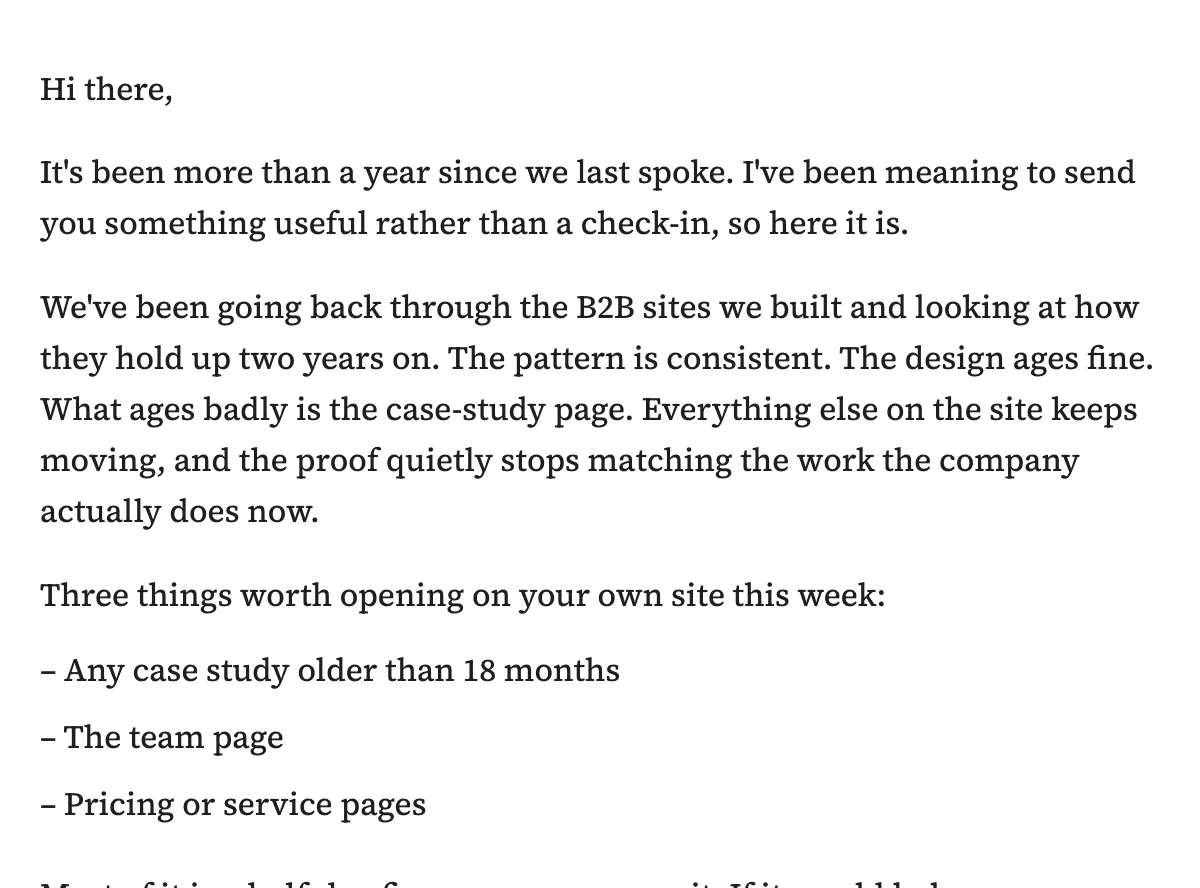
The plain-text personal note is a relationship-first re-engagement email designed for high-value contacts that reads like a person wrote it. A one-page gratitude or update rebuilds trust before any sales-driven wave.
Set it as a well-set letter: one column, one text color, three to five short paragraphs totaling 120 to 220 words. Put the only call to action in an inline hyperlink inside a sentence, so the letter still feels like correspondence.
When it works best
This note fits B2B and high-value relationships where the next open has to feel like one person writing to another. Use it for founder notes, account follow-ups and high-value subscribers who went quiet.
Send this relationship-first touch first, without a pitch, then run the offer-led wave once trust is back. A one-page update suits hard-to-reach contacts who need a quieter format.
The prompt to copy
Use this prompt to draft a short plain-text message with gratitude or a useful update and one inline link. Fill the brackets, then paste it into your LLM.
Write a plain-text personal note to one lapsed contact.

Recipient: [name], [role], [company]
Last real context: [project, purchase or conversation]
Sender: [name], [role]

Length: 3 to 5 short paragraphs, 120 to 220 words. One column of body copy in one text color.
Open by naming the gap in contact. Thank them or share one useful update tied to the last context.
Close with one request inside a sentence, as an inline text hyperlink to [URL or reply].
Sign with the sender name and role.

Voice: one person to one person, specific, calm.
Subject line: sentence case, conversational, from the sender.
Pitfalls to avoid
Write the note only when you can name one true detail that person would recognize. Send it from a named person with a role and hold the list to the contacts where that detail is true. That honesty is what makes the next re-engagement send worth opening.
7. The FOMO and Social Proof Nudge
Overview
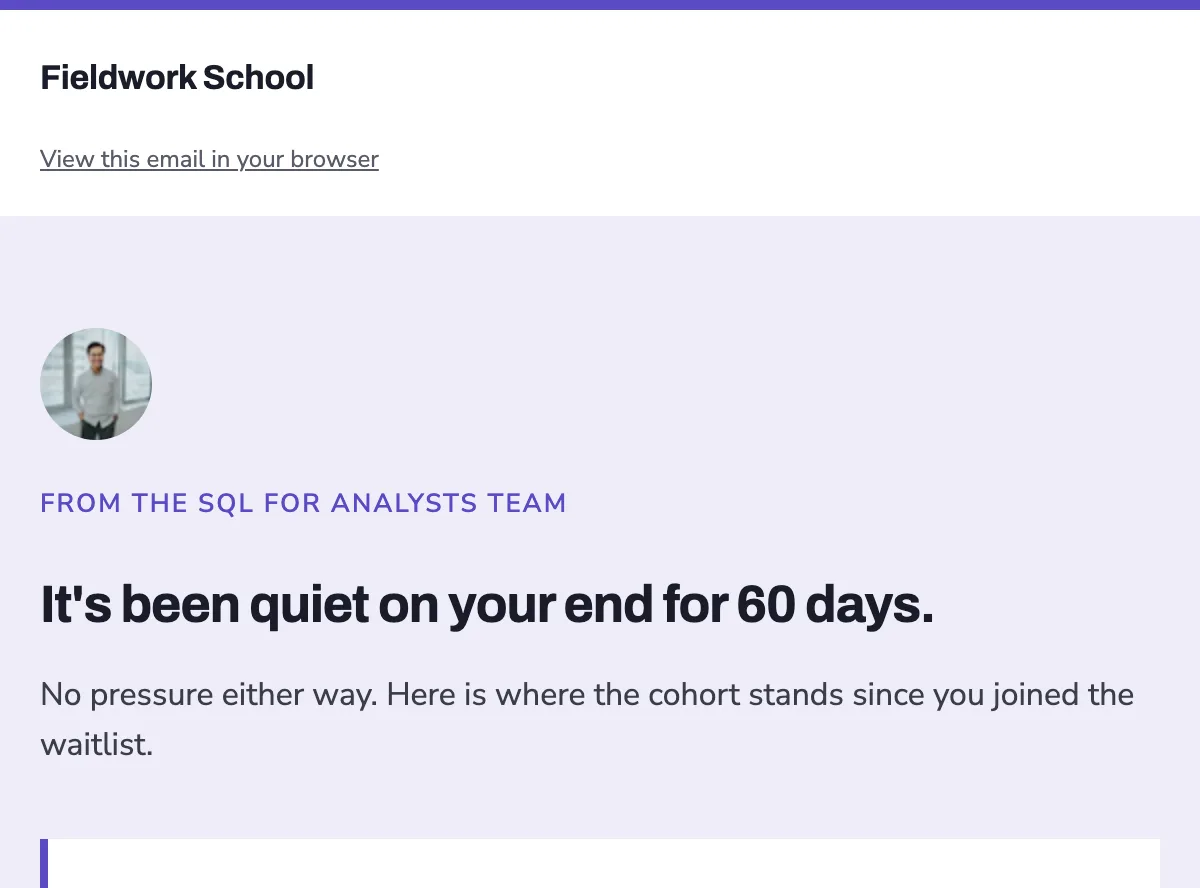
The FOMO and social proof nudge is a proof-led re-engagement email designed for quiet subscribers that names one real, countable win and asks them to come back for it.
It works because people already in motion are the evidence a cold inbox will still trust. The first screen carries a metric, a named launch or a recent result, then a single next step that matches that proof.
Keep the apology short and let the proof do the work. The whole ask is one click: see the launch, join the cohort or pick up what the rest of the list is already using.
Best for: operators with a growing user base, a recent public win or a number they can put on the first screen.
When it works best
Reach for this send when the list has visible momentum you can point to: new users, a community adding members or a product other buyers already see. A growing user base, stated in a single line, is enough.
The proof has to be current enough that a returned subscriber would still find it. Use it after a check-in or a digest has already named the silence. This is the re-engagement send that shows the list is still worth an open.
The prompt to copy
Paste this in and fill every bracket. Lead with a concrete proof point and one call to action so the draft stays specific.
Write a return email for subscribers who have been quiet for [X days].
Subject line: name the audience and the proof in one line.
Open with one sentence that they have been quiet, then this proof: [metric or named win + time window].
Follow with one sentence on what they get if they come back.
One CTA, matching the proof: [the action].
Tone: direct and considered. Keep the body under 120 words. Use only dates and windows already on our calendar. Put a visible unsubscribe in the footer.
Pitfalls to avoid
Use a dated, checkable proof and a CTA that tells the same story.
- Put a dated number or a named win on the first screen, something a reader could check.
- Match the CTA to that proof: see the launch, join the cohort, read the thing that moved.
- Name a window only when it already sits on the calendar, so the urgency is the one you already run.
8. The Break-Up Email
Overview
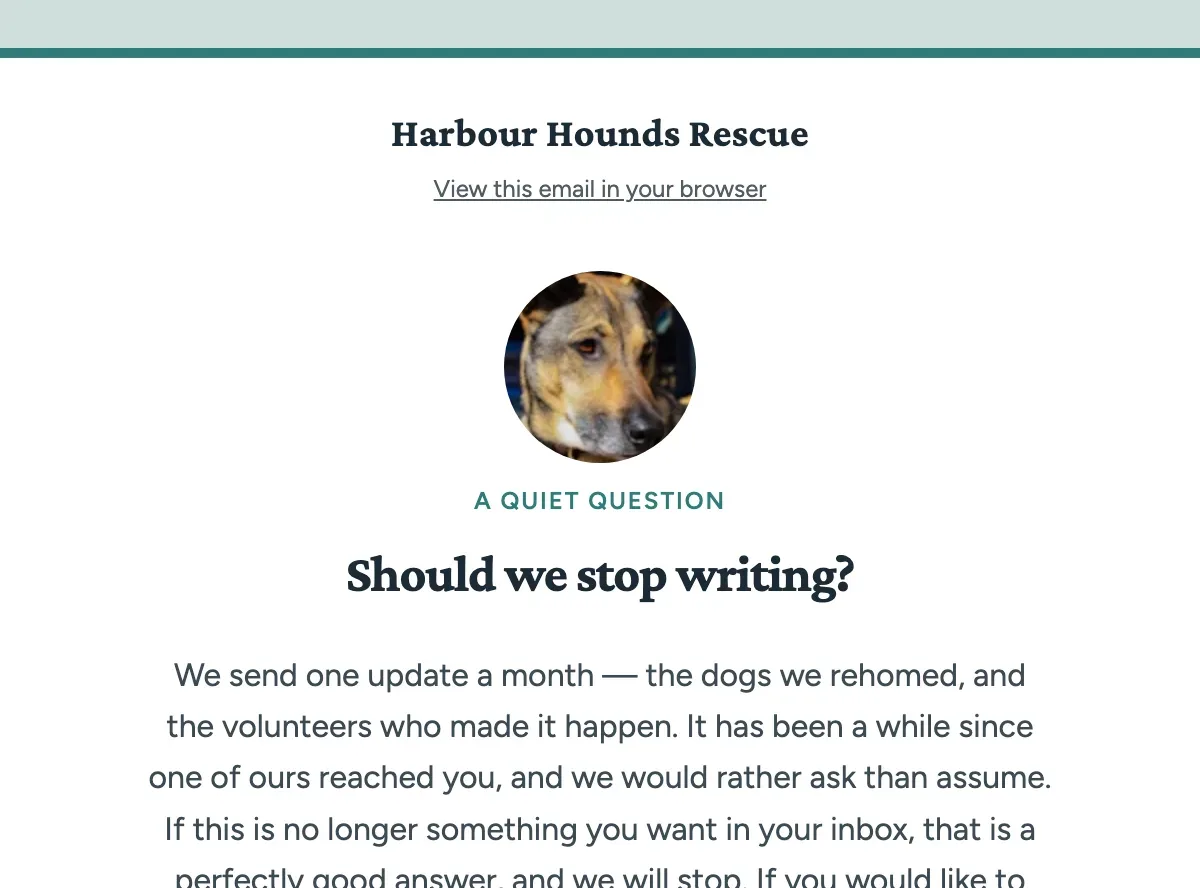
The break-up email is a goodbye re-engagement send designed for inactive subscribers that offers a single stay-or-go choice and treats a clean opt-out as a trust feature.
Name the silence, then ask them to stay with one click. Keep Update preferences and a soft “or unsubscribe here” link in the pre-footer so the choice is visible. They come back, or they leave on purpose, and either way the remaining list stays honest.
Best for: the last send in a sequence to contacts who stayed quiet through every earlier check-in.
When it works best
Use this as the last send in a sequence, once every earlier re-engagement email has already asked them back and gone unanswered. Send it when those contacts stayed quiet for your defined window and you are ready to close the loop.
One stay-or-go choice is the whole job. They already know who you are.
The prompt to copy
Give the model a short brief and a single stay-or-go choice. Paste this, then swap the bracketed fields for your product, quiet window and from-name.
Write a short break-up email for inactive subscribers who stayed quiet through our earlier win-back sequence.

Open with a warm Greeting or Text hero that names the silence. Keep the body to 3 to 5 sentences. Offer one stay-or-go choice: a single primary CTA to come back, plus a visible "Update preferences" link and a soft "or unsubscribe here" link in the pre-footer.

Tone: respectful and warm. Treat staying and leaving as equal, valid choices. One screen. Production-ready and dark-mode safe.

Product: [what you sell]
Quiet window: [e.g. 90 days with no click]
From name: [person or brand]
Pitfalls to avoid
The goodbye holds up when the exit sits in view and the tone stays adult.
- Visible exit: place Update preferences and a soft “or unsubscribe here” link in the pre-footer, on the same screen as the stay CTA.
- One stay action: a single come-back button. This email is the choice.
- Warm register: write it like the check-in. Leaving is a valid reply.
Re-Engagement Templates Compared at a Glance
These eight re-engagement email examples line up in the same order as the prompts above, so you can pick by audience, tactic, limit, and send stage. Match the row to the silence you have, then ship that re-engagement email template as the next send. Each archetype keeps one job, so the click stays singular.
| Template | Best for | Core tactic | Main pitfall | Send stage |
|---|---|---|---|---|
| We miss you check-in | Quietly lapsed subscribers | Name the gap | One small return | First re-engagement send |
| Win-back incentive | Lapsed customers | One named offer | One click only | Cold cart or purchase |
| Preference check-in | Cadence or topic drift | Let them choose | One preference ask | When frequency drifted |
| What you missed digest | Quiet archive readers | Short archive best-of | One named thread | Catch-up send |
| New features reminder | Lapsed product customers | One shipped change | One change only | After a release |
| Plain-text personal note | High-value contacts | Gratitude or update | Trust before the offer | Before a sales wave |
| FOMO and social proof nudge | Quiet subscribers | One countable win | Real proof only | Mid-sequence nudge |
| Break-up email | Still-silent subscribers | Stay-or-go choice | Clean opt-out path | Final re-engagement send |
How to Choose and Send the Right Template
Choose by the reason they went quiet, then decide how many sends the offer needs and who sits in the cohort. Generate that campaign, export it to your ESP, and judge it on the action you asked for.
Match the template to why they went quiet
Match the send to why inactive subscribers went quiet: a quiet lapse, a cold cart or purchase, a cadence that drifted or a shipped change waiting for them. A win-back email belongs when a customer has stopped buying and one offer can bring them back. A choice-led or catch-up send belongs when they still belong on the list and only the inbox relationship needs a reset.
Send one email or a short sequence
Reach is capped per email, so a sequence gives the offer several angles and enough surface area to be seen. Use one email when the ask is a simple stay-or-go; use a short sequence when the conversion action stays fixed and each email rotates the reason.
Set your inactivity window and suppression rule
Set the inactivity window that defines the cohort, and suppress anyone already taking the action you asked for. Opens and replies are incomplete, so measure that action and match it back to who received the email: a re-engagement email campaign can look quiet in the inbox while the win shows up downstream in the product database. In high-volume seasonal periods, send toward engaged subscribers.
Generate it and export to your ESP
EmailTemple generates these campaigns and exports them to Mailchimp, ActiveCampaign, MailerLite and Klaviyo in one click. On Klaviyo, the same pass can create a code template, a draft campaign or a triggered automation flow you review before send.
Generate your own re-engagement email in the EmailTemple studio
Frequently Asked Questions
When is a subscriber considered inactive?
A subscriber is typically considered inactive after 90 to 180 days of silence on clicks, replies, or purchases. Treat that range as a starting cutoff, then tighten or stretch it to match how often you actually send.
Apple Mail Privacy Protection makes open-only windows harder to trust, because a prefetch can register like an open. Weight clicks and other real actions when you build the cohort.
How many emails should a re-engagement sequence have?
A re-engagement sequence usually has 2 to 5 emails that build on each other: a check-in, a tighter ask, then a stay-or-go close if the silence continues. One send is enough when the offer is already clear and the ask is a single click.
Some operators start with a single email because it feels lighter, then move to a short sequence for the people who stay quiet.
Should re-engagement emails include an unsubscribe option?
Every re-engagement email should include a visible unsubscribe path. A clean opt-out protects deliverability and leaves you with a list that still wants the next send.
Put the choice in the body as well as the footer, especially on a goodbye send. People who use it leave in a way inboxes still trust.
Can ChatGPT or Claude write a re-engagement email?
ChatGPT and Claude write re-engagement copy well when the brief is specific, including re-engagement email subject lines, body copy, and one call to action. The brief matters more than the model: name the audience, the silence, and the single ask.
Treat the HTML as a starting point and test it in Outlook before you send. A 2026 test of ChatGPT, Claude, and Gemini using plain prompts found Outlook rendering issues in 8 of 9 emails, with failures around font fallbacks, table widths, and buttons.
Should I drop old subscribers into my welcome sequence?
Send a dedicated reminder to those subscribers first when they have been quiet for months. A short we-are-still-here note reintroduces the list before any onboarding flow.
Once they click, reply, or update a preference, they can join the welcome path with a fresh context instead of a cold dump into emails written for brand-new signups.
How do I know if a re-engagement campaign worked?
A re-engagement campaign worked when inactive subscribers take the action you asked for: a click, a reply, a preference save, or a purchase. Score the send on that action.
Opens move around with privacy prefetching, so decide in advance whether staying on the list requires a click or another clear signal, then keep or suppress on that rule.
