
Introduction
If you’re asking why are my emails going to spam, the answer is almost always one of two unrelated problems: a broken list or broken authentication. Both produce the same symptom. The fixes are opposite, which is why so many senders scrub a list while DKIM is quietly failing, or audit DNS records when they simply haven’t mailed an engaged segment in nine months.
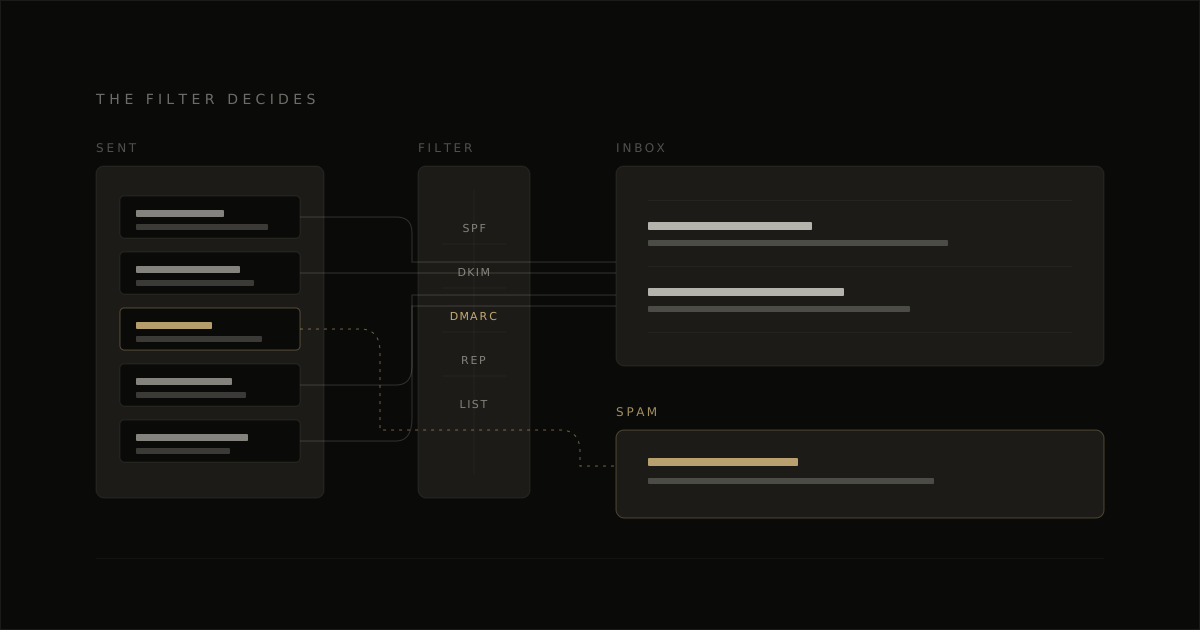
The split is behavior versus setup, and the timing tells you which one you’re in. A gradual slide across several sends points to list quality and engagement recency. A sudden drop right after changing your sending domain, from-address or ESP points to authentication. One detail trips up almost everyone: DMARC can fail while SPF and DKIM each pass, because alignment has to match the visible From domain.
Why Your Emails Are Going to Spam: Route by Symptom First
Before you change anything, route the symptom to a half:
- Everything dropped at once, right after a config change — authentication and alignment
- Placement slid over months on an aging list — engagement recency and list hygiene
- Spam at one provider only, Gmail or Microsoft — provider-specific reputation
- Opens look fine but clicks and replies fell off — your instrument is broken, not your sending
One definition does most of the work here: delivery only means the receiving server accepted the message, while inbox placement is whether it landed in the primary inbox rather than spam or a secondary tab. A clean send log proves nothing.
Check the instrument before you trust the diagnosis. Apple Mail Privacy Protection preloads tracking pixels whether or not anyone opened the message, and Litmus estimated in February 2026 that it now affects roughly 55 to 60% of all opens. Lead with clicks, complaint rate, bounce rate and real placement tests.
The Eight Causes, and Which Half Each Belongs To
| Cause | Telltale symptom | Half | First thing to check |
|---|---|---|---|
| 1. Broken authentication alignment | Checks pass, mail still filtered | Authentication | SPF, DKIM and DMARC domain alignment |
| 2. Collapse after a config change | Inboxing drops right after a switch | Authentication | Recent relay, DKIM or domain changes |
| 3. Low sender reputation | Clean setup, weak placement | Engagement | Recent volume and complaint pattern |
| 4. Stale list, poor engagement recency | Older segments hit spam more | Engagement | Last-engaged dates by segment |
| 5. High bounce and complaint rates | Fast filtering after sends | Engagement | Bounce rate and complaint rate |
| 6. Provider-specific filtering | Gmail fine, Microsoft filters | Engagement | Results split by mailbox provider |
| 7. Content and link signals | Only certain messages get filtered | Content | Links, redirect domains, message build |
| 8. Broken diagnosis from open rates | Opens look fine, placement does not | Diagnosis | Whether opens are proxy-inflated |
The Three That Cause Most of It
Authentication that passes for the wrong domain. SPF can validate the sending path and DKIM can carry a valid signature while DMARC still fails, because DMARC judges whether those results line up with the From domain the recipient actually sees. The usual culprits are a vendor signing with its own subdomain, or a shadow sender — an old CRM, form tool, invoicing app or support desk still mailing on your behalf. Inventory every platform that can send as you, then confirm the signing and sending identity match the From domain closely enough for alignment.
A list that stopped engaging before you noticed. Providers read persistent disinterest as a sign the mail is no longer wanted, and that happens with authentication perfectly intact. It shows up as a slow slide, worst among subscribers who haven’t opened or clicked in months, and it gets sharply worse after a quiet period followed by a full-list blast. Bounce rate above roughly 2% and complaint rate above roughly 0.1%, about 1 in 1,000 recipients, are the lines where providers start treating list quality as the problem. Send by engagement recency rather than list size, suppress hard bounces on first failure, and keep the from-address reply-enabled — replies are a positive signal a no-reply address throws away.
One provider filtering while the other doesn’t. Gmail and Microsoft don’t share a reputation file on your domain. If most of your early sending and engagement came from Gmail accounts, Gmail reputation can look healthy while Microsoft scores the same mail as low-trust. Aggregate reporting hides this: a campaign that is 80% Gmail-heavy reads as fine while Microsoft placement collapses underneath it. Split placement by provider, then slow sending into the weaker side rather than pushing the full list evenly.
How to Work Through Your Own Diagnosis
Start with when it broke. Sudden points to the technical half, gradual points to the engagement half. Run the authentication checks first because they’re binary and quick to rule out, then look at engagement recency, complaint rate and bounce rate.
Then change one half at a time, or you won’t know what fixed it. If the problem is reputation, repair it as a staged re-warm rather than a single corrective send — the ordered version of that is in how to improve email deliverability.
One scope note: EmailTemple only touches the content half. A well-built template keeps copy as live text rather than baked into images, supports a proper plain-text alternative and handles alt text correctly — it does nothing for SPF, DKIM, DMARC, suppression hygiene or sender reputation.
For the pre-send pass, use the email QA checklist. If the root issue is your platform, start from how to choose an email service provider, and if the content is the weak link you can generate your branded template for free.
Frequently Asked Questions
Why are my legitimate emails going to spam if authentication passes?
Passing SPF, DKIM or DMARC proves identity, not trust. If the authenticated domain is misaligned with the visible From domain, or the reputation behind that domain is weak, providers can still treat the message as unwanted.
Why do my emails go to spam at Gmail but not Outlook?
Gmail and Microsoft keep separate reputation systems and different filtering logic, so one can trust your domain while the other still filters it. Diagnose by provider, not by a blended number.
How can I check my sender reputation?
Google Postmaster Tools for Gmail signals, Microsoft SNDS for Microsoft traffic, and a blacklist checker such as MXToolbox for public visibility. A clean blacklist result does not prove reputation is healthy — most spam-folder problems live in provider trust and engagement signals a blacklist lookup never sees.
