
Learning how to make a custom editable Mailchimp template starts with a distinction most guides skip: pasting a hand-coded HTML file into Mailchimp does not make it a template you (or a client, or a future you) can edit inside the visual builder. Mailchimp’s Classic editor only recognizes editable content when your markup carries its own template language: mc:edit for editable regions, mc:repeatable for duplicatable blocks, and mc:variant to label them. Without those attributes, Mailchimp will still render your HTML fine, but the moment someone opens it in the campaign builder to swap a headline or drop in a new product card, there’s nothing to click on.
This guide is scoped specifically to Mailchimp’s Classic “Code your own” editor, the one where you import raw HTML, and it becomes an Editable Region template with a WYSIWYG sidebar. That’s a different surface from Mailchimp’s newer drag-and-drop New Builder, which uses visual Sections and Blocks instead of mc: attributes, and there’s no path from hand-coded HTML into that builder. Below, we’ll walk through how the mc: attribute system actually works, where each one belongs in your markup, and how to structure a template so it holds up once a marketer starts editing it. If you’d rather skip the manual coding altogether, EmailTemple can generate a Mailchimp-ready template with the correct editable regions already built in.
The Four Markers That Make a Template Editable
Mailchimp’s Classic editor recognizes exactly six mc: attributes, and together they decide what a marketer can click, duplicate, or hide once your template lands in the campaign builder. Skip one of these and the corresponding control simply doesn’t show up in the sidebar, even though the HTML still renders fine. The table below is the reference version; the step-by-step build comes later in this guide.
The core markers at a glance
| Marker | What it does | Where it goes | When to use it |
|---|---|---|---|
mc:edit | Marks a single editable region (text, image, or label) | A <td> or a standalone <img> | Every leaf a marketer should be able to change: a heading, a paragraph, a button, an image |
mc:repeatable | Lets the marketer click ”+ Add another” to duplicate a module | A block-level wrapper, usually a <table> | Content a marketer would legitimately have more than one of: product cards, FAQ entries, itinerary days |
mc:hideable | Adds a toggle to hide a section for a given send without deleting it | A <table> or <tr> | Optional content: an intermediate CTA, a testimonial block, a view-in-browser row |
mc:variant | Names the ”+ Add another” option for a repeatable module | Added alongside mc:repeatable on the same wrapper | Required on every mc:repeatable: gives the duplicate button a label like “Product” or “FAQ Entry” |
mc:allowtext | Lets an image region fall back to a plain-text wordmark | On an <img mc:edit> element | Logo regions, so a brand can swap an image logo for text from the builder |
mc:label | Sets the human-readable name shown in the editor’s sidebar | Added alongside any mc:edit, mc:repeatable, mc:variant, or mc:hideable | Any region where the raw machine name (“body,” “col2”) wouldn’t mean anything to a marketer |
How to add editable regions in the Classic editor
The general format is mc:edit="section_name", where section_name is a value you choose to describe that region, such as mc:edit="header" or mc:edit="body". Every mc:edit value in the template must be unique; reusing the same name on two different elements causes Mailchimp to treat them as the same editable region, so changes in one spot can unexpectedly show up in the other. For our full breakdown of what Mailchimp’s editable-region syntax can and can’t do compared to writing HTML by hand, see how AI handles HTML email code.
Granular mc:edit: One Region Per Leaf
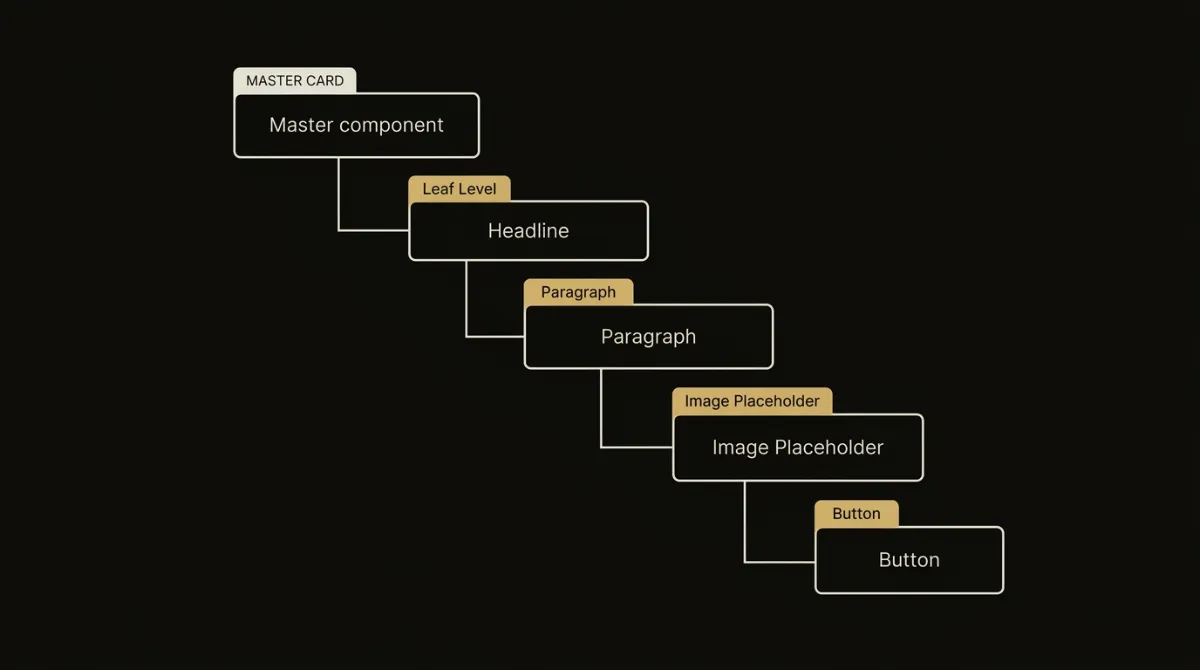
The rule that separates a template that edits cleanly from one that fights back is granularity: every heading, every paragraph, every image, every button, and every standalone label or value gets its own mc:edit. Lump a headline and its supporting paragraph into a single region and a marketer editing the headline is stuck also seeing (and risking breaking) the paragraph beneath it. Treat each leaf as its own editable unit and the sidebar in Mailchimp’s builder maps cleanly to what someone actually wants to change.
Split headline and paragraph into separate regions
A hero with a headline and a supporting line under it is two regions, not one: mc:edit="hero_headline" on the <h1>’s cell, mc:edit="hero_intro" on the paragraph’s cell. This matters because Mailchimp ties saved content to the exact mc:edit name, so if the two are fused into one mc:edit="hero" block, a marketer editing just the headline is forced to edit inside a shared text field that also contains the intro copy. Splitting them also protects against a template swap wiping content: names must stay unique and consistent, since a renamed or merged region loses whatever was typed into it.
Give images and buttons their own cell
A standalone image with no surrounding text lives in its own <td mc:edit="..."> wrapping nothing but the <img>, never bundled into a text region alongside a caption or heading. Mailchimp explicitly warns against nesting editable images inside an editable content container, since that structure breaks resizing and replacement in the campaign editor. A standalone CTA follows the same logic: its cell holds only the VML <v:roundrect> conditional and the live <a>, with mc:edit on that cell (or on the button’s text/link elements) so the label and destination can be changed without touching anything else in the layout.
When running prose stays a single region
The exception to per-leaf splitting is a paragraph of running prose that happens to contain an inline link. That link is part of the sentence, not a distinct component, so the whole paragraph, link included, stays inside one mc:edit region. Fragmenting a sentence to isolate a hyperlink defeats the purpose of granularity, which is to match editable boundaries to how a marketer actually thinks about the content, not to split every HTML tag into its own box.
It’s worth naming the failure mode this rule prevents: an older habit of naming everything hero_headline, hero_copy, hero_cta for every section in a template, regardless of whether that section is a hero at all. That convention over-fragments naming without adding real editability and makes region names meaningless outside their original context. EmailTemple applies this per-leaf granularity surgically on every Mailchimp generation, so headings, images, and buttons get their own regions and running prose stays intact, without resorting to copy-pasted generic names across every module.
Surgical mc:repeatable and mc:variant for Modules
The test for mc:repeatable is simple: if a marketer clicks ”+ Add another” on this module, would the result make sense? Product cards, article cards, and itinerary days all pass, since a marketer legitimately might need three, seven, or twelve of them depending on the send. A hero, a single testimonial, or a one-off footer CTA fail that test outright: there’s only ever one hero in an email, so wrapping it in mc:repeatable just invites a marketer to accidentally duplicate the top of the email and break the layout. Reserve mc:repeatable for genuinely plural content, never for singleton sections.
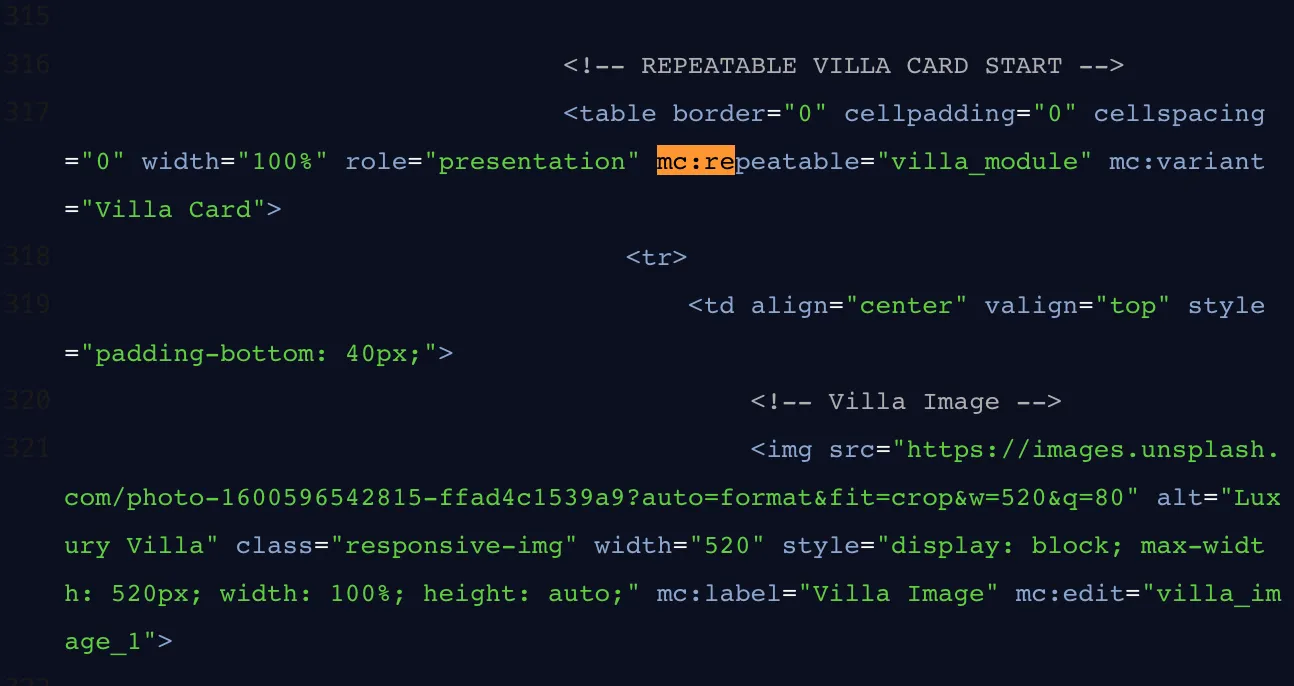
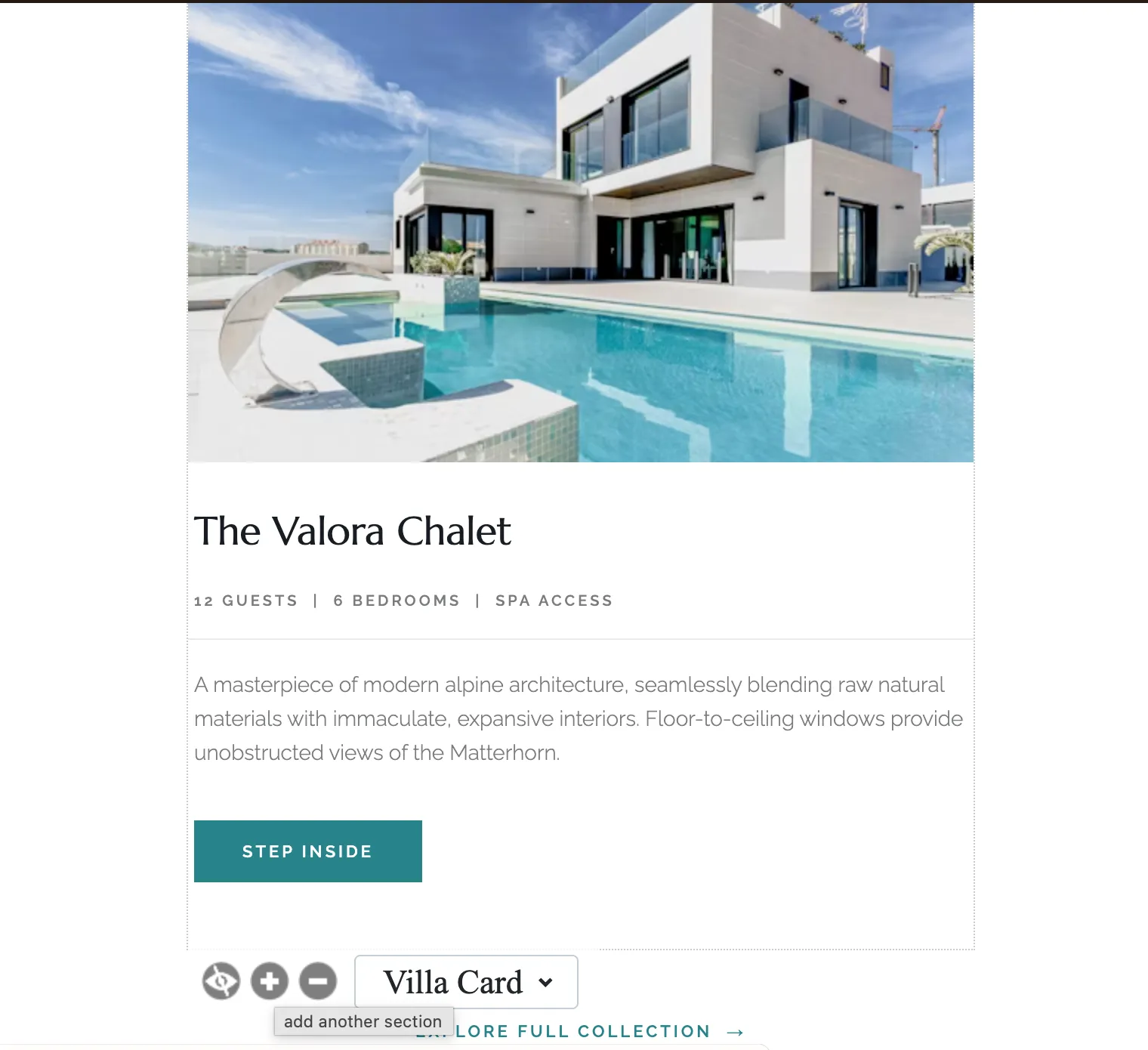
Every mc:repeatable must carry an mc:variant naming the singular instance, since that’s the literal label shown in the ”+ Add another” menu (mc:variant="Villa Card", mc:variant="Article", mc:variant="Product"). A single repeatable name can also hold more than one layout variant, image-left versus image-right for the same card type, as long as those variant blocks are adjacent, non-nested tables sharing the same mc:repeatable value. Mailchimp switches between them as discrete blocks of HTML, so the marketer sees “Content with left image” and “Content with right image” as two flavors of the same repeatable module rather than two separate modules.
Inside that wrapper, granularity from the last section still applies: a typical mixed-content card, image, headline, meta line, body copy, and button, breaks down into five separate mc:edit regions, all nested inside one <table mc:repeatable="..." mc:variant="...">. That’s five leaf-level regions a marketer can edit independently, duplicated as one coherent unit whenever they click “Add another.” Get this pairing right and a product grid or article list becomes something a marketer can actually extend on their own, without needing to touch raw HTML.
Naming Conventions for Editable Regions
Clean leaf names for one-of-a-kind regions
Singleton regions get plain, descriptive names that say exactly what they hold: hero_title, hero_intro, schedule_button, header_logo. Mailchimp ties the content a marketer types into an mc:edit region directly to that name’s value, since it’s how the platform stores and retrieves the copy behind the scenes. Rename hero_title to hero_headline after a marketer has already saved content there and that content is gone, so the name isn’t a cosmetic label, it’s the address the copy lives at. Pick a name once, per leaf, and leave it alone.
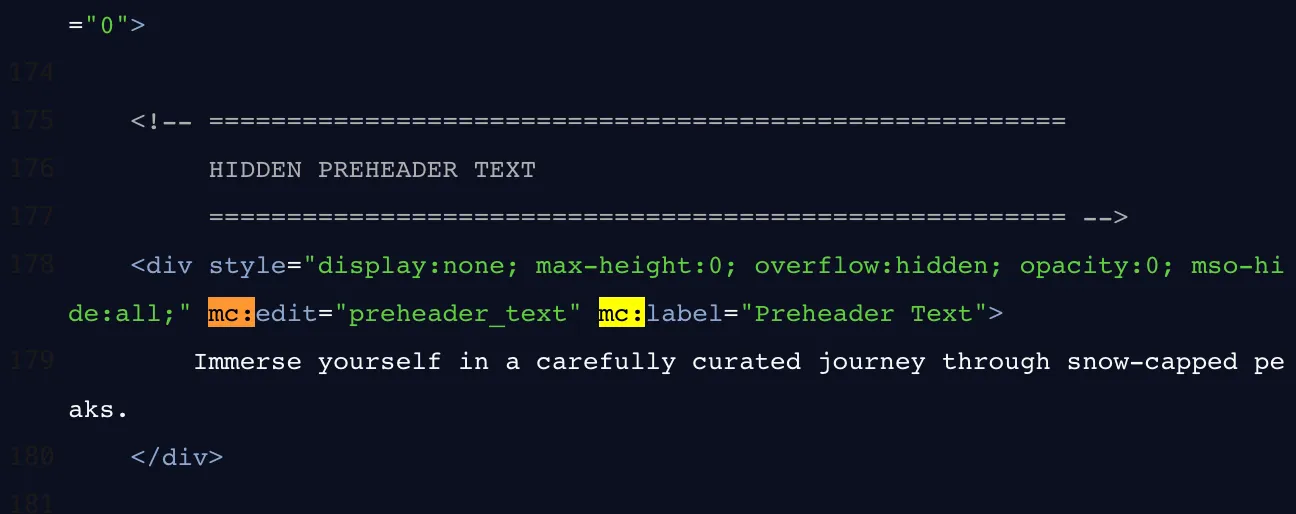
The _1 index suffix inside repeatables
Inside a repeatable wrapper, the naming pattern changes: each mc:edit name inside that module gets an index suffix, day_label_1, villa_image_1, product_price_1, so Mailchimp can track each duplicated instance’s fields separately once a marketer clicks “Add another.” This suffix belongs only inside mc:repeatable blocks; a singleton region like header_logo never needs one, since there’s nothing to index. A deprecated pattern worth flagging explicitly: naming regions module_1, module_2, module_3 regardless of what each module actually contains. That convention throws away the whole point of a readable name, a marketer (or a future editor of the template) has no way to tell what “module_3” is without opening it, whereas villa_image_1 tells them immediately.
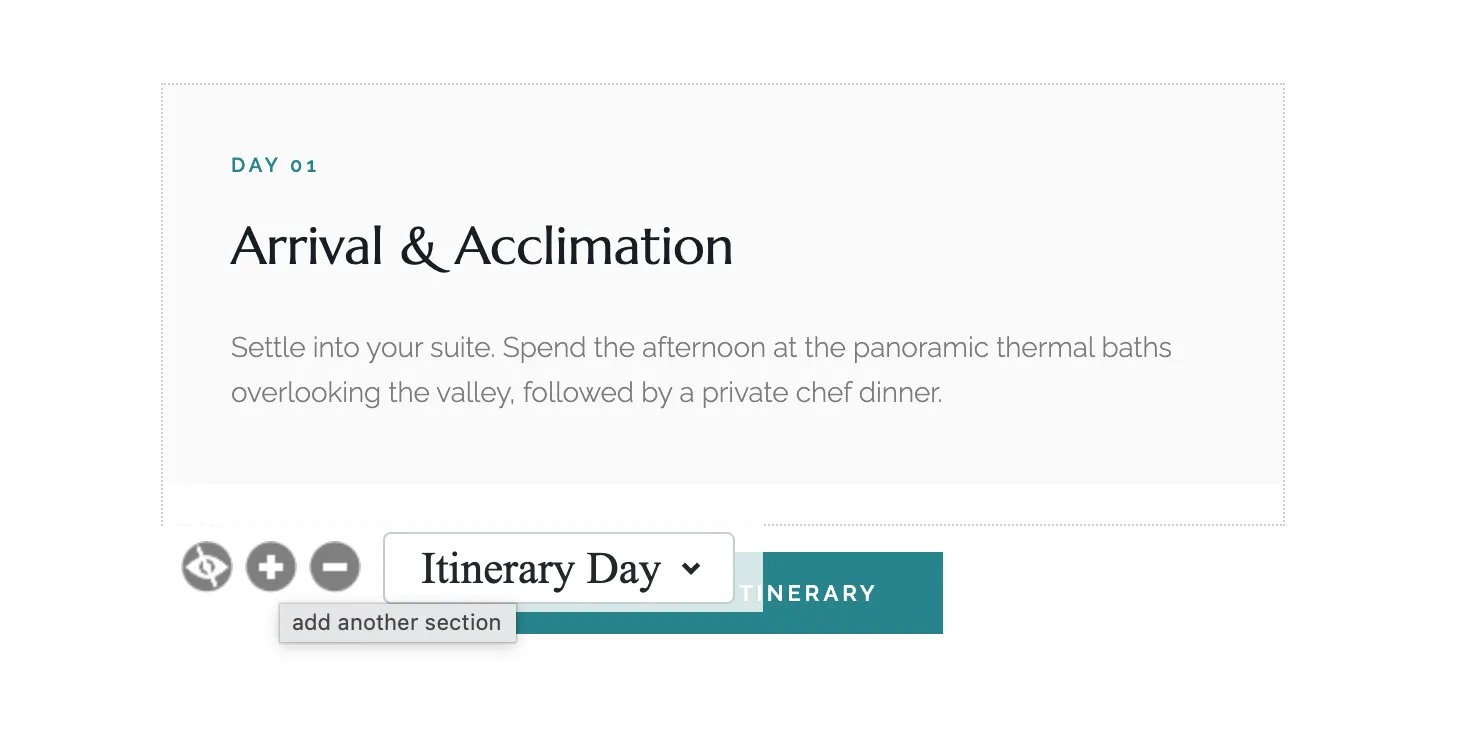
Placement Rules That Prevent Broken Imports
Mailchimp’s template parser is strict about exactly where mc:edit can sit in your markup, and it fails silently rather than throwing an error. Get placement wrong and the HTML still imports fine, but the editable region you expected just isn’t there. The six rules below cover every placement mistake that causes this.
✓ Place mc:edit on a <td> or a standalone <img>
These are the only two element types Mailchimp’s builder recognizes as valid editable containers.
⚠ Never place it on <tr>, <span>, <a>, <h1>, or <p>
These are row-level or inline elements, and Mailchimp’s editable-region logic doesn’t parse them as containers.
⚠ Never place it on the outer 600px container table
That table is your layout backbone, not content, and marking it editable exposes structure a marketer should never touch.
⚠ Never place it on the mc:repeatable wrapper itself
The repeatable wrapper handles duplication; mc:edit belongs on the leaf regions inside it, not on the wrapper.
⚠ Never nest mc:edit inside another mc:edit
Mailchimp explicitly disallows editable elements nested within other editable elements.
⚠ Never nest an editable image inside an editable text container, and keep every name unique
An <img mc:edit> inside a <td mc:edit> text region breaks the image controls, and duplicate mc:edit names collide in Mailchimp’s content database.
Where mc:edit is allowed and where it breaks
The safe pattern is narrow by design: mc:edit lives on block-level containers, a <td> wrapping content, or an <img> standing alone, and nowhere else. The moment it lands on a row element, an inline element, or the layout table itself, Mailchimp’s builder either ignores it or renders something the campaign editor can’t display correctly, which is why it’s worth checking every mc:edit placement against rules one through three before exporting.
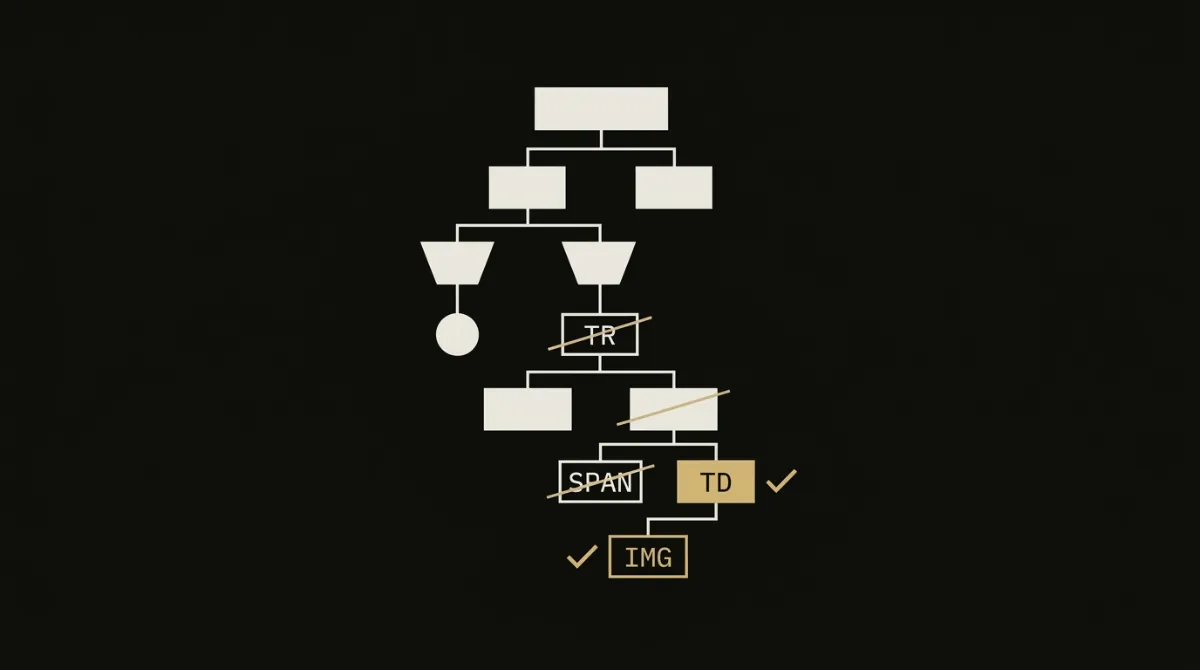
Nesting rules to never violate
Nesting is where hand-coded templates break most often, since it’s easy to wrap an image region inside a text region without noticing during development. Keep mc:edit off the mc:repeatable wrapper, never stack one mc:edit inside another, and never let an editable image sit inside an editable text container. Combined with unique names throughout the template, these four nesting rules are what separate a template that opens cleanly in Mailchimp’s Classic editor from one that imports but quietly loses half its editable regions.
The Logo Region: Image or Text Fallback
The header logo is the one region where marketers routinely want a fallback option, and mc:allowtext is what makes that possible: added to an <img mc:edit> element, it lets a marketer swap the image logo for a plain-text wordmark directly from the campaign builder, no re-export required. The pattern looks like <img src="..." alt="..." mc:edit="header_logo" mc:allowtext />, and you can optionally add mc:allowdesigner alongside it for the same image element. This is worth including even if most sends will use the image logo, since it costs nothing to add and saves a round trip back to the template code the one time a marketer needs a text-only header.
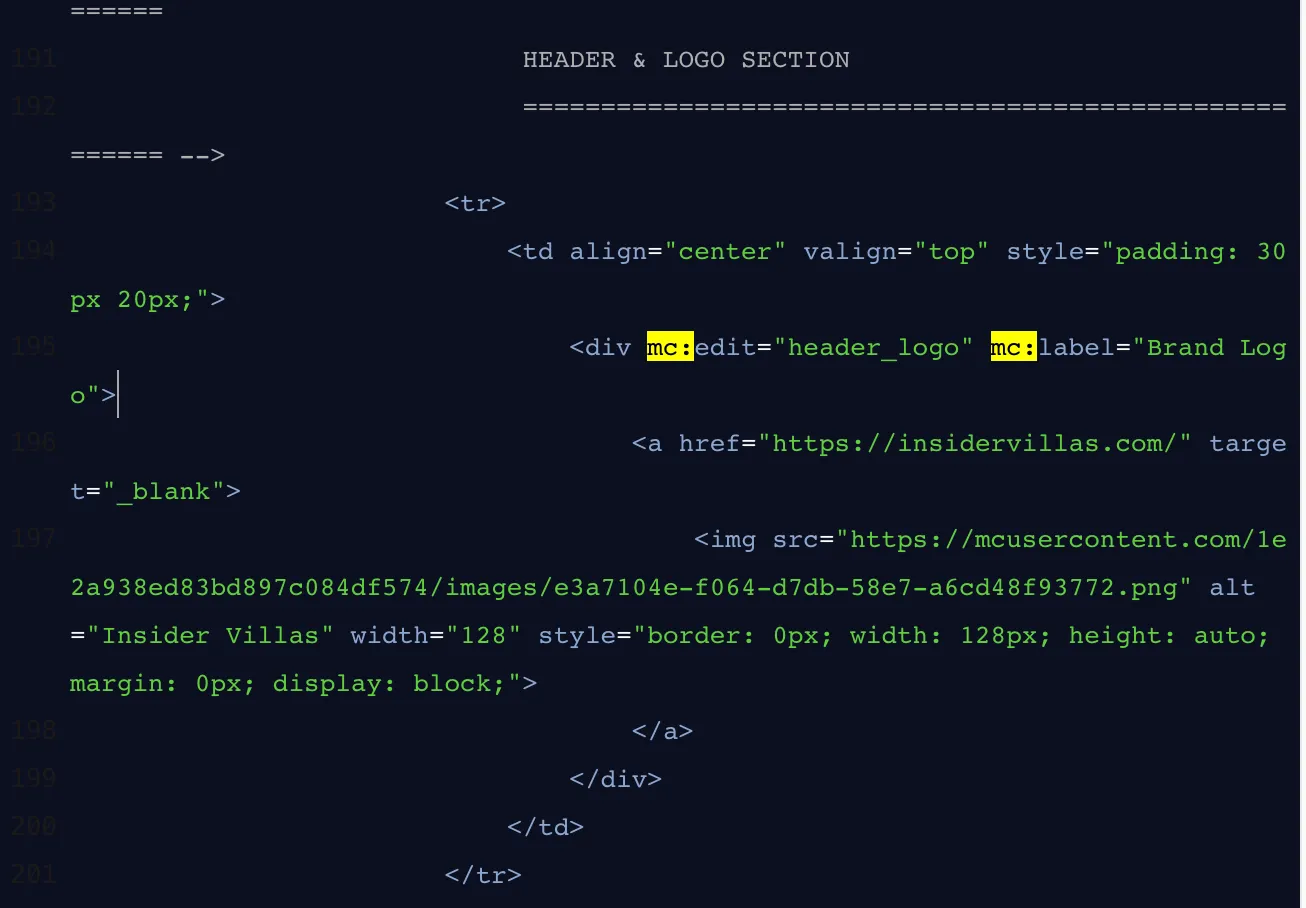
mc:label solves a different, smaller problem: naming. It sets the human-readable name Mailchimp shows in the editor’s right-hand sidebar, so a region named mc:edit="hero_headline" in your code can display as “Hero Image” or “Primary CTA Button” to the person actually using the builder. Without a mc:label, Mailchimp falls back to showing the raw mc:edit name instead, which is fine for something self-explanatory like header but confusing for anything more specific. It travels with every editable element, mc:edit, mc:repeatable, mc:variant, mc:hideable, so it’s worth adding wherever the underlying code name wouldn’t mean anything to a marketer glancing at the sidebar.
How EmailTemple Emits This Structure Automatically
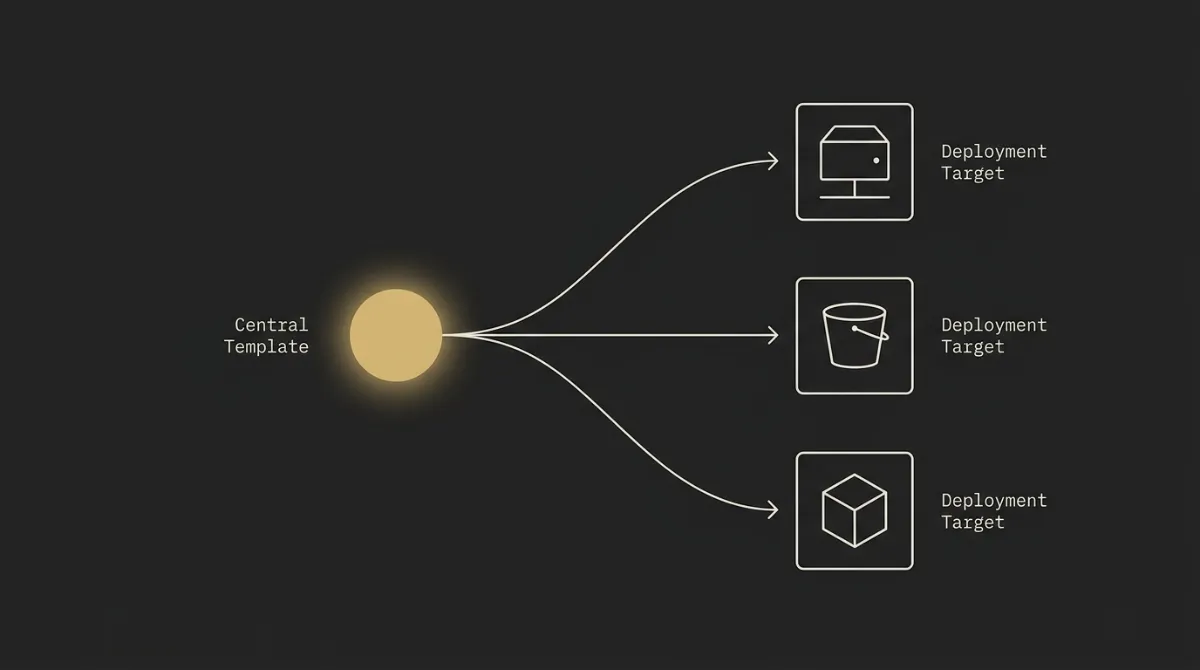
Everything covered above, per-leaf mc:edit regions, mc:repeatable reserved for genuinely plural content, mc:variant labels, mc:hideable toggles, correct placement, unique naming, is what EmailTemple’s studio emits by default the moment Mailchimp is the selected export target. Describe the email you want, and the template that comes back already has the surgical editable-region structure built in: a product grid gets a repeatable card with its five leaf regions, a hero stays a singleton, a logo gets its mc:allowtext fallback. No hand-coding the attributes, no debugging why a region didn’t show up in the sidebar.
The same generation also handles the parts of a Mailchimp template that are easy to get subtly wrong by hand: the verbatim merge-tag syntax (*|FNAME|*, *|UNSUB|*) and the *|IF:MC_PREVIEW_TEXT|* preheader conditional, which breaks Mailchimp’s parser if a single character is off. Buttons ship as bulletproof Outlook VML alongside a live <a>, so the template holds up in Word’s rendering engine as well as everywhere else. That’s the practical case for letting AI write the HTML instead of hand-coding it: the editable-region syntax and the Outlook-safe markup are exactly the kind of detail that’s tedious to get right by hand and easy to get wrong once, and EmailTemple exports the finished HTML straight to your Mailchimp account so you can start editing content instead of debugging attributes.
Common Mistakes When Coding Editable Regions
Most broken Mailchimp templates fail for one of a handful of repeat reasons, and every one of them renders fine in a browser while quietly breaking the editor sidebar.
- Over-fragmenting running prose: splitting a single paragraph with an inline link into two or three separate
mc:editregions. Fix: keep prose with an inline link as one region; the link is part of the sentence, not a separate leaf. - Placing
mc:editon inline elements or the outer container: adding it to a<span>,<a>,<h1>,<p>,<tr>, or the 600px layout table. Fix:mc:editonly goes on a<td>or a standalone<img>. - Combining
mc:hideableandmc:repeatableon the same element: Mailchimp doesn’t support both behaviors on one wrapper. Fix: pick one; if a module needs to be both duplicable and optional, that’s a sign it should be split into a repeatable module with its own separate hide logic elsewhere. - Duplicate
mc:editnames: reusing the same name on two different elements makes Mailchimp treat them as one region, so editing one changes the other. Fix: everymc:editvalue must be unique across the entire template. - Renaming a region after content is already saved: the name is the address the content lives at, so changing
hero_titletohero_headlinepost-launch loses whatever was typed into it. Fix: lock in names before a template goes into real use, and treat renames as a breaking change. - Making a single hero (or footer CTA, or lone testimonial) repeatable: if there’s only ever one of something in the email,
mc:repeatablejust invites an accidental duplicate that breaks the layout. Fix: reservemc:repeatablefor content a marketer would genuinely want N of.
All six mistakes share the same trap: the raw HTML still renders correctly in a browser or an email client, so nothing looks wrong until a marketer opens the campaign builder and finds the sidebar missing a control, or duplicating a section that was never meant to duplicate.
Next Steps for Your Editable Mailchimp Template
If you’re hand-coding this yourself: per-leaf mc:edit on every heading, paragraph, image, and button, mc:repeatable plus mc:variant only on genuinely plural modules, correct <td>/<img> placement, unique and consistent naming, then import through the Classic “Code your own” path. Get those pieces right and the template you hand off, to yourself or to a client, holds up in the builder instead of quietly losing regions.
If you’d rather skip the markup entirely, that’s exactly the gap EmailTemple closes: describe the email, and the studio hands back a production-ready template with the mc:edit, mc:repeatable, and mc:variant structure already in place, correctly placed, correctly named, ready to import. Generate your branded template for free and see what comes back before you decide whether hand-coding is worth your afternoon.
Frequently Asked Questions
Does a static HTML file imported into Mailchimp count as an editable template?
No. Mailchimp renders the HTML correctly, but nothing inside it is editable in the campaign builder unless it carries mc: template-language attributes. Import a plain HTML file with no mc:edit, mc:repeatable, or mc:variant markup, and the template will look right when you preview a campaign, but there’s nothing to click on to change a headline, swap an image, or duplicate a card. Editability has to be coded in deliberately; it isn’t a byproduct of clean HTML.
Does this work with the Mailchimp drag-and-drop builder?
No. The mc: editable-region system, mc:edit, mc:repeatable, mc:variant, and the rest, only applies to Mailchimp’s Classic “Code your own” editor. The newer drag-and-drop New Builder uses its own visual Sections and Blocks system with no mc:edit equivalent, so there’s no path for hand-coded HTML with mc: attributes to land in that builder. If you import custom HTML, it becomes a Classic template regardless.
Can mc:hideable and mc:repeatable be used on the same element?
No. Mailchimp doesn’t support both behaviors on a single element. Putting both attributes on the same wrapper doesn’t combine their functions; it just isn’t a valid pattern. If a module genuinely needs to be both duplicable and optional, handle that with separate elements rather than stacking both attributes on one.
What happens if I rename an mc:edit region after saving content?
You lose the content tied to the old name. Mailchimp stores whatever a marketer typed into a region against that region’s exact mc:edit value, so changing the name breaks the link between the saved copy and the field it lived in. The fix is procedural, not technical: settle on final names before a template goes into real use, and treat any later rename as something that will wipe existing content in that region.
Where should mc:edit go - on a div, td, or the image itself?
mc:edit belongs on a <td> or directly on a standalone <img>, never on inline elements like <span>, <a>, <h1>, or <p>, and never on the outer 600px layout table. A <td> (or another true container element) works for text and mixed content; placing it directly on an <img> makes that specific image replaceable, resizable, and editable from the campaign builder. Keeping it off row-level and inline elements is what keeps the region recognized by Mailchimp’s parser.
