
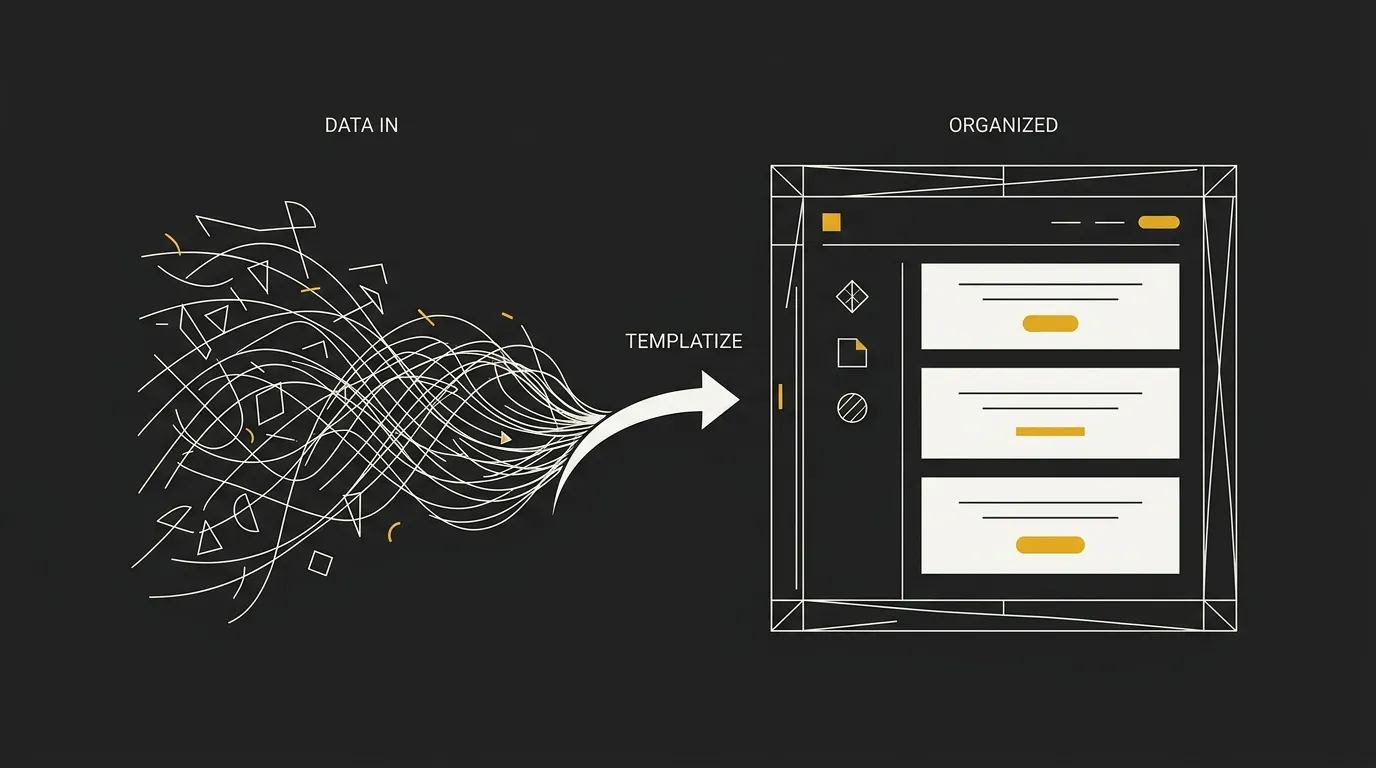
Most guides on how to use ai for email marketing stop at the same place: a subject line, three paragraphs of body copy, maybe an offer to A/B test.
Then someone pastes that copy into the default template their ESP hands out, hits send, and the email looks exactly like every other newsletter in the inbox.
The copy problem got solved months ago. The design problem, the part where your brand’s type scale, spacing, and button styles never make it into the send, is still sitting there unsolved.
This piece covers the three pieces that actually change what lands in someone’s inbox: writing with AI so the copy sounds like a person, not a robot having a bad day; building a tone-of-voice profile so every send matches how your brand actually talks; and generating clean HTML that imports straight into your ESP instead of getting rebuilt by hand.
For the full breakdown of how a chat-based studio replaces both the copy step and the design step, generate your branded template for free and see what a finished send looks like before you commit to a workflow.
Using AI for Email Marketing in 5 Steps
The workflow is five steps: build a tone-of-voice profile, gather brief context, generate copy, generate the HTML, then import into your ESP.
Each step uses a different tool, and skipping the tone-of-voice step is the single most common reason AI-written emails still sound generic once they land in the inbox.
What You’ll Need
| Tool | Purpose |
|---|---|
| AI chat tool | Draft subject lines and body copy |
| Email template generator | Produce the import-ready HTML |
| Saved tone-of-voice profile | Keep every send sounding like your brand |
| Competitor or reference email | Set a quality bar before you start |
| Your ESP | Send the finished campaign to your list |
The 5-Step Overview
-
Build a tone-of-voice profile that captures how your brand actually talks, so every output starts on-brand instead of generic.
-
Gather brief context for the send, including a competitor template or reference email that shows the quality bar you’re aiming for.
-
Generate the copy: subject line, preheader, and body, using your tone-of-voice profile as the constraint.
-
Generate the HTML template itself, separate from the copy step, so typography, spacing, and dark-mode rendering get the same attention as the words.
-
Import the finished template into your ESP and send it to your list.
Most guides collapse steps 3 and 4 into one AI chat prompt, which is exactly how you end up with good copy sitting inside a template that still looks like every other brand’s default. Treating copy generation and HTML generation as two separate tools, not one, is what actually closes the gap between AI-written emails and emails that look like they came from a real design system.
Build a Tone of Voice Profile So AI Sounds Like Your Brand
A saved tone-of-voice profile fixes the robotic-AI problem because it gives the model a fixed set of rules to write inside, instead of defaulting to the generic, safest-common-denominator phrasing every other prompt produces.
The complaint shows up constantly: people describe fighting ChatGPT for dozens of attempts trying to get one email that doesn’t sound like a robot having an existential crisis, or landing on copy that reads like every other page on the internet.
That’s not a prompting skill problem, it’s a missing-input problem. Without a voice profile, the model has no idea if your brand is blunt or warm, short or expansive, so it lands on bland business-neutral by default.
A real voice profile is a short, specific reference document, not a vibe.
It covers formality (does your brand say “hey” or “dear valued customer”), warmth, and directness, plus concrete sentence-length habits like average word count and how much you vary short lines against longer ones.
It also lists signature phrases you actually use, words and AI-tells to ban outright (leverage, seamless, robust show up in almost every generic AI draft), and an emoji policy so the model isn’t guessing whether a colon-D is on-brand.
The practical move is to paste 5 to 10 of your own past emails into an AI chat tool and ask it to extract a reusable voice descriptor, something you can drop into a system-prompt block at the top of every future generation.
For example, if your past emails run short confirmatory sentences (“Sounds good. Let’s do it.”) next to one longer explanatory sentence when you’re making a recommendation, tell the model that pattern explicitly, because “be concise” alone won’t reproduce it.
That descriptor becomes your content and copy constraint going forward, not a one-time creative brief you write once and forget.
EmailTemple builds this step directly into the process: instead of re-pasting a prompt block every time, you pick from tone presets like Professional, Playful, Spartan, or Luxury, or save your own brand voice once so every future generation, copy and template alike, inherits it automatically with a level of personalization a copy-paste prompt can’t hold consistently.
What Goes in a Voice Profile
A complete voice profile is short enough to paste into a prompt but specific enough to constrain the output. It typically includes:
- Formality level: casual “hey” openers versus formal “dear” salutations
- Warmth: how much personal check-in language versus straight business tone
- Directness: whether you lead with the ask or build up to it
- Sentence-length habits: typical word count and how sharply you vary short versus long sentences
- Signature phrases: the 5 to 10 expressions that are recognizably yours
- Banned words and AI-tells: terms like “leverage,” “seamless,” or “delve” that instantly read as generated
- Emoji policy: none, subtle, or specific approved symbols only
Turning Your Best Emails Into a Reusable Prompt
Take 5 to 10 emails you’ve actually sent, the ones that sound like you, and paste them into an AI chat tool with one instruction: extract a voice descriptor covering the traits above.
The output is a paragraph or short list you save and reuse as a system-prompt block at the start of every future email-generation session, so you’re not rebuilding the same instructions from scratch each time.
This single step is what separates a tone-of-voice profile from a one-off creative brief: a brief describes what one email should say, a profile constrains how every future email gets written.
Engineer the Brief With System Prompts and Competitor References
A system prompt for email generation fixes five things before you ask for a single word of copy: the AI’s role, the one conversion goal the send exists to drive, layout constraints, a dark-mode requirement, and the ESP you’re targeting.
Without that upfront, the model defaults to guessing, and guessing produces a generic welcome-email shape whether you’re announcing a product launch or recovering an abandoned cart.
Naming the ESP matters specifically because Mailchimp, Klaviyo, and ActiveCampaign each use different merge-tag syntax for something as basic as a first name, so a prompt that doesn’t specify the target risks output you can’t cleanly import anywhere.
Feeding the model a competitor’s email as reference context gives it a concrete bar to match or beat, but the instruction should describe structure, not hand over content to copy.
Point at the zones: hero style, how many content blocks sit between the header and the footer, where the call-to-action repeats, whether it’s a single-column layout or a grid.
For example, a reference instruction might read: “Match this competitor’s structure: a text-only hero with no image, one product feature block, a three-item benefit grid, and a single CTA button repeated at the top and bottom, but write completely original copy and swap in our own offer.”
The brief itself still needs the basics that keep output specific instead of vague: your actual offer, who the send targets, and one clear call to action, because an AI given only “write a promo email” fills the gaps with invented specifics you didn’t ask for.
Audience targeting deserves particular attention: getting the send relevant at all depends on cohorting your list by the right customer attributes before you brief the AI, since a generic “existing customers” segment produces generic copy no matter how good the system prompt is.
Layering a customer’s actual purchase history or engagement data into the brief, based on what your ESP already tracks, is what separates a send that feels considered from one that feels blasted to everyone at once.
For the full system that turns this kind of brief into a finished, ESP-ready send in one pass, generate your branded template for free and see the difference a properly engineered prompt makes against a generic one.
Writing a Reusable System Prompt
A reusable system prompt names the AI’s role first: “You are an email marketing designer building a promotional campaign for a home goods brand,” not just “write an email.”
From there it states the single conversion goal the email exists to serve, since an email trying to drive both a purchase and a newsletter signup ends up doing neither well.
Layout constraints come next: single-column body, mobile-first, no more than one primary button per section.
Dark-mode safety is worth stating explicitly rather than assuming, since plenty of default AI output never considers how zone backgrounds behave when a client force-inverts colors.
Finally, name the ESP target directly, Mailchimp, Klaviyo, MailerLite, or a generic HTML export, so the output arrives in a format you can actually paste in rather than one you have to rebuild.
Save this block once, the same way you saved your tone-of-voice profile, and reuse it as the opening instruction on every future generation.
Using a Competitor’s Email as Reference Context
Feeding a competitor’s email into the brief works when you describe its structural bones rather than pasting its copy for the AI to imitate.
Break down what you’re referencing: the hero type (image, text-only, or a stat block), the number and order of content zones, where secondary content sits, and how many times the CTA repeats before the footer.
A useful instruction looks like this: “Reference structure only: hero image with a bold headline, one testimonial block, a three-item product grid, single CTA button repeated twice. Write original copy for our own offer and audience, don’t reuse any of the competitor’s language.”
This gives the AI a real target for pacing and hierarchy instead of a blank page, which is usually where generic, forgettable structure creeps in.
It also protects you from copyright risk, since you’re directing the model toward a structural pattern, never toward reproducing someone else’s actual wording or design assets.
Generate Copy and Subject Lines That Convert
Prompting for body copy works best when you ask for one clear message and a single call to action, then feed the AI your saved tone-of-voice profile so the output matches how your brand actually talks instead of defaulting to generic marketing-speak.
A prompt like “write body copy for a product restock announcement, one message, one CTA to shop now, using this voice profile” gives the model a fixed lane instead of an open invitation to write three competing ideas in one email.
Copy is what drives click rate once someone’s already opened the email, while the template’s design is what earns the open in the first place, so treat these as two separate jobs even though the same AI chat tool can help with both.
Subject lines deserve their own generation pass, and asking for 8 to 10 variations at once beats accepting the first line the model gives you, since subject lines are what actually earn the open before any body copy gets read at all.
A concrete prompt example: “Generate 10 subject line options for a 20%-off weekend sale email, under 50 characters, no exclamation points, mixing curiosity and directness, plus one matching preheader for each.” Ask for preheader text in the same pass, since it’s the second line a recipient sees in their inbox and should add information the subject line didn’t already give away.
Straightforward, specific subject lines tend to outperform anything trying too hard to sound clever or salesy, which lines up with a wider pattern: simple, honest framing earns more opens than an overloaded offer crammed into eight words.
Clarity beats cleverness across the entire copy layer, not just subject lines: an AI-written line should solve the reader’s actual problem or answer their actual question, not perform a joke or a pun that a real customer has to decode.
This matters more in cold or first-touch sends, where the reader has no existing relationship with your brand; opening with a reason to trust the message earns more engagement than opening straight with the offer, because the audience has no context yet for why they should care.
If you’re using AI for email marketing at the copy stage, treat every generated subject line and body draft as a first pass to edit against your own judgment, not a finished asset, since even strong output needs a final human read before it reflects real conversion rates instead of a guess at what should work.
Prompting for Body Copy
A body-copy prompt should state the single message, the one CTA, and reference the saved voice profile in the same breath, so the model has no room to invent a second competing idea partway through the email.
Keep the ask narrow: “Write 100 to 150 words for a cart-abandonment email, one CTA back to checkout, tone matches [voice profile], no discount language unless a discount is specified.”
The narrower the prompt, the less the AI fills gaps with generic filler, and the closer the first draft lands to something you’d actually send without a rewrite.
Testing Subject Line Variations
Generating multiple subject line variations in one pass gives you real options to test instead of settling for whatever the model produces first.
Ask for a batch, 8 to 10 lines, with a stated character limit and a mix of angles: one direct, one curiosity-driven, one benefit-led, so you’re not just getting ten versions of the same idea.
Pair every subject line with a preheader in the same request, since the two work together as the first thing a recipient reads, and generating them separately risks a mismatch where the preheader just repeats the subject instead of adding to it.
Generate a Clean, Dark-Mode-Safe HTML Template
Turning a good brief into email HTML that actually renders is where most AI-for-email workflows fall apart, because a plain prompt to ChatGPT or Claude produces code that looks fine in a browser preview and breaks the moment it hits Outlook. The five steps below cover what to specify so the AI’s output is something you can genuinely import and send, not something you have to hand off to a developer to fix.
Specify the HTML rendering rules up front
Tell the AI to build with nested HTML tables (never CSS flex or grid), inline every style attribute instead of a stylesheet, cap the body at a 600px max-width on a 100%-wide container, and include a VML fallback for any button so it renders correctly in Outlook.
⚠️ Watch for: a plain prompt with no rendering rules almost always produces flex or grid layouts and CSS-only buttons, both of which break in Outlook’s Word-based rendering engine.
Require dark-mode safety by name
Ask for every zone background to be declared twice, as an HTML bgcolor attribute and as an inline background-color style, and instruct the AI to avoid pure #FFFFFF or #000000 on body text and large surfaces.
⚠️ Watch for: templates that only set background-color in a stylesheet look fine in your preview, then invert or lose their zone seams the moment a client forces dark mode.
Keep the document lightweight
Target a total file size under roughly 80KB, well clear of Gmail’s ~102KB clipping threshold, and explicitly ban base64-encoded images in the prompt since they bloat the file and defeat your ESP’s own image picker.
⚠️ Watch for: Gmail clips anything past its limit and hides everything below the cut, including your unsubscribe link and final CTA, so an oversized email can fail compliance without you noticing.
Add a visible unsubscribe link and physical address
Instruct the AI to place a working, visible unsubscribe link and your business’s physical mailing address in the footer, never hidden or set to zero opacity.
⚠️ Watch for: a recipient who doesn’t immediately recognize your brand name is far more likely to mark the email as spam if the opt-out isn’t obvious, which drags down deliverability for every future send.
Review the output before it goes anywhere near your list
Open the generated HTML in an actual preview tool or test send before importing it into your ESP, checking specifically for Outlook rendering and mobile stacking.
⚠️ Watch for: a controlled test of AI-generated email HTML found the large majority of outputs had at least one Outlook-specific rendering failure, so skipping this review step is the single most common way a generated template ships broken.
Getting an AI chat tool to help draft this HTML is possible, but it means holding all five rules in your prompt at once, and re-stating them every time you generate a new send. That’s the specific gap a purpose-built email template generator closes: the rules above are already baked into the output, so every template you create comes back dark-mode safe and import-ready without you having to remember to ask.
Import Your AI Email Into Any ESP
Every major ESP accepts a custom-HTML import, but each one expects different personalization syntax for the same fields, so the same finished template needs small adjustments depending on where it’s headed. The table below covers the merge-tag differences across the ESPs most small business senders use, plus a portable option that works everywhere.
| ESP | First-Name Tag | Unsubscribe Tag | Custom-HTML Import |
|---|---|---|---|
| Mailchimp | |FNAME| | |UNSUB| | Yes, via Classic “Code your own” (paid plans) |
| ActiveCampaign | %FIRSTNAME% | %UNSUBSCRIBELINK% | Yes, upload custom HTML |
| MailerLite | {$name} | {$unsubscribe} | Yes, Custom HTML editor (Advanced plan) |
| Klaviyo | {{ first_name }} | {% unsubscribe %} | Yes, upload a full .html file, no plan gate |
| Universal (portable) | [FIRST_NAME] | [UNSUBSCRIBE_URL] | Yes, maps to any ESP accepting HTML upload |
Pasting one platform’s tag into another’s template breaks the send: a |FNAME| dropped into a Klaviyo import won’t resolve, it just prints literally in the email.
Getting this right matters more than it looks, because the same list of customers imported into the wrong ESP format doesn’t personalize at all, it just shows the raw tag text to every recipient on the send. Mailchimp, ActiveCampaign, and MailerLite each require their native syntax to work, while Klaviyo’s import is the most permissive of the group, accepting a full standalone HTML document with no plan restriction as long as the unsubscribe tag is present.
The Universal bracket format exists precisely because most small businesses don’t want to relearn a new tag syntax every time they switch ESPs or scale into a new tool: write once with [FIRST_NAME] and [UNSUBSCRIBE_URL], then find-and-replace those tokens for whichever platform you’re sending from.
EmailTemple’s studio outputs the correct native syntax automatically when you specify Mailchimp, ActiveCampaign, MailerLite, or Klaviyo as the target, and falls back to Universal’s portable placeholders for every other ESP that accepts an HTML import, so the same generated template exports clean regardless of where your list actually lives. For the complete rundown of how the studio handles this across every supported platform, browse the EmailTemple studio directly.
Where AI Falls Short in Email Marketing
AI can write the copy and design the template, but it cannot fix deliverability, warm a new sending domain, clean a stale list, or decide the right send cadence for your audience, because those are jobs that live with the sender and the ESP, not the generation step.
Inconsistent details inside the email itself, like a discount that doesn’t match the landing page, a wrong date, or a CTA button that points somewhere unrelated to the offer, can hurt deliverability on their own, separate from list quality or bounce rate, so AI-generated copy needs a factual check before it ships, not just a tone check.
Sending outbound campaigns from a dedicated subdomain rather than your primary domain is one way operators keep sender reputation isolated, which helps if a bad send does damage the numbers, but that’s a domain-configuration decision AI has no part in making.
Always review AI output before it goes anywhere near your list, and treat both the HTML and the copy as a first draft rather than a finished send. A controlled test of zero-shot AI-generated email HTML found that 8 of 9 outputs had at least one Outlook rendering failure, which means the odds are stacked against a plain prompt producing something that actually displays right for every recipient.
Copy carries the same risk in a quieter way: it can read fluent and still land off-brand, use a phrase your customers wouldn’t recognize, or make a claim about your product that isn’t accurate, so a human read-through stays part of the job even after the AI has done the heavy lifting.
None of this makes AI the wrong tool for the job, it just means the workflow still ends with a person checking the work, the same way it would with a freelancer or an intern’s first draft.
Put Your AI Email Workflow to Work
The full loop runs: build a tone-of-voice profile, engineer a brief with a competitor reference, generate copy and subject lines, generate a dark-mode-safe HTML template, then import into your ESP with the right merge tags.
If you’re almost out of time, the two steps that matter most are the voice profile and the HTML rules, since those are what stop an email from reading generic and rendering broken, the two failures that make a send feel like a step backward for the brand no matter how good the offer is.
If you’d rather skip the prompt engineering and the five-step HTML checklist entirely, describe the email you want in one message and let the studio handle the voice, the layout, and the ESP-ready export in a single pass. If you need more than a single send, the same studio can turn one brief into a whole lifecycle flow that reads as one arc and exports ready for your ESP.
Generate your branded template for free and see what a production-ready, import-ready send looks like without touching a line of code.
Frequently Asked Questions
Can AI write a full HTML email template?
Yes, AI can write full HTML for an email, but zero-shot output from a general assistant routinely breaks in Outlook without email-specific rendering rules built into the prompt.
A controlled test of AI-generated email HTML found the large majority of outputs had at least one Outlook-specific rendering failure, usually from CSS the Word-based Outlook engine can’t render, like flex layouts or unsupported border-radius values.
Getting reliable HTML means specifying table-based layout, inline CSS, and a VML fallback for buttons in the prompt itself, not assuming the model already knows email’s specific constraints.
How do I make AI emails sound like my brand?
A saved tone-of-voice profile is what makes AI emails sound like your brand instead of generic copy.
Paste 5 to 10 of your own past emails into an AI chat tool, ask it to extract a voice descriptor covering formality, directness, sentence length, and banned words, then reuse that descriptor as a system-prompt block on every future generation.
Without it, the model defaults to safe, neutral phrasing that could belong to any business in your industry.
Which AI is best for email marketing copy?
There’s no single best tool, because general AI chat assistants like ChatGPT or Claude handle the copy layer, while dedicated email-design tools handle the template and rendering layer.
General assistants write subject lines, body copy, and calls to action well when given a clear brief and a voice profile, but they aren’t built to also produce clean, Outlook-safe HTML.
Treating copy and design as two separate jobs, even if you use different tools for each, produces a more reliable result than expecting one prompt to do both.
Are AI-generated emails dark-mode safe?
Not by default. Dark-mode safety has to be explicitly requested, because a plain prompt has no reason to account for how mailbox clients recolor emails.
Making an email dark-mode safe means declaring every zone background twice, once as an HTML attribute and once as an inline style, and avoiding pure white or pure black on body text and large surfaces.
Skip this step and a template that looks fine in your preview can lose its zone seams or become unreadable the moment a client forces dark mode.
Can I import an AI email into Mailchimp or Klaviyo?
Yes, both accept a custom-HTML import, but each expects its own merge-tag syntax for personalization, so the same file needs adjusting per platform.
Mailchimp uses *|FNAME|* and *|UNSUB|*, while Klaviyo uses {{ first_name }} and {% unsubscribe %}; pasting one platform’s tags into the other’s template means the personalization simply won’t resolve.
A portable, bracket-based format like [FIRST_NAME] sidesteps this by letting you write once and swap tags per ESP before you import.
Should I tell subscribers an email was written with AI?
There’s no legal requirement to disclose AI use in a marketing email, but transparency about your process tends to build trust rather than erode it.
What matters more for trust is accuracy: making sure the offer details, dates, and any CTA actually match its destination, since a button that says “new arrivals” but links to a generic homepage looks careless and invites more scrutiny from both readers and mailbox providers.
Focus disclosure energy on getting the content right rather than on a blanket AI-use statement.
How do I use a competitor’s email as a reference for AI?
Feed the AI a description of the competitor email’s structure, not its actual copy: the hero type, how many content sections it has, and where the CTA repeats.
An instruction like “match this hero-plus-three-block layout with a single repeated CTA, but write completely original copy for our offer” gives the model a concrete target without risking plagiarized content.
This works because structure, not wording, is what sets the design bar you’re trying to match or beat.
