
AI email design promises to hand small business owners a finished, on-brand template from a single prompt instead of another blank canvas or a recycled ESP default. In practice, most tools deliver on the “AI” part and quietly punt on the “design” part: you still end up dragging blocks, replacing stock photos, and second-guessing whether the send will look right once it hits Outlook or a dark-mode inbox. That gap between the pitch and the actual production workflow, the one where marketing gets done, is the real story here.
This piece walks through what AI email design looks like in practice, with real examples of the workflow in motion, the tools people are actually reaching for, and an honest read on where the AI genuinely earns its keep versus where branding still falls apart. Along the way, we’ll get specific about the parts of email design that are worth automating and the parts that still need a human decision, especially if you’re weighing can AI actually write HTML email that survives real inboxes rather than just a preview pane.
What AI Email Design Actually Means
AI email design is the use of artificial intelligence to structure, generate, and style an email from a written prompt, turning a description into layout, copy, and visuals in one pass rather than a blank canvas. It’s a genuinely different workflow from typing a subject line into ChatGPT: the output is a full template, not a paragraph of text.
What AI can design today
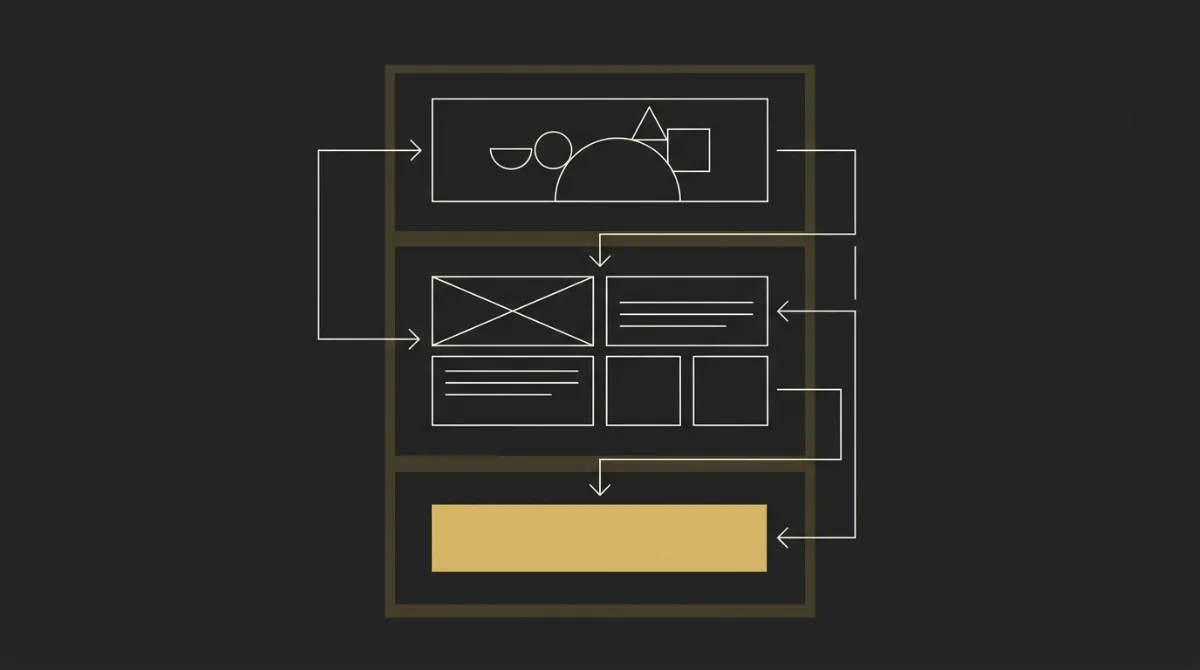
A model that’s actually doing design work (not just filling in a template) can produce most of the pieces that used to require a designer or a long afternoon in a builder. In practice, this covers:
- A full draft template from a single prompt, structured into zones rather than one long scroll
- Layout and structural choices: hero style, section order, column stacking
- Content blocks: feature grids, stat bars, testimonial cards, product tiles
- Subject lines and preheader copy tuned to the email’s actual content
- Image generation for heroes, banners, or product visuals
- Copy rewrites in a different tone or length without touching the layout
- A/B variation generation: multiple subject lines or CTA phrasings from one brief
- Personalization logic, like conditional greetings or merge-tag placement
That’s a wider job than most people expect from “AI email,” and it’s also where the gap between promise and delivery tends to show up: a tool that only handles two or three of these is doing automation with an AI label stapled on.
What isn’t really AI
Pulling your logo, brand colors, and fonts out of a website and slotting them into a template isn’t AI design; it’s automation. It saves time, but the “decision” already happened when someone built the template; the tool is just filling in blanks.
Most email production still works this way: pick a template, drop in a few brand assets, arrange content into blocks that already exist. That’s fine as a starting point, but it’s also why so much marketing email still looks the same regardless of who sent it. The gap matters for a different reason too: deliverability to the right audience often outweighs how polished the template looks, so an operator can have a genuinely well-designed email and still underperform because it’s landing with the wrong inbox, not because the design failed.
Real AI design work shows up when the model is generating new layouts, new visual directions, or new content structure from scratch, not recombining a fixed set of blocks. That distinction is worth checking for before you commit to any tool, and it’s the same distinction that separates can AI actually write production HTML email from AI tools that only touch the copy layer.
Real Examples of AI-Designed Emails
The clearest way to judge AI email design is to watch one build end to end and see where it earns its keep. Here’s a walkthrough of a fairly typical brief: an ecommerce product-highlight email for a beverage brand, generated from a single prompt describing the product, the audience, and the goal (drive clicks to the product page).
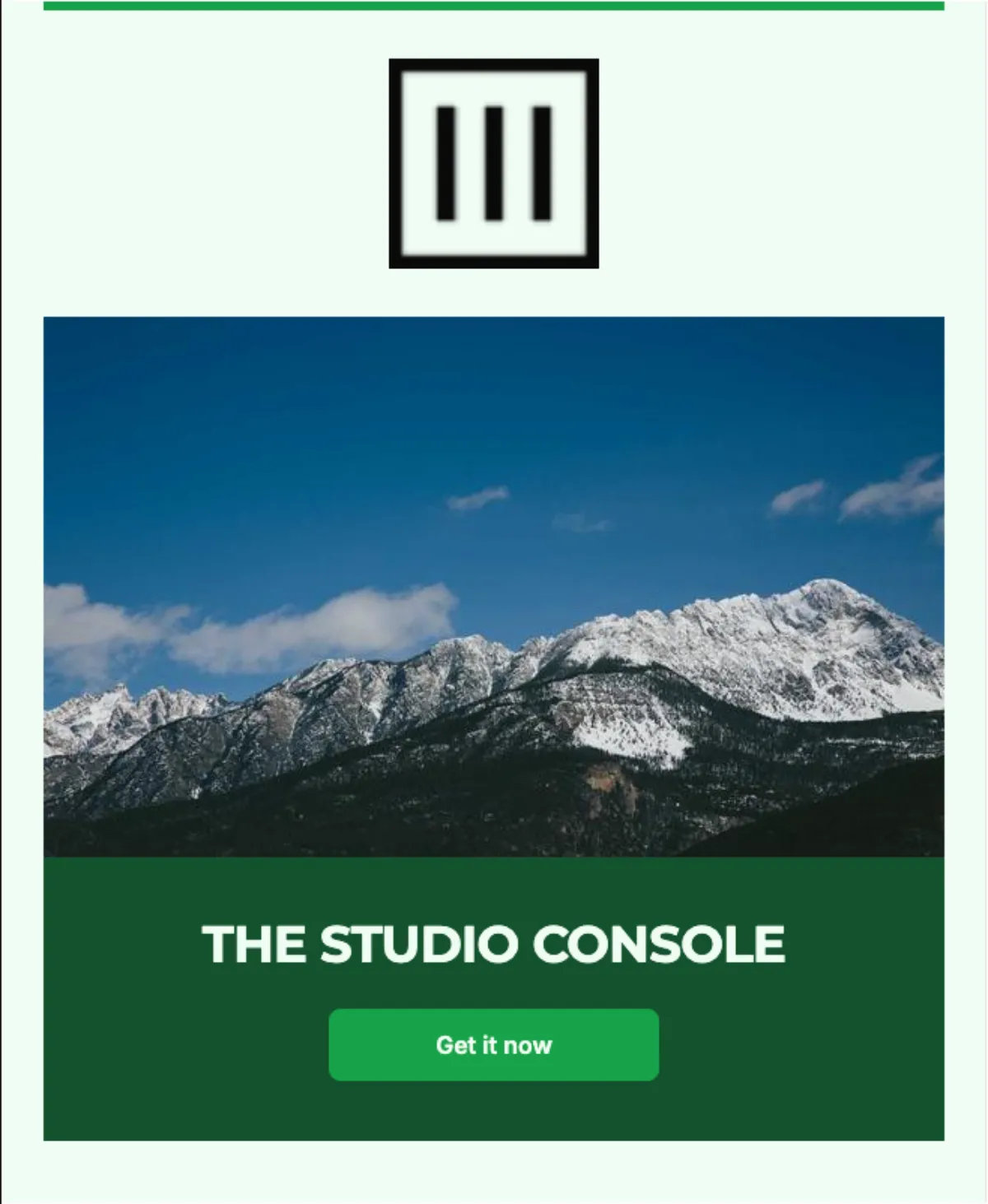
An AI-built ecommerce product email
The prompt described a canned energy drink brand launching a new flavor, aimed at existing subscribers, with one job: get them to the shop page. From that brief, the model produced three zones in sequence.
The hero opened with a large product shot and a short, declarative headline naming the flavor, not a vague “New arrival!” banner. A single button sat right below it, already pointed at the shop page rather than a generic “learn more” link. The second zone acted as a bridge: two or three lines explaining what makes the flavor different (a specific ingredient callout, a caffeine count, a “no added sugar” line) paired with a small supporting image, giving the reader a reason to care before asking them to act again. The closing zone repeated the same CTA with slightly different framing (“Grab yours before it sells out” instead of “Shop now”), plus a short reassurance line about shipping. No second offer competed for attention, and nothing forced the reader to scroll past decoration to find the button.
Where the output held up
The structural decisions were the strongest part of the output. A few things stood out as genuinely well-handled:
- One clear path through the email: hero, differentiator, CTA, with nothing competing for the click
- A single call-to-action carried through the whole email instead of splintering into three or four buttons
- Copy that read like a person wrote it: short, benefit-first sentences instead of generic filler adjectives
- Sensible pacing: the bridge section justified the ask before repeating the CTA, rather than repeating it back-to-back
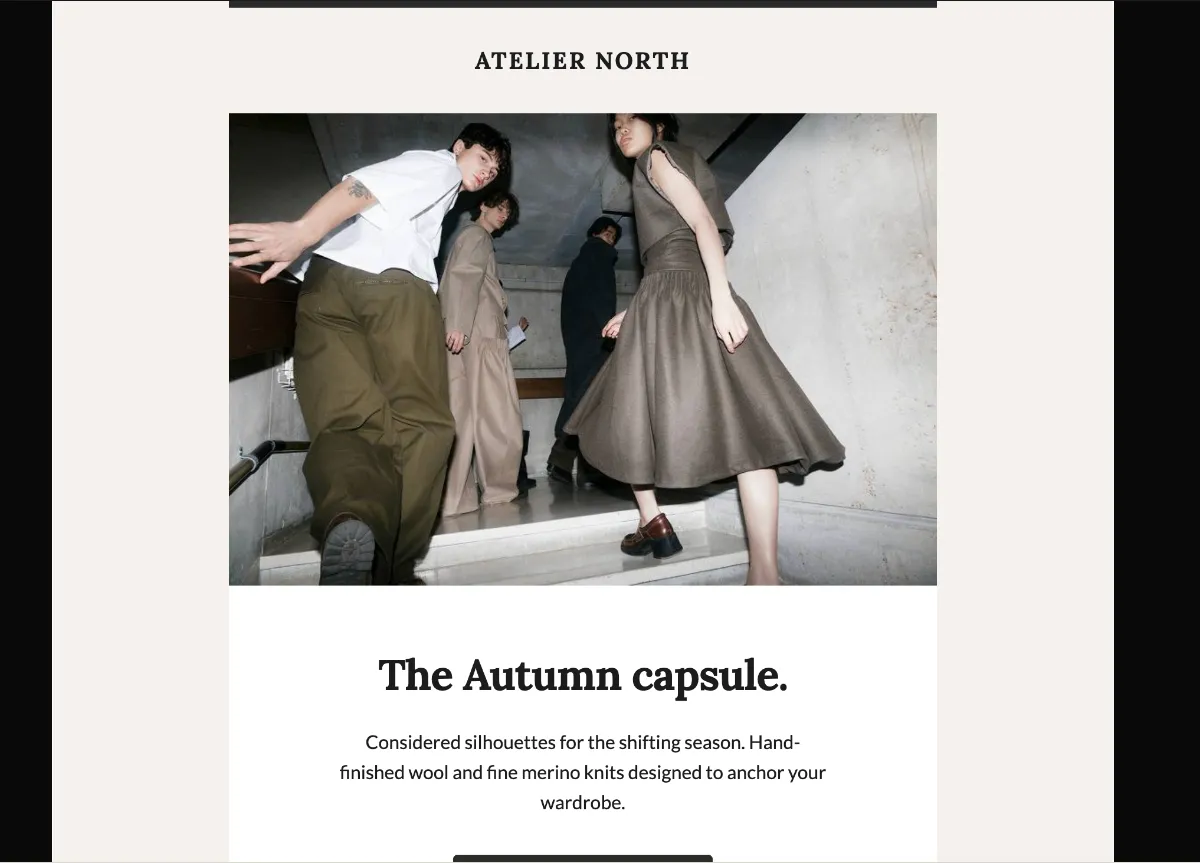
This matches a pattern seen across real teardown-worthy welcome and product emails: one unmistakable primary action placed early, with everything else in service of it, tends to be what makes an email feel considered rather than assembled.
Where branding still broke
The gap showed up in fidelity, not structure. The generated hero image looked like stock energy-drink photography, not the brand’s actual can art, and the logo treatment in the header leaned generic, missing the exact typographic quirks and color balance the brand’s real assets carry. Small details, the kind that make an email instantly recognizable as yours rather than “an energy drink email,” were the first thing to drift.
This tracks with a wider finding on AI-generated email HTML: a 2026 study testing general-purpose models (ChatGPT, Claude, Gemini) on zero-shot email prompts found none of the nine test emails were production-ready, and 8 of the 9 had at least one Outlook rendering failure, mostly from unsupported CSS and layout that squished on Outlook’s Word-based rendering engine. Structure and copy are the parts AI tends to get right without much coaxing. Code-level fidelity, brand-level fidelity, and Outlook-safe markup are a different problem, and one that needs real email-specific scaffolding, not just a good prompt, to solve consistently.
How to Design an Email With AI Step by Step
This is the reproducible version of the workflow from the last section: five steps from brand assets to a sent test email, with clear checkpoints so nothing gets lost between the brief and the inbox. The prerequisites and step cards below cover what to gather before you start and what happens at each stage.
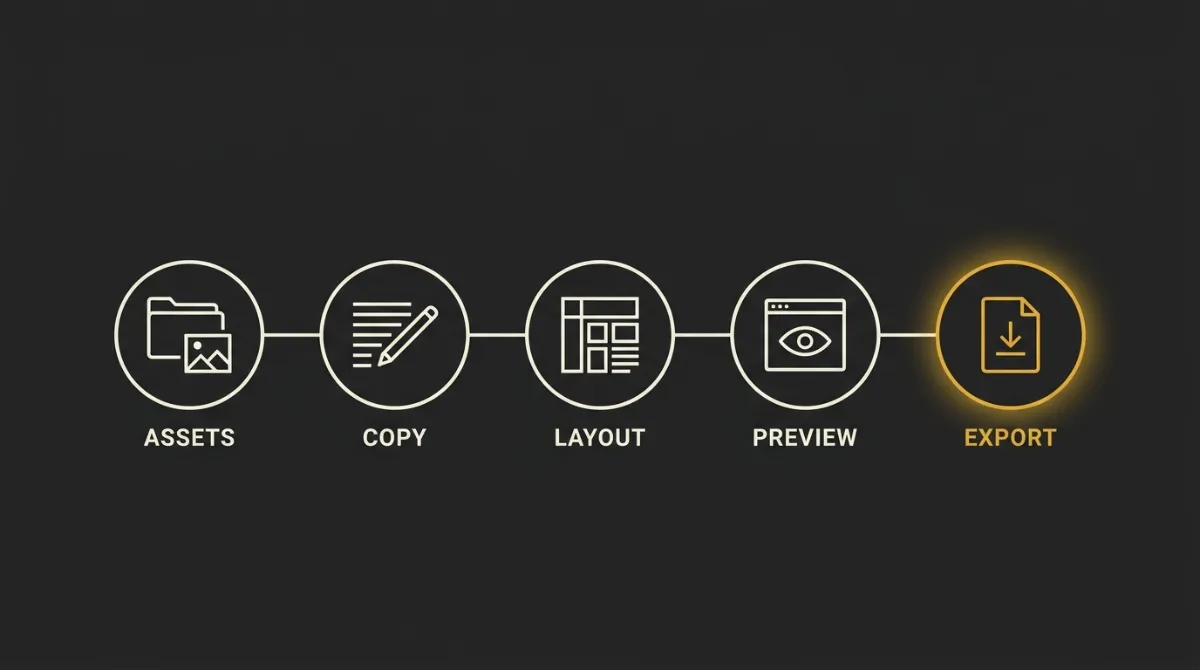
| What you need | Why |
|---|---|
| Brand assets (logo, colors, fonts, product images) | Without these, the model has nothing to anchor to and defaults to generic stock visuals and a placeholder wordmark |
| A copy source or AI writer | Even a rough draft or bullet list of what to say gives the design generation something real to structure around, instead of inventing filler |
| A design or generation tool | This is the step that actually turns brief plus assets into a structured, styled template rather than a block of text |
| An ESP or sending platform | Design tools don’t send; you still need Mailchimp, ActiveCampaign, MailerLite, or similar to get the email into an inbox |
Collect your brand assets first
Gather your logo file, hex codes for your primary and accent colors, your brand fonts (or their closest web-safe equivalents), and any product photography before you open a design tool. This turns the generation from a guess into an on-brand starting point.
- Export your logo as a transparent PNG, not a screenshot
- Write down your exact hex codes rather than eyeballing them from a screen
- Pick 2-4 product or lifestyle images that represent this specific send
Generate the copy from a proven structure
Write or generate copy around a hero, bridge, and CTA shape rather than starting from a blank page. The hero states the offer, the bridge gives one reason to believe it, and the CTA closes with the same action stated twice in different words.
- Draft one headline for the hero that names the offer directly
- Write two to three sentences for the bridge that answer the reader’s one likely objection
- Pair the CTA button label with a short line of reassurance copy beside it
Generate the design section by section
Generate the hero, the bridge, and the CTA zone as separate passes rather than asking for the whole email in one shot. This gives you a chance to catch a drifting layout or an off-brand image before it’s baked into the rest of the template.
- Generate and review the hero first, since it sets the tone for everything after it
- Generate the bridge/differentiator section next, checking it doesn’t repeat the hero’s wording
- Generate the closing CTA zone last, confirming it points at the same single action as the hero
Assemble and preview across devices
Put the generated sections together in order, then check the full email on both a mobile-width preview and a desktop-width preview before touching send. Small spacing or wrapping issues usually only show up once the sections sit next to each other.
- Check that the CTA still reads clearly at mobile width, not just desktop
- Confirm the hero and bridge don’t repeat the same headline wording
- Send yourself a test email and open it on an actual phone, not just a browser preview
Export as HTML and load it into your ESP
Download or copy the finished template as an HTML file, then paste or import it into your ESP’s custom-HTML editor. From there, the campaign follows your platform’s normal send process.
- Confirm merge tags or personalization fields match your ESP’s native syntax before sending
- Check the visible unsubscribe link and sender address are both present in the footer
- Send a final test through the actual ESP, not just the design tool’s preview
Prerequisites
Covered above in the table: brand assets, a copy source, a design or generation tool, and an ESP to send from. Skipping any one of these tends to show up later as either off-brand output or a finished template with nowhere to send it.
Step 1: Collect your brand assets
Covered above as the first step card.
Step 2: Generate the copy from a proven structure
Covered above as the second step card.
Step 3: Generate the design section by section
Covered above as the third step card.
Step 4: Assemble and preview
Covered above as the fourth step card.
Step 5: Export and send from your platform
Covered above as the fifth step card.
Best AI Email Design Tools Compared
AI email tools split into three fairly distinct categories, and mixing them up is where most buying decisions go wrong. Marketing platforms bolt AI features onto their existing send infrastructure, standalone design generators focus purely on producing a template, and writing or image tools handle one narrow slice of content without touching layout at all. The table below separates what each type actually does, since “writes the copy,” “designs the email,” and “sends the email” are three different jobs that only some tools combine.
| Tool | Type | What the AI does | Sends email? | Best for |
|---|---|---|---|---|
| Marketing platforms with built-in AI | ||||
| HubSpot | Marketing platform (Marketing Hub) | Generates copy and subject lines inside its native email builder; layout still comes from its drag-and-drop editor, not AI generation | Yes | Teams already on HubSpot who want AI-assisted copy inside their existing sending workflow |
| ActiveCampaign | Marketing platform / automation | AI content and subject-line suggestions layered onto its Custom HTML or drag-and-drop email designer | Yes | Automation-heavy senders who want AI copy help without leaving their ESP |
| Mailmodo | Marketing platform (interactive email) | AI copy and layout suggestions plus interactive email blocks (forms, quizzes) built into the campaign editor | Yes | Teams wanting interactive, app-like emails alongside standard campaigns |
| Standalone design and template generators | ||||
| Stripo | Standalone email design editor | AI email and image generation, a writing assistant, and a subject-line generator, all inside a drag-and-drop editor | No | Designers or marketers who want AI assistance but still want to build the layout by hand |
| Genius Design | Standalone AI design platform | Generates email templates from simple text prompts as part of a broader AI UI-design tool | No | Teams comfortable exporting a generated template into a separate ESP for sending |
| MigmaAI | Standalone AI email design tool | Generates complete email layouts and templates from prompts, focused on structure, visuals, and fast iteration | No | Fast prototyping of layout options before finalizing a template |
| AI writing and image tools | ||||
| Writesonic / CopyAI / Rytr | AI copywriting tools | Generate marketing copy, subject lines, and campaign drafts as text only, no layout or HTML | No | Filling in copy for a template you already have, not building the email itself |
| Hoppy Copy | AI copywriting tool | Generates email copy and sequences with brand and tone guidance, still text-only output | No | Teams that need on-brand copy across a multi-email flow before dropping it into a template |
| Midjourney | AI image generator | Generates custom visuals for use inside an email, with no email layout or copy capability at all | No | Sourcing a custom hero image or product visual to drop into a separately built template |
Marketing platforms with built-in AI
These are ESPs that layer AI copy or content suggestions onto their existing campaign builder. The AI here typically writes the words, sometimes assembles a content block, but the platform’s own editor still drives the layout, and sending is native since that’s the platform’s core job. If you’re already committed to one of these for automation or list management, the AI features are a convenience add-on rather than a reason to switch.
Standalone design and template generators
This category is the closest to what most people mean by ai email design: a tool that produces a structured, styled template from a prompt rather than requiring you to assemble it block by block. The catch is the one thing all of them share: none of them send. You still need an ESP, SMTP server, or email API downstream to actually get the finished template into an inbox, which makes these tools one stage in a pipeline, not a full solution on their own.
AI writing and image tools
These tools don’t touch layout at all. Copywriting tools like Writesonic, CopyAI, Rytr, and Hoppy Copy generate the words that go into an email, and an image generator like Midjourney produces the visuals, but neither builds the container those pieces live in. They’re useful inputs to feed into a design step, not a replacement for one, and treating a copy generator as if it handles design is the most common mismatch buyers make in this category.
How AI Email Design Works Under the Hood
Understanding the pipeline helps explain why two AI-generated emails from the same tool can land so differently in quality. Here’s what actually happens at each stage.
Data and planning
Before any layout or copy gets generated, the model needs three inputs: audience data (who’s receiving this and what they care about), brand guidelines (colors, fonts, logo, tone), and a clear prompt stating the goal, whether that’s a sale, a welcome message, or a product announcement. This planning stage is where the model decides what type of email it’s building and what structure that type calls for, before it writes a single word of copy.
Content and design generation
This is where the model produces both the copy and the layout together, ideally informed by a proven structural template (hero, supporting section, CTA) rather than a blank prompt with no scaffolding. Feeding the model a real structure and real brand context produces noticeably tighter output than a vague, open-ended request, since the model has fewer ambiguous decisions to make on its own. Weaker prompts tend to produce weaker layouts, not because the underlying model is incapable, but because it’s filling gaps with generic assumptions instead of brand-specific ones.
Personalization and testing
Once a template exists, the pipeline can layer in dynamic variations for different segments, generate subject-line options for A/B testing, and check the layout against both mobile and desktop viewports before anything ships. A compliance pass belongs here too: confirming the unsubscribe link is visible and the footer carries what’s legally required. None of this replaces a real test send, but it catches the errors that are cheap to fix before launch and expensive to fix after.
For the deeper mechanics of why AI-generated HTML specifically breaks or holds up across email clients, see our breakdown of whether AI can actually write production HTML email.
Why AI Output Looks Generic and How to Keep It On-Brand
The generic-output problem
Pulling a logo, a color, and a font into a template isn’t AI design, it’s automation, and it produces the same shell every other user of that tool gets. Without real brand input, an AI email tool defaults to generic assumptions: a flat-fill button, a default border radius, safe middle-of-the-road spacing, the same visual choices anyone else’s unbranded prompt would produce. Those defaults aren’t broken exactly, they’re just interchangeable, and interchangeable is the opposite of what a considered send is supposed to feel like. Naming these specific generic traits (flat button fills, default-case bold text, a stock corner radius) is what makes it possible to actually fix the problem: redesign one reusable, on-brand button or component once, rather than patching the same cheap-looking default over and over on every new send.
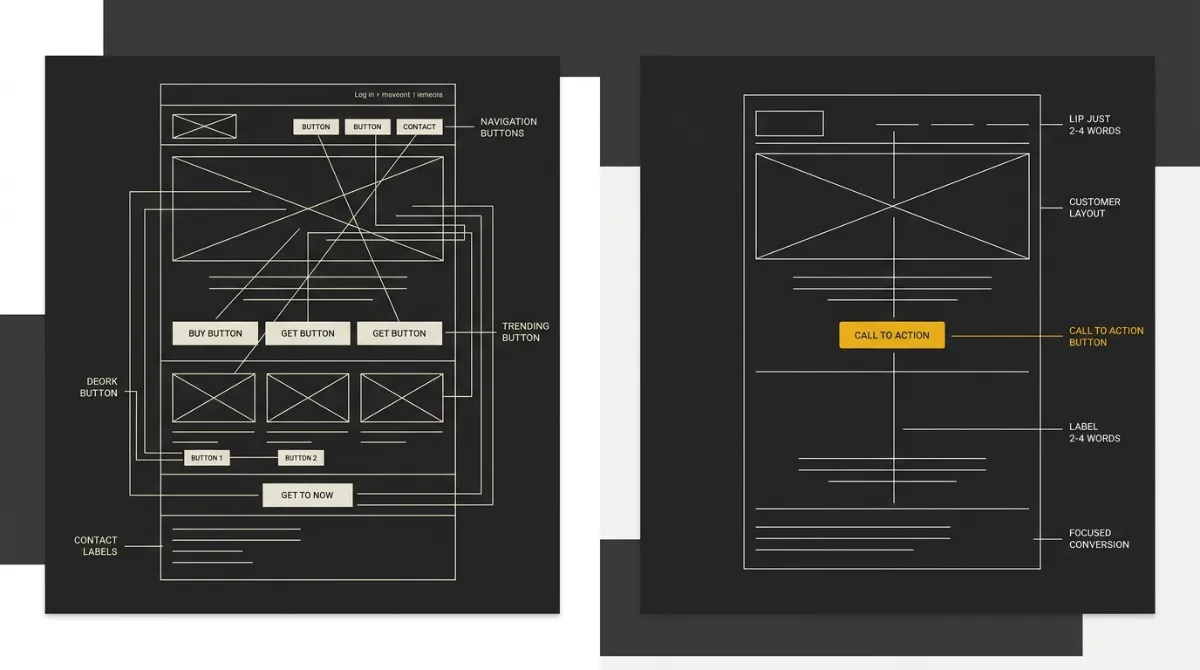
Feeding the AI real brand context
The fix isn’t a better prompt, it’s better input: logo, exact hex codes, heading and body fonts, a tone of voice, and ideally a reference structure the model can follow instead of inventing one. A model that receives your actual brand primary color, your actual font pairing, and a clear instruction on tone (professional, playful, spartan, whatever fits) produces output that reads as yours specifically, not as “an email.” Skipping this step is the single fastest way to end up with a generic template wearing your logo, since the model still has to fill every layout and color decision from scratch with no anchor to your brand.
Making output render and survive dark mode
A production-ready template has to satisfy a short list of non-negotiables regardless of how it was generated. The HTML needs to be table-based with inline CSS, since many email clients strip out <style> blocks and ignore modern CSS layout entirely. The whole document should stay under roughly 80KB, comfortably below Gmail’s clipping threshold of about 102KB, past which the client truncates the email and hides whatever follows, including the unsubscribe link. Dark mode adds its own checklist: every zone background needs to be declared twice, once as an HTML bgcolor attribute and once as an inline background-color style, so that whichever declaration a given client respects during forced recoloring, the zone still renders correctly. Body text should avoid pure white or pure black, since both invert to harsh extremes under dark mode and hurt readability. This isn’t a minor edge case either: dark mode is estimated to account for roughly a quarter to a third of email opens, which makes it a mainstream rendering condition to design for, not an afterthought to patch in later. Templates that skip these checks might look fine in a browser preview and still break the moment a real recipient opens them on their phone.
For the deeper technical case on what production HTML email actually requires, see why AI-generated HTML often breaks without email-specific scaffolding.
When to Use AI and When to Design It Yourself
Best fits for AI email design
AI email design earns its keep on speed and first drafts. Turning a brief into a structured template in minutes beats starting from a blank ESP editor every time, and it’s especially strong for exploring layout options before committing to one direction. Content blocks (hero copy, feature grids, CTA sections) are where the model does its most reliable work, since these are patterns it can lean on rather than invent from nothing.
The clearest fit, though, is the marketer who’s strong on copy and strategy but self-identifies as genuinely weak at design. That gap shows up constantly: someone who can write a sharp subject line and knows exactly what the send needs to accomplish, but has no instinct for spacing, hierarchy, or color balance. AI email design closes that specific gap by handling the visual decisions a non-designer would otherwise guess at or outsource. It’s also the right call for budget-aware operators who don’t have the spare hundreds of euros per send for a freelance designer but still need something better than the ESP’s stock template.
One practical habit worth borrowing from outside email design entirely: AI is often more useful for sharp, targeted pre-work than for the writing itself. Before generating anything, spend a minute confirming the one real, specific thing this send needs to say (a genuine product detail, a real seasonal angle, an actual customer situation) and feed that into the brief. A generated email built around one true specific beats one built around a vague prompt every time.
When human design still wins
There are two situations where handing the whole job to AI is the wrong call. The first is exact brand fidelity: if a send has to match precise, hard-won visual details (an agency-designed hero treatment, a specific illustration style, a highly custom layout), that level of exactness still needs a human hand, since AI’s brand matching is close but not pixel-perfect. The second is the high-impact send: a major launch, a big-ticket promotion, or anything where the cost of getting it visibly wrong outweighs the time saved. These are the sends worth a slower, more considered pass, whether that’s a longer studio conversation with more rounds of refinement or a human designer brought in on top.
The simple rule that covers both cases: treat AI as a tool, not a decision-maker. Generate, then review every send before it goes out, and take ownership of the final result the same way you would if a contractor had built it. That review step is what turns a fast draft into something you’d actually put your brand name on, and it’s the difference between AI email design as a shortcut and AI email design as a liability.
Getting a Production-Ready Email Faster
The honest summary, regardless of which type of operator you are: AI email design is genuinely strong on structure and copy, weaker on exact brand fidelity, and the gap between a generic result and a considered one comes down to what you feed it. Give it real brand context instead of a bare prompt, generate section by section rather than asking for the whole email in one shot, and review the output before it goes anywhere near your list. That’s the whole discipline, and it holds regardless of whether you’re a marketer who’s strong on strategy and weak on design, or an operator just trying to stop sending the same generic ESP template every month.
If that workflow sounds right but you don’t want to stitch together a design tool, a separate copywriter, and a manual export step, that’s the exact gap the EmailTemple studio is built to close. Describe the email in a chat, and it returns a dark-mode-safe, hand-editable HTML template built around your brand kit, ready to export straight to your ESP. No drag-and-drop canvas, no assembling blocks by hand, no separate design contractor. Generate your branded template for free.
Frequently Asked Questions
Can AI design a professional email template?
Yes. AI can generate a complete, professionally structured email template from a single prompt, covering layout, typography, and content blocks rather than just the copy. The result is strongest when the prompt includes real brand context (logo, colors, fonts, tone), since a bare prompt with no brand input tends to produce a generic-looking result even when the structure is sound.
How do I create an email with AI?
Creating an email with AI usually involves two distinct layers: writing tools that generate the copy and subject lines, and design tools that generate the actual HTML layout. Some platforms handle both in one interface, but the underlying job is different: one produces words, the other produces the structured container those words live in.
What is the best AI for email writing?
There’s no single best answer here since email-writing AI splits into two categories that solve different problems. Dedicated copywriting tools focus on subject lines, body copy, and campaign ideas, while marketing platforms with built-in AI features generate copy inside their existing campaign builder alongside other send tools. Which category fits depends on whether you need the words or the whole finished template.
Does AI email design work in dark mode?
Yes, as long as the template is built to be dark-mode-safe from the start. That means every zone background gets declared twice, once as an HTML attribute and once as an inline CSS style, so it survives however a given email client handles forced dark-mode recoloring, and body text avoids pure black or pure white, which both look harsh once inverted. A template generated without these specific techniques can break visually the moment a recipient opens it with dark mode turned on.
Can I export an AI-designed email to my email platform?
Most AI email design tools export the finished template as an HTML file you load into your ESP of choice, whether that’s Mailchimp, Gmail, Outlook, or another platform’s custom-HTML editor. Some tools also offer a direct export path into specific platforms. Since the AI design tool itself typically doesn’t send email, this export step is what connects the generated template to your actual sending infrastructure.
Is AI email design free?
Many AI email design tools offer a free tier, usually capped on the number of exports or templates per month, with more advanced features gated behind a paid plan. The free tier is often enough to test whether the workflow fits before committing to a subscription, but production habits like unlimited generations, priority support, or whole-flow sequence generation tend to sit on paid tiers.
