
Best AI tools for email marketing is a broader search than most people mean it to be, because “AI for email” actually covers four separate jobs that rarely live in one tool: writing subject lines and body copy, deciding when to send and to whom, building automations that trigger on subscriber behavior, and designing the actual template the copy sits inside. Most operators searching for this only have one of those jobs in mind, usually copywriting, and end up buying a tool that solves a problem they didn’t have while leaving the one they did have untouched.
This list is ranked editorially, not alphabetically: the #1 entry is our pick for best overall execution of its specific job, and each entry down the list earns its spot for a distinct use case rather than a lower overall score. One gap we noticed going through the usual roundups: they cover ESPs and AI copywriting tools in depth but almost entirely skip AI email design tools, the layer that turns a brief into a finished, on-brand, dark-mode-safe template rather than a wall of text. That’s why EmailTemple is included here as the design pick, alongside eight other tools covering copy, send-time optimization, and automation.
Below, we break down all 9 tools by what they actually do, who they’re built for, and where each one falls short, so you can match the tool to the job instead of the other way around.
TL;DR: Which AI Email Tool Should You Pick
ActiveCampaign is the strongest overall pick for AI-driven automation depth, EmailTemple is the pick for on-brand email design, and Omnisend leads for AI email marketing tools built specifically for ecommerce.
- For on-brand email design: EmailTemple. Describe the email you want and the studio returns a production-ready, dark-mode-safe HTML template exported straight to your ESP, no drag-and-drop, no template browsing.
- For advanced marketing automation: ActiveCampaign. Deep conditional branching and workflow logic for teams that have outgrown basic autoresponders.
- For B2B with CRM coupling: HubSpot. Native CRM data feeding directly into AI-assisted email content and segmentation.
- For DTC ecommerce: Omnisend. Built around product feeds, order data, and revenue-focused automation rather than generic broadcast sends.
- For first-time marketers: Mailchimp. The most familiar interface and the largest library of guided setup flows for a first list.
- For affordable multichannel sending: Brevo. Email, SMS, and WhatsApp under one affordable plan, a good fit for large lists sent to at a moderate frequency.
- For all-in-one with webinars: GetResponse. A native webinar tool folded into the email platform, useful if you’d otherwise pay for Zoom separately.
- For AI copy generation: Jasper. Purpose-built for drafting subject lines and body copy at volume, not for designing or sending the email itself.
- For send-time optimization: Campaigner. Straightforward AI-assisted send scheduling for newsletters and broadcasts without a full marketing suite wrapped around it.
For the full picture on how EmailTemple fits into an existing ESP setup, see our approach to AI email design.
How We Evaluated These AI Email Tools
Every tool below was scored against the same six criteria, applied consistently across all nine entries so the rankings reflect what each tool actually does rather than marketing copy. Here’s what each criterion means and why it matters before you commit budget to one of these.
AI depth and whether it learns from your account
AI depth measures whether a tool’s AI genuinely learns from your account’s engagement data over time, or whether it’s a generative wrapper that produces one-off outputs with no memory of what worked last time. A rules-based automation that requires you to manually reconfigure triggers after every send is a different product than one that adjusts send times and content recommendations automatically as it observes how your specific list behaves. Buyers should ask which kind of AI features they’re actually paying for, because the two get marketed with identical language.
Output quality and brand consistency
Output quality asks whether what the tool produces looks and reads like it came from your brand, not a generic default. Copywriting AI and design AI are different layers entirely: most tools in this category write words (subject lines, body copy, personalization tokens), while very few produce finished, on-brand, cross-client-safe HTML you can actually send. That distinction is usually where these roundups fall short, because a tool that writes a great subject line and a tool that builds a template that won’t collapse in Outlook are solving two separate problems.
ESP and CRM integration
Integration depth is whether a tool connects bidirectionally with your existing systems (CRM, sales engagement platforms, ecommerce data) without manual exports standing between them. A tool that references deal stage or purchase history directly in an email body without webhooks or CSV round-trips saves real operational time; one that requires constant manual syncing erodes the automation gains the AI is supposed to deliver in the first place.
Pricing transparency and tier gating
Pricing transparency covers whether the advertised price is close to what you’ll actually pay, and which features get locked behind higher tiers. Mandatory onboarding fees, steep per-seat jumps between entry and mid tiers, and annual commitments with no early exit all belong in this category, because they change the real cost of a tool well beyond its sticker price.
Deliverability and compliance
Deliverability and compliance covers whether a tool actively protects sender reputation and inbox placement, and whether GDPR, CCPA, and CAN-SPAM requirements are built in rather than left for you to enforce manually. Open rate specifically is inflated industry-wide by Apple’s Mail Privacy Protection, which pre-loads tracking pixels regardless of whether a recipient actually opened the message, so click rate and click-to-open rate are the more trustworthy signals when judging a tool’s real engagement claims.
Best-fit use case
Best-fit use case is the practical answer to “who should actually buy this,” since no tool in this list wins across every scenario. A platform built for B2B sales cycles with multi-stakeholder buying committees solves a different problem than one built for DTC ecommerce order-triggered flows, and matching the tool to your actual use case matters more than chasing the highest overall feature count.
1. EmailTemple
Overview
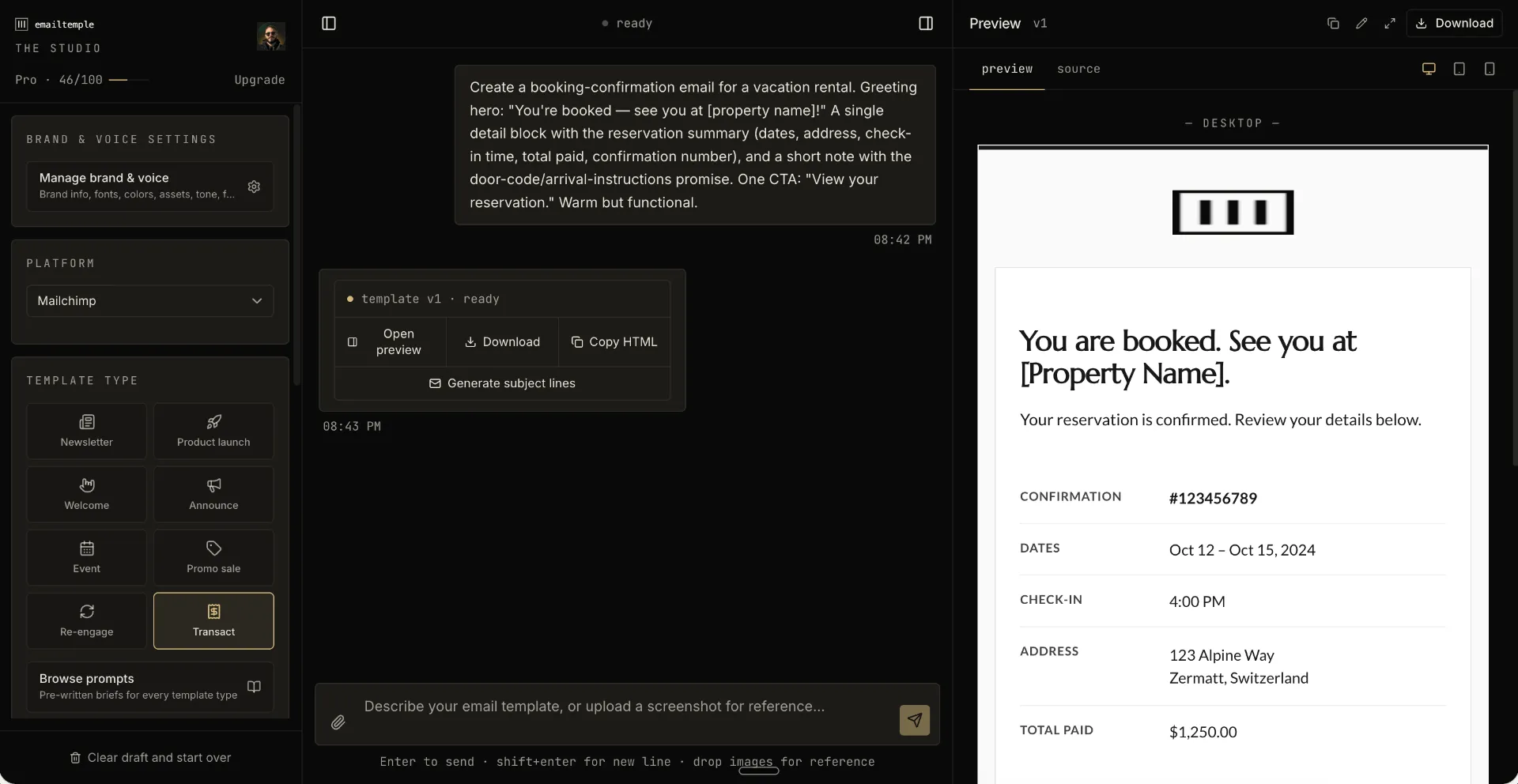
EmailTemple is an AI email design studio that turns a description into a production-ready, on-brand HTML template you export to your ESP. It does not send email: there’s no contact list, no scheduling, no sending infrastructure inside it, the studio’s one job is to generate the template itself.
The interface is a chat, not a canvas. You describe the email you want (a welcome message, a promo, a re-engagement send) and the studio returns a complete template built with the same craft decisions a designer would make: typographic hierarchy, spacing, restraint, a single clear call to action.
What separates it from most AI email marketing tools on this list is the layer it operates on. Nearly everything else here writes the copy that goes inside an email; EmailTemple builds the container that copy ships in, tuned for how real inboxes actually render HTML.
Best for: operators who already have a list and content to send, but whose ESP’s default templates make every campaign look like an afterthought.
Key Features
- Conversational generation, no drag-and-drop: describe the email in a chat, and the studio composes the full template in one pass, no block-dragging canvas and no template library to browse first.
- Dark-mode-safe by default: every template zone declares its background twice so recoloring clients (Gmail mobile, Apple Mail, Outlook) respect the design instead of inverting it into something illegible.
- Cross-client HTML that survives Outlook: buttons render with a bulletproof VML fallback for Outlook’s Word-based rendering engine alongside a live styled link for every other client, and all load-bearing styles are inlined so stripped
<style>blocks don’t break layout. - Native merge-tag support for three ESPs: Mailchimp, ActiveCampaign, and MailerLite each get their exact personalization and editable-region syntax, so the export drops straight into that platform’s editor.
- Universal portable mode for everything else: any ESP that accepts an HTML import (Klaviyo, HubSpot, Brevo, Constant Contact, and others) works today via bracket placeholders you map before sending.
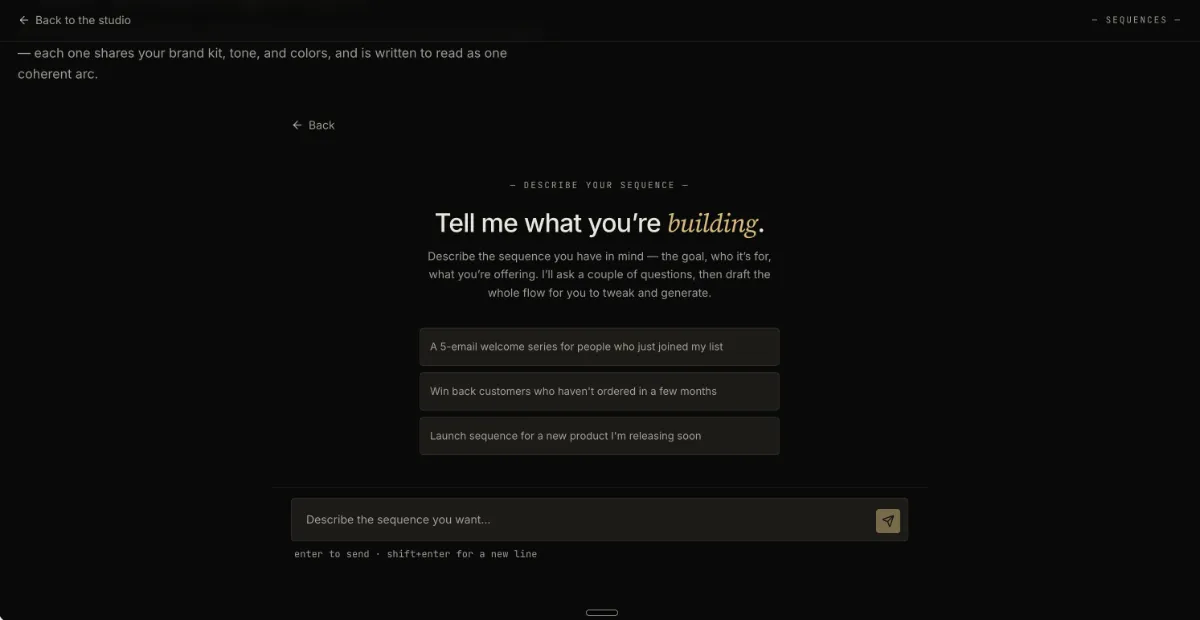
- Sequence Builder for whole-flow generation (Pro): instead of one template at a time, this generates an entire automation flow, welcome series, abandoned-cart, re-engagement, in a single pass from one shared brand context, so the emails read as one arc rather than disconnected one-offs.
Strengths
- Design taste is built into the generation itself rather than left to the user, so output looks considered by default instead of needing a separate design pass.
- Every export is clean, hand-editable HTML with no proprietary wrapper: you own the file and can edit it directly or hand it to a developer.
- It slots into an ESP you’re already paying for rather than asking you to migrate your list or sending infrastructure anywhere new.
Weaknesses
- It does not send email, so it’s an addition to your existing ESP, not a replacement for one.
- There’s no team or per-seat plan: it’s built as a solo product, so a marketing team wanting shared seats will need to work around that.
- The Free tier is capped at 3 generations a month, which is enough to test the studio but not enough for regular use.
Who It’s For
EmailTemple is built for small business operators who already have an email list and content worth sending, but whose ESP’s generic default templates undercut the brand every time they hit send. It’s a fit for anyone who wants a finished, on-brand email without learning a drag-and-drop builder or hiring a designer for every campaign.
Pricing
- Free: €0/mo, 3 generations per month, full access to every ESP target and template archetype.
- Starter: €19/mo, 30 generations per month.
- Pro: €59/mo, 100 generations per month, includes the Sequence Builder for whole-flow generation.
For a closer look at how the studio fits into a send workflow you already have, visit EmailTemple directly.
2. ActiveCampaign
Overview
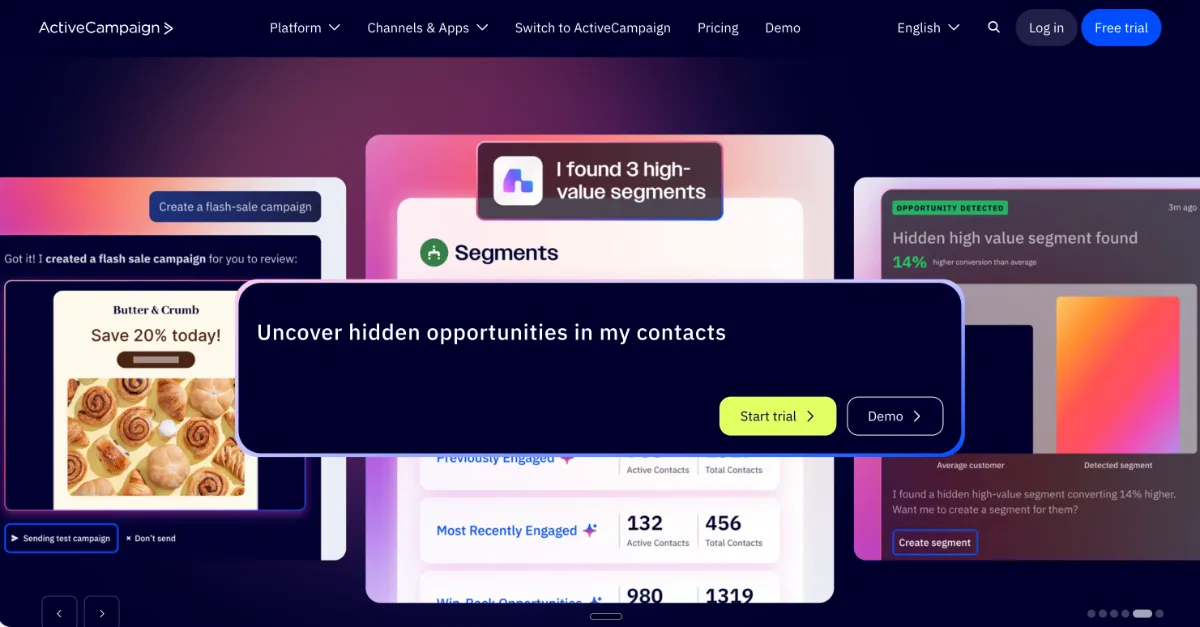
ActiveCampaign is a marketing automation platform built around Active Intelligence, an AI layer that trains on your account’s own campaign history rather than generic prompts. It draws on past sends, engagement patterns, and tone of voice to draft sequences, score leads, and predict individual send times, and the recommendations reportedly get sharper the longer it runs against your data.
That account-learning behavior is the real differentiator here. Most AI email marketing tools generate content from a prompt and stop there; ActiveCampaign’s automation and segmentation logic keeps adjusting based on what your specific list actually does.
Best for: growing businesses with an established list and revenue to optimize against, not early-stage senders just getting a first campaign out the door.
Key Features
- Active Intelligence, trained on your account: the AI references your prior campaigns and engagement history rather than generic training data, and its segment and send recommendations improve over time.
- Predictive per-contact send-time optimization: send timing is modeled per recipient based on that contact’s own historical engagement, not a single blast time for the whole list.
- AI-generated workflows and campaigns: describe a campaign or a workflow in natural language and the AI Campaign Builder drafts it, including cross-channel steps across email, SMS, and WhatsApp.
- 135+ automation triggers with conditional branching: workflows can branch on behavior, deal stage, and custom fields, supporting the deepest automation logic in this category.
- Natural-language segment builder: describe the audience you want in plain language and the tool builds the segment from engagement history, lifecycle stage, and account-level signals.
Strengths
- The AI’s output quality compounds over time instead of staying static, since it’s learning from account-specific engagement rather than a one-shot generation.
- Automation depth is the deepest on this list, useful for anyone running multi-step workflows tied to lead scoring or deal stage.
- Deliverability performance is strong, with inbox placement commonly cited around 94%.
- Native WhatsApp support puts a second messaging channel inside the same automation builder as email.
Weaknesses
- Predictive sending, the most valuable Active Intelligence feature, is gated to higher tiers rather than included at entry pricing.
- Pricing scales steeply as list size and feature needs grow, which makes it a harder sell for a small, simple list.
- The automation depth is overkill for pre-revenue or early-stage senders who just need to get a newsletter out the door.
- Reporting can lag behind the platform’s automation capabilities, a common trade-off in tools built automation-first.
Who It’s For
ActiveCampaign fits growing businesses with 1,000 or more contacts and real revenue riding on email performance, particularly teams running segmented campaigns, multi-step workflows, or lead scoring tied to a sales process. It’s a weaker fit for pre-revenue ventures or anyone sending simple, unsegmented newsletters on a tight budget.
Pricing
- Entry plan: from $15/mo, 14-day free trial available.
- No free-forever plan; pricing scales up from the entry tier as contact volume and automation needs grow.
3. HubSpot
Overview
HubSpot pairs email marketing with its native CRM and the Breeze AI suite, making CRM data (deal stage, lifecycle position, prior touches) directly usable inside the emails and agents it generates. Breeze consolidates what used to be scattered AI features across HubSpot’s suite into one named layer spanning the CRM, marketing, sales, and service data.
The core idea is that email doesn’t operate in isolation from the sales pipeline: an email can reference where a contact actually sits in the funnel because the CRM and the send tool are the same system. That’s a different structural advantage than an ESP bolting on an integration to an external CRM.
Best for: B2B teams that already need a CRM and want the AI layer working across sales and marketing data at once, not just inside the inbox.
Key Features
- Breeze Copilot: an in-app AI assistant available across the CRM on all paid tiers, with deeper functionality unlocked on Pro and Enterprise.
- Outcome-based Breeze Agents: the Customer Agent resolves inbound inquiries and is billed per resolved conversation, while the Prospecting Agent finds in-market accounts and drafts outreach, billed per qualified lead, so cost tracks results rather than seats.
- Loop Marketing: generates a multi-channel campaign from a single brief, spanning email alongside other channels rather than one at a time.
- Predictive lead scoring: ranks contacts by likelihood to convert using CRM engagement and lifecycle data (Enterprise tier).
- Smart send-time recommendations: timing suggestions layered on top of the same engagement data feeding lead scoring and segmentation.
Strengths
- CRM-to-email integration is close to unmatched here: deal stage and lifecycle data can inform email content and agent behavior without custom webhooks stitching two separate systems together.
- The free Smart CRM tier gives a real entry point with unlimited contacts before any AI features are on the table.
- Outcome-based agent pricing, paying per resolved conversation or per qualified lead, is a genuinely different pricing model than the flat per-seat AI add-ons most competitors charge.
- Multi-touch revenue attribution ties email performance back to closed-won deals, giving closed-loop reporting from first touch through to revenue.
Weaknesses
- The Pro tier carries a mandatory, non-refundable onboarding fee (around $3,000), regardless of whether the onboarding program gets completed.
- Pricing jumps steeply between the Starter and Pro tiers, the steepest tier jump in this category.
- Per-seat pricing means costs scale quickly as a team grows, which changes the math for anyone adding headcount.
- The most capable Breeze features, including predictive lead scoring and Loop Marketing, are gated to Pro and Enterprise, so the free and Starter tiers see a much thinner AI layer.
Who It’s For
HubSpot fits B2B service companies doing $1M or more in revenue with a sales cycle of 30 days or longer, where closed-loop attribution between marketing and sales actually matters. It’s a weaker fit for small businesses, solopreneurs, or ecommerce operators who don’t need a full CRM sitting underneath their email program.
Pricing
- Free plan: includes the Smart CRM with unlimited contacts.
- Marketing Hub Starter: from $15/seat/mo.
- Breeze Agents bill outcome-based on top of a paid tier: roughly $0.50 per resolved conversation (Customer Agent) and $1.00 per qualified lead (Prospecting Agent), both gated to Pro/Enterprise.
4. Omnisend
Overview
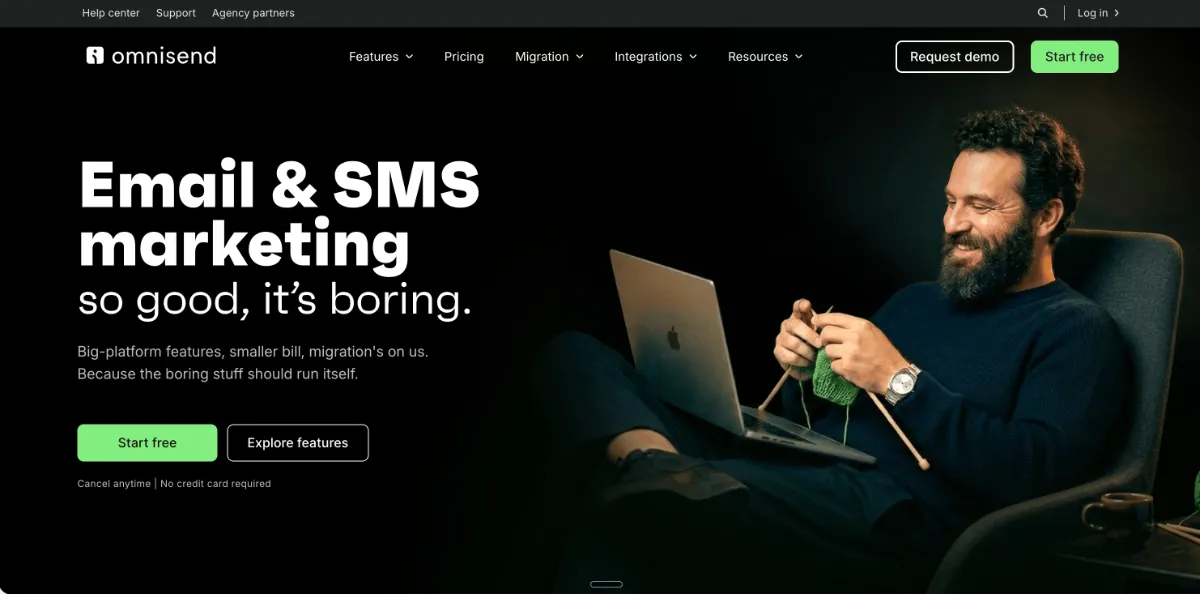
Omnisend is an ecommerce-purpose-built email and SMS platform whose AI is designed specifically around product catalogs, purchase history, and cart behavior rather than generic broadcast sends. Everything from segmentation to send timing is built assuming the recipient is a shopper, not a generic newsletter subscriber.
That ecommerce-first design shows up in the details: abandoned-cart timing tuned to actual purchase behavior, product recommendations pulled from real order history, and a segment builder that understands concepts like lapsed buyers or high-value customers out of the box. It’s a narrower tool than a general ESP, and that narrowness is the point.
Best for: Shopify and WooCommerce stores that need email, SMS, and revenue attribution working off the same customer and order data.
Key Features
- Brand Assets AI: keeps voice and visual identity consistent across generated emails and automations rather than drifting between sends.
- Natural-language segment builder: describe a customer in plain English, such as lapsed buyers who spent over a set amount last year, and the tool builds the segment using churn prediction and customer-value scoring.
- Abandoned-cart timing tuned to purchase behavior: cart-recovery sends are timed against real store data rather than a fixed generic delay.
- Product recommendations from purchase history: email content pulls in products based on what a customer has actually bought, not a static catalog block.
- Native email, SMS, and push in one platform: all three channels share the same customer and order data instead of needing separate integrations.
Strengths
- Revenue attribution ties email and SMS activity directly back to store revenue, which matters more here than open rate or click rate in isolation.
- A free, hands-on migration from Klaviyo or any other ESP handles list imports, automation rebuilds, template recreation, and deliverability setup, removing the usual excuse for staying on a worse-fit platform.
- Omnichannel workflows (email, SMS, push) run off one shared customer profile instead of three disconnected tools.
- Pricing tends to deliver more ecommerce-specific value per tier than a generalist ESP charging similar rates for the same contact volume.
Weaknesses
- The free plan caps at 250 contacts, which functions more as a demo than a usable tier for an active store.
- The template builder sits in the middle of the pack, functional but not the design differentiator here.
- Outside of ecommerce, the feature set is largely irrelevant: B2B teams, creators, or service businesses will find most of what they’re paying for unused.
- Segmentation logic leans heavily on purchase data, so it’s less useful for behavioral signals unrelated to buying activity.
Who It’s For
Omnisend fits Shopify or WooCommerce stores doing upwards of $100,000 a year in revenue, where abandoned-cart recovery, product recommendations, and SMS all need to run off the same order data. It’s not built for B2B teams, creators, or any business that isn’t selling products through an online store.
Pricing
- Free plan: 250 contacts, functions as a trial rather than a long-term tier.
- Paid plans: start from $16/mo, scaling with contact volume and channel usage.
5. Mailchimp
Overview
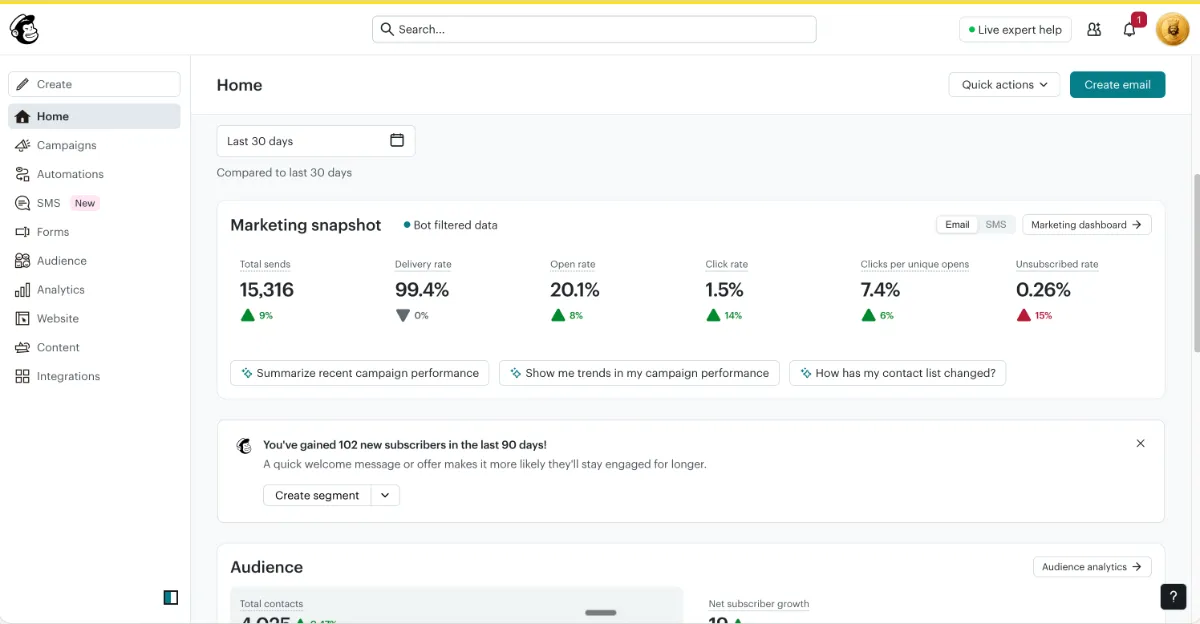
Mailchimp offers the gentlest on-ramp available in this category for anyone sending their first commercial email campaign. The drag-and-drop builder, large template library, and AI that drafts on your behalf are built for someone who has never used an ESP before and doesn’t want to learn one the hard way.
The AI surface is broad rather than deep: subject line suggestions, layout recommendations, generic send-time optimization, and a Creative Assistant that pulls from a business’s logo and brand colors to draft entire emails. None of it is built to get sharper with account-specific data the way a more automation-focused platform’s AI does; it’s generative help for a single send, not a system that compounds.
Best for: someone running their first commercial email campaigns who wants the smallest possible learning curve.
Key Features
- Creative Assistant: drafts on-brand email content by pulling from an uploaded logo and brand color palette, useful for a first campaign with no existing template.
- Subject line generator: produces subject line options on request rather than requiring a blank-page start.
- Predictive segmentation: groups contacts using engagement and purchase signals to support more targeted sends without manual list building.
- Content Optimizer: reviews draft copy and layout choices and suggests adjustments before send.
- Smart send-time recommendations: suggests a generic optimal send window rather than a per-recipient prediction.
Strengths
- Onboarding is the friendliest in this category, built for someone who has never sent a commercial email before.
- The free plan covers up to 500 contacts, enough room to test a first list without paying anything.
- The template library is large, giving a first-time sender plenty of starting points rather than a blank canvas.
- Generative drafts from the Creative Assistant remove the blank-page problem for someone with no copywriting background.
Weaknesses
- Pricing escalates quickly once a list approaches 5,000 contacts, changing the value equation fast for a growing list.
- Automation logic is comparatively shallow next to automation-first platforms, with less conditional branching and workflow depth.
- The AI generates content and suggestions per send but doesn’t learn from account-specific engagement patterns the way an account-trained AI does.
- Once contact volume and automation needs grow, it’s common to migrate to a platform like ActiveCampaign for the deeper workflow logic.
Who It’s For
Mailchimp fits people sending their first commercial email campaigns who have never used an ESP and want the gentlest possible learning curve. It’s a weaker fit once a list nears 5,000 contacts or once segmentation and automation needs go beyond basic content generation. If the stock library is the sticking point, a custom editable Mailchimp template solves that without leaving the platform.
Pricing
- Free plan: covers up to 500 contacts.
- Paid plans: start from $13/mo, scaling with contact volume.
6. Brevo
Overview
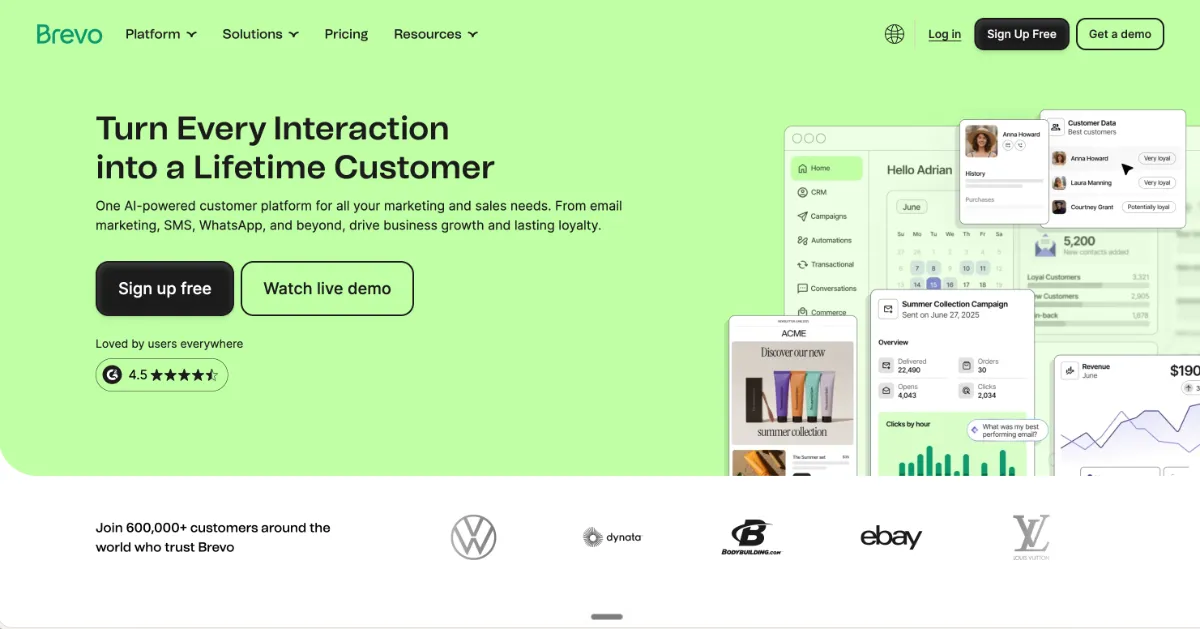
Brevo is an affordable multichannel platform with modest but genuinely practical AI, built for teams that need email working alongside SMS and WhatsApp without a large budget. The AI itself doesn’t try to be the headline feature; it’s predictive send-time, subject line generation, and basic segmentation suggestions layered onto a platform whose real strength is running multiple channels from one workflow.
That multichannel-first design is the actual differentiator. Email, SMS, WhatsApp, and web push all trigger from the same automation, and transactional and marketing email run through the same platform rather than needing a separate service for each.
Best for: small-to-medium businesses with large contact lists and moderate sending frequency who want more than email without paying for a full automation suite.
Key Features
- Predictive send-time: suggests optimal send windows based on engagement patterns rather than a fixed blast time.
- AI subject line generator: produces subject line drafts on request to remove the blank-page problem for a quick send.
- Basic segmentation suggestions: surfaces simple audience groupings rather than the deep behavioral segmentation found in automation-first platforms.
- Native email, SMS, WhatsApp, and push: all four channels trigger from a single shared workflow instead of separate integrations.
- Transactional and marketing email in one platform: most competitors in this category require a separate transactional email service.
Strengths
- Pricing is based on email volume sent, not contact count, so a large list with a moderate sending cadence doesn’t automatically push cost up.
- The free plan is genuinely usable, covering 300 emails a day to an unlimited number of contacts, which is close to unique in this category.
- Multichannel is native rather than bolted on: email, SMS, WhatsApp, and push all run from the same workflow logic.
- A built-in CRM comes with the platform rather than requiring a separate tool or integration.
Weaknesses
- Automation has a low ceiling: there’s no split-testing of automation paths and no predictive AI-driven workflow logic.
- The AI features read as an add-on layer rather than a deep capability, especially next to automation-first platforms built around account-learning AI.
- Account throttling and suspension complaints come up periodically for accounts that spike suddenly in sending volume.
- Reporting on the free plan is heavily limited, which matters once a list grows and results need real analysis.
Who It’s For
Brevo fits small-to-medium businesses that need affordable email with basic automation, particularly those with large contact lists and moderate sending frequency who also want SMS or WhatsApp in the same platform. It’s a weaker fit for businesses that need advanced automation, ecommerce-specific workflows, or CRM-coupled B2B campaigns.
Pricing
- Free plan: $0/mo, 300 emails per day, unlimited contacts.
- Paid plans: start from $9/mo, priced by email volume rather than contact count.
7. GetResponse
Overview
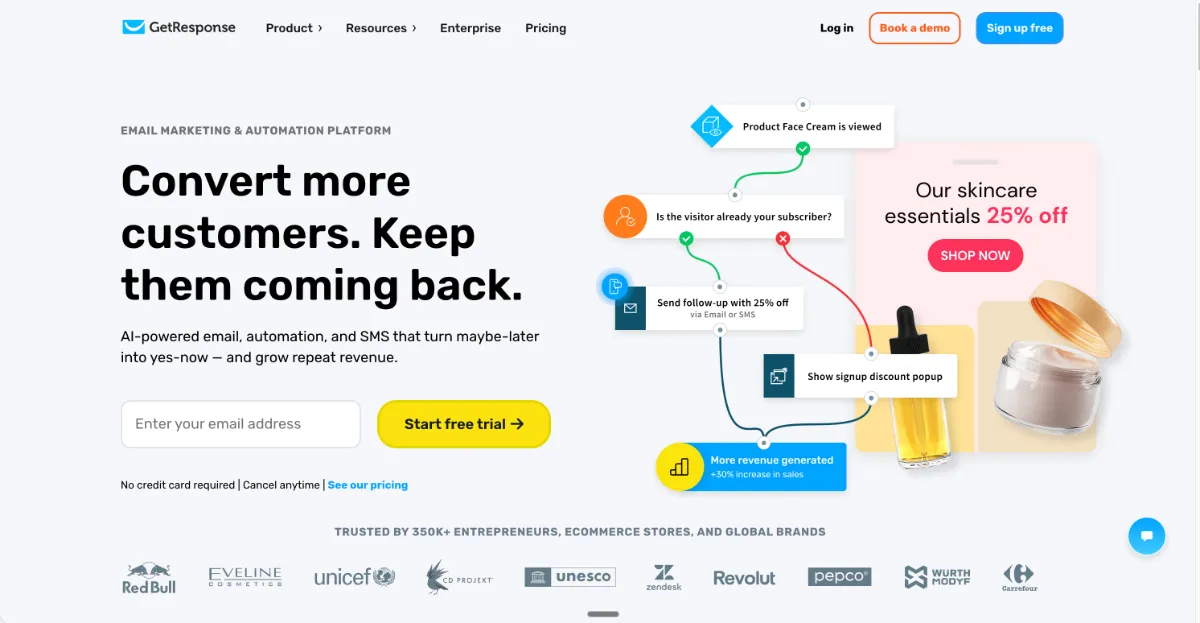
GetResponse is a broad all-in-one email platform whose standout feature is native webinar hosting paired with Perfect Timing, a send-time optimization engine that predates the current wave of generative AI tools and still holds up well. The platform covers email, landing pages, and webinars from one account, aimed at teams that want a bit of everything without stitching together separate tools.
Perfect Timing delivers each email when a specific recipient is statistically most likely to engage, rather than a single fixed send time for the whole list. Everything else AI-related on the platform, the email generator, the landing page builder, is broad but shallow: prompt in, content out, with no learning from account-specific data the way Perfect Timing itself operates.
Best for: budget-conscious teams that want email, landing pages, and webinars in a single platform, especially anyone running webinars regularly.
Key Features
- Perfect Timing: per-contact send-time optimization that predicts when each individual recipient is most likely to open and engage.
- AI email generator: produces email drafts from a prompt, useful for a quick first pass rather than an account-aware system.
- AI landing page builder: generates landing pages from a prompt to pair with email campaigns without a separate tool.
- Native webinar hosting: supports webinars for up to 100 attendees built directly into the platform.
- Autoresponders: time- or action-triggered sequences for onboarding and nurture flows.
Strengths
- Native webinars replace a separate Zoom subscription, a real cost and workflow simplification for teams that host regularly.
- Perfect Timing’s send-time AI is reliable and has held up well over years of use, independent of the newer generative features.
- Charities and NGOs get a 50% discount, one of the better nonprofit deals in this category.
- Annual pricing includes one of the stronger discounts available among the platforms in this list.
Weaknesses
- The platform is a jack-of-all-trades: email, landing pages, and webinars are all present, but none of them lead the category the way a purpose-built tool does.
- Beyond Perfect Timing, the AI is broad but shallow, generating content per prompt without learning from account-specific engagement data.
- Template designs read as dated next to newer, more design-forward competitors.
- Webinar capacity above the base tier is an upcharge, so heavy webinar use can push cost higher than the entry price suggests.
Who It’s For
GetResponse fits budget-conscious teams that want email, landing pages, and webinars covered by one platform, especially anyone hosting webinars regularly or nonprofits looking for a discounted rate. It’s a weaker fit for anyone whose primary need is deep automation or ecommerce-specific workflows.
Pricing
- Free plan: up to 500 contacts.
- Paid plans: start from $19/mo, with a stronger-than-average annual discount and a 50% nonprofit rate.
8. Jasper
Overview
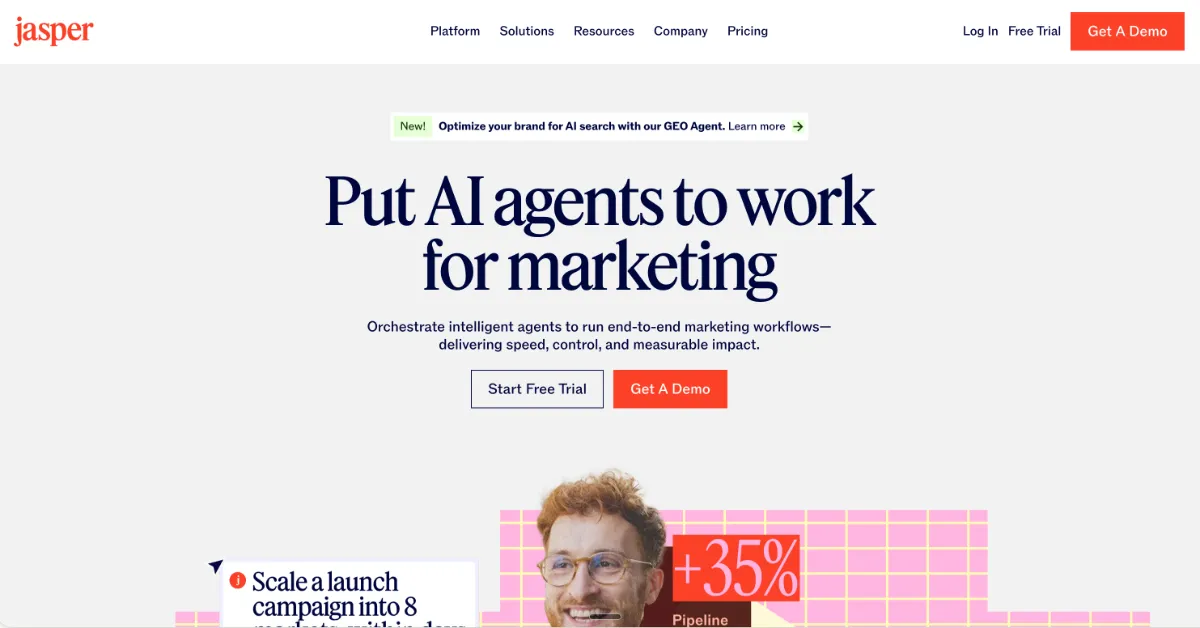
Jasper is a generative AI copy layer, not a sending platform: it writes email content, subject lines, and other marketing text, but has no list, no send infrastructure, and no ESP functionality of its own. It’s built to plug into whatever platform actually delivers the email, not to replace it.
That positioning matters for how it fits into a stack. Jasper’s job is producing the words faster and keeping them consistent with a defined brand voice across every piece of content a team ships, email included, while the actual sending, segmentation, and automation logic still lives in a separate ESP.
Best for: content-heavy teams that need to produce more email copy, faster, and already have an ESP handling delivery.
Key Features
- 100+ marketing agents: purpose-built AI agents for specific marketing tasks (email copy, social captions, ad variants) rather than one general-purpose chat interface.
- Brand-voice enforcement (Jasper IQ): keeps generated copy consistent with a defined brand voice across every piece of content a team produces.
- Content Pipelines: chains multiple generation steps together to move a piece of content from brief to finished draft with less manual handoff.
- Tone controls: adjusts register and style per piece, useful for teams producing copy across multiple brands or campaign types.
- 30+ language support: generates marketing copy across a wide range of languages from the same platform.
Strengths
- The agents are purpose-built for marketing tasks rather than a general-purpose assistant retrofitted for the job.
- Brand voice consistency is enforced across every generated piece, which matters for teams producing high volumes of copy across channels.
- Multilingual output from one platform removes the need for separate translation or localization tools for basic copy work.
Weaknesses
- There’s no email sending infrastructure at all: Jasper needs to be paired with an ESP to actually get anything delivered.
- It has no proprietary data or intent signals of its own, so any personalization is limited to what’s fed into the prompt rather than pulled from real engagement history.
- API access is gated to the Business plan, which matters for teams wanting to pipe Jasper output directly into their existing tools.
- It writes words, not the finished email itself: subject lines and body copy come out as text, not a designed, on-brand HTML template ready to send.
One practical caveat worth flagging for any AI copy tool in this category: the real risk isn’t clumsy phrasing, it’s unverified claims slipping into copy that ships to a real list. Treating AI-drafted copy as a first draft that gets checked, not a final draft that gets pasted straight into a send, is the safer habit regardless of which generator produces it.
Who It’s For
Jasper fits content-heavy teams that need to produce email copy faster and at higher volume, and that already have an ESP or a separate design tool handling the rest of the send. It’s a weaker fit for anyone looking for a single tool that also sends, segments, or designs the email itself.
Pricing
- Creator plan: from $49/mo per seat.
- 7-day free trial available before committing to a paid plan.
9. Campaigner
Overview
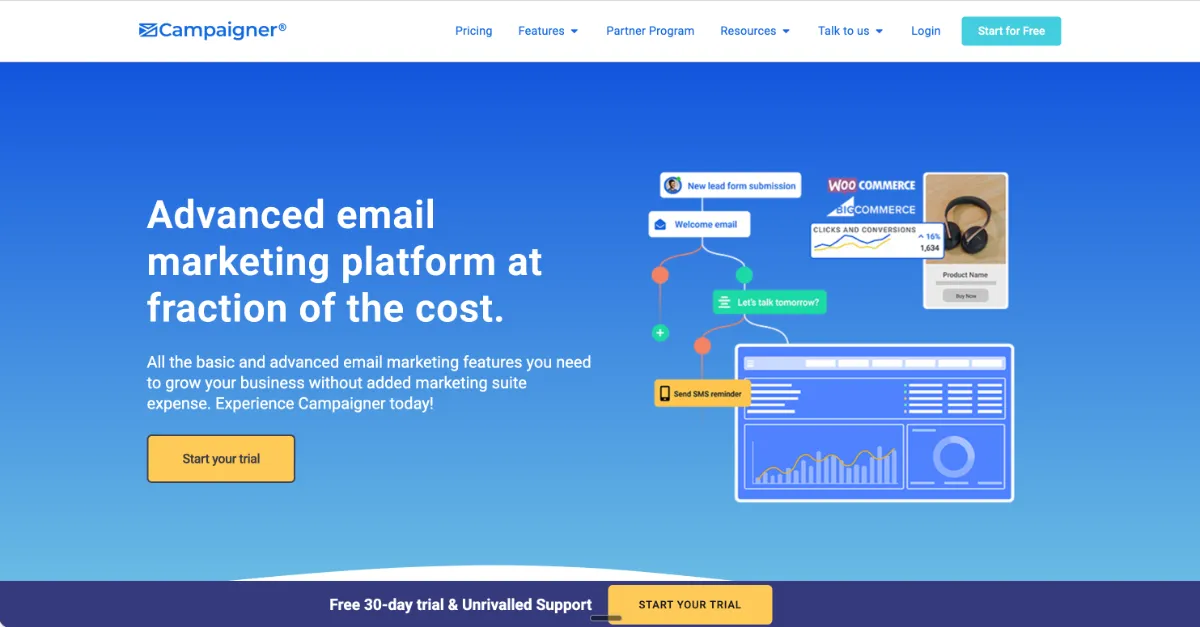
Campaigner is a focused email tool with a sensible AI layer built for SMBs who want AI-assisted email without a full marketing suite wrapped around it. It doesn’t try to be a CRM, a webinar platform, or a workflow studio, and that narrow focus is its clearest argument in a category full of all-in-one platforms.
The AI lives inside Campaigner’s Audience Intelligence Tools suite, generating subject lines, content suggestions, and segment recommendations without demanding a lengthy onboarding process. It’s a smaller, more contained AI layer than what automation-first or ecommerce-first platforms offer, and it doesn’t pretend otherwise.
Best for: small businesses and marketing teams sending newsletters, broadcasts, and simple automated sequences who don’t want to pay for or learn a full marketing suite.
Key Features
- Audience Intelligence Tools: AI-generated subject lines benchmarked against a business’s own historical open data rather than a generic industry baseline.
- Content suggestions: draft recommendations for email body content based on what’s worked in past sends.
- Segment recommendations: engagement-based audience groupings surfaced automatically rather than built manually from scratch.
- SMS as an optional add-on: extends reach beyond email without forcing multichannel complexity onto every account.
Strengths
- Subject line and content suggestions benchmark against a business’s own historical engagement rather than a generic cross-industry average, which makes the recommendations more relevant from the start.
- Deliverability infrastructure is solid, a meaningful factor for any SMB depending on inbox placement for a smaller list.
- A 30-day trial gives full access to the AI features before committing to a paid plan.
- SMS staying optional means teams that only need email aren’t paying for channels they won’t use.
Weaknesses
- There’s no free plan, only the 30-day trial, so testing beyond that window requires payment.
- The automation builder is limited compared to workflow-first platforms, with less conditional branching available.
- The AI is a generation behind what account-learning platforms like ActiveCampaign or ecommerce-specific tools like Omnisend offer.
- Reporting is fairly plain, useful for a quick check but not built for deep analysis.
Who It’s For
Campaigner fits small businesses and marketing teams who want straightforward AI-assisted email without a full marketing suite, particularly those sending newsletters, broadcasts, and simple automated sequences. It’s a weaker fit for ecommerce stores, B2B teams needing CRM-coupled automation, or anyone whose workflows need conditional branching and split-testing across entire automation paths.
Pricing
- Paid plans: start from $14/mo.
- No free plan; a 30-day trial is available instead.
AI Email Marketing Tools Comparison Table
The table below puts all nine ai email marketing tools side by side on the same seven dimensions, so it’s easier to see at a glance which tool handles design, which handles automation, and which is really just a copy layer. Price and free-tier data come directly from each entry above; use the Core AI Capability and Standout columns to spot the job each tool is actually built for before comparing price.
| Tool | Best For | Core AI Capability | Price From | Free Tier | Standout | Main Limitation |
|---|---|---|---|---|---|---|
| EmailTemple | On-brand email design | Design studio + Sequence Builder | €0/mo | 3 generations/mo | Dark-mode-safe HTML to any ESP | Does not send email |
| ActiveCampaign | Advanced automation | Account-trained Active Intelligence | $15/mo | 14-day trial, no free plan | AI improves the longer it runs | Overkill for simple sends |
| HubSpot | B2B with CRM data | Breeze Copilot + outcome-based agents | $15/seat/mo | Yes, free Smart CRM | CRM-to-email data unmatched | Mandatory Pro onboarding fee |
| Omnisend | DTC ecommerce | Brand Assets AI + segment builder | $16/mo | Yes, 250 contacts | Free migration from any ESP | Irrelevant outside ecommerce |
| Mailchimp | First-time email marketers | Creative Assistant + generic send-time | $13/mo | Yes, 500 contacts | Friendliest onboarding | Pricing jumps past 5,000 contacts |
| Brevo | Affordable multichannel | Predictive send-time + subject lines | $0/mo (300/day) | Yes, unlimited contacts | Email-volume, not per-contact pricing | Low automation ceiling |
| GetResponse | All-in-one + webinars | Perfect Timing + generative suite | $19/mo | Yes, 500 contacts | Native webinars replace Zoom | Jack of all trades |
| Jasper | Copy generation at scale | 100+ marketing agents, brand voice | $49/mo/seat | 7-day trial, no free plan | Brand voice across 30+ languages | No sending infrastructure |
| Campaigner | Simple SMB email | Audience Intelligence Tools | $14/mo | 30-day trial, no free plan | Benchmarks your own historical opens | Limited automation builder |
How to Choose the Right AI Email Tool for Your Business
The fastest way to choose is to work through five decision factors in order, since each one eliminates a chunk of the field before you start comparing prices. Here’s the sequence that actually narrows things down.
Start with what you sell and your channel
What you sell determines the category before any AI feature does. Physical products moving through Shopify or WooCommerce point to Omnisend, B2B with a real sales cycle points to HubSpot with budget or ActiveCampaign without it, a first commercial campaign points to Mailchimp, and a budget-conscious multichannel need points to Brevo.
Ask whether the AI learns from your account
This is the single most useful question to ask a vendor, because it splits the category in two. A generative writer drafting from a generic model on every request is a convenience; an AI that builds a working model of your campaigns, tone, and audience over time is a different category of value, and today only a handful of platforms (ActiveCampaign, HubSpot Breeze at Pro tier and above, Omnisend) deliver that second kind at scale.
Separate the copy, design, and sending layers
Most stacks need more than one tool because copy, design, and sending are three different jobs. A tool like Jasper writes the words, a tool like EmailTemple builds the on-brand HTML the words go into, and the ESP itself handles the actual send and list management, so asking one tool to do all three usually means accepting mediocre results on at least one layer.
That layer-separation matters more than it sounds, because it’s exactly where a real, practical risk shows up: AI writing tools can produce fluent, confident copy built around a fact or statistic that’s simply wrong. Whatever tool is drafting subject lines or body copy, a human still needs to check claims before a send goes out, since a well-written sentence with a hallucinated number is worse than no sentence at all.
Watch which tier gates the AI you need
The AI features that actually matter, predictive send-time, account-learning segmentation, outcome-based agents, are usually locked behind the second or third pricing tier, not the entry plan. If the AI is the reason you’re choosing a tool, budget for that tier from day one rather than assuming the cheapest plan gives you the same capability at a discount.
Trial with a real campaign, not a test list
A 50-contact test list won’t tell you anything about how send-time AI performs at real volume, since that kind of optimization needs engagement data to learn from. Vendors mostly quote their own benchmark studies for lift figures, so treat those as marketing and run your own A/B test against your actual list before trusting the number.
Beyond the AI itself, a bigger factor is often who else on the team needs to touch the tool. If your current setup only works because one person understands it, a hosted platform can earn its subscription cost purely on handoff safety, even in months where the AI features themselves don’t do much. And whatever you pick, prioritize how portable your contacts and templates are over how elegant the automation logic looks, since rebuilding workflow logic in a new tool is a lot easier than rebuilding an audience you can’t export.
Run through this checklist before committing to a tool:
- Does the AI improve the longer I use the platform, or does it generate the same quality output on day one and day 300?
- Are the predictive or account-learning features included on the tier I can actually afford?
- Will my list size make this affordable at the 12-month mark, not just in the first month?
- Can I export my contacts and templates cleanly if I need to leave?
- Does the platform integrate with the ESP, CRM, or design tool I already use?
If most of these come back yes, you’ve found the right fit. If three or more come back no, keep evaluating before you commit a year of budget to it. For teams landing on the design gap specifically, this is also where generating a branded email template for free is worth testing before committing to a paid design workflow. If you already work in Claude, a free skill that builds and lints HTML email can fill that same design gap without locking you into a paid workflow.
Frequently Asked Questions
What is the best AI tool for email marketing for small businesses?
Mailchimp and Brevo are the strongest fits for most small businesses, depending on what matters more: onboarding ease or budget. Mailchimp suits a first-time sender who wants the gentlest possible learning curve and a large template library to start from. Brevo suits a small business that wants to keep costs low while still getting basic AI-assisted send-time optimization and room to add SMS or WhatsApp later.
Are there free AI email marketing tools?
Yes, several platforms in this category offer a genuine free tier with AI features included. Brevo’s free plan covers 300 emails a day with unlimited contacts, Mailchimp covers up to 500 contacts, HubSpot includes a free Smart CRM, Omnisend covers 250 contacts, and GetResponse covers 500 contacts, while EmailTemple’s free tier includes 3 template generations a month.
Free plans across this category typically cap the AI itself rather than blocking it outright: predictive send-time, account-learning segmentation, and outcome-based agents tend to sit behind a paid tier even when basic generative features are free. Budget for the tier that actually includes the AI capability you need rather than assuming the free plan gives you the full picture.
Can AI design a whole email, not just write the copy?
Yes, though most AI email marketing tools stop at writing the words rather than designing the finished email. The majority of tools in this category generate subject lines, body copy, or content suggestions, leaving the actual layout, typography, and cross-client HTML to a template builder or a developer.
A smaller category of AI design tools, EmailTemple among them, goes a step further and generates the finished template itself: a production-ready, dark-mode-safe HTML email built from a description, rather than a block of text waiting to be dropped into a design. That’s a different job than copywriting AI, and it’s worth knowing which one a tool actually does before assuming “AI email tool” covers both.
Do AI email tools work with my existing ESP?
Most AI copy and design tools are built to export into whatever ESP is already handling your sends, rather than replacing it. EmailTemple, for example, has native merge-tag support for Mailchimp, ActiveCampaign, and MailerLite, plus a Universal portable HTML mode that works with any ESP that accepts an HTML import, including Klaviyo, HubSpot, and Brevo.
The practical pattern across this category is that copy tools and design tools plug into the ESP layer rather than sitting on top of it, so switching to one doesn’t mean migrating your list or your sending infrastructure anywhere new.
How does AI improve email campaign performance?
AI improves email performance mainly through three levers: send-time optimization, generative content, and predictive segmentation. Send-time optimization predicts when an individual contact is most likely to engage rather than blasting a whole list at once, generative content speeds up drafting subject lines and body copy, and predictive segmentation groups contacts by behavior and engagement history rather than manual list-building.
One caveat worth knowing before judging any tool’s stated lift in open rate: Apple’s Mail Privacy Protection pre-loads tracking pixels regardless of whether someone actually opened an email, which makes open rate an inflated, directional metric industry-wide rather than a precise one. Click rate and click-to-open rate are the more trustworthy signals when comparing a tool’s real impact on engagement.
Does the AI in these tools actually learn from my account?
In most cases, no: the majority of AI email tools generate content or recommendations fresh from a prompt each time, without building a model of your specific account. Only a handful of platforms, ActiveCampaign, HubSpot’s Breeze suite at the Pro tier and above, and Omnisend, deliver AI that genuinely learns from your account’s engagement history and campaign data at scale.
That distinction matters more than most feature lists suggest. A generative wrapper produces the same quality output on day one and day three hundred, while an account-learning AI’s segment and send-time recommendations are expected to sharpen the longer it has real engagement data to work from.
How much do AI email marketing tools cost?
Entry pricing across this category mostly falls between $10 and $50 a month, with real variation in what’s actually included at that price. Mailchimp starts around $13/mo, Brevo effectively starts free for lower volume, ActiveCampaign and Campaigner start around $14 to $15/mo, Omnisend starts at $16/mo, GetResponse starts at $19/mo, and HubSpot starts at $15 per seat per month with a free CRM tier beneath that.
Copy and design tools sit in a different pricing shape since they’re not billing for list size or sends. Jasper starts at $49/mo per seat, while EmailTemple runs a free tier (3 generations a month), a Starter tier at €19/mo, and a Pro tier at €59/mo that adds the Sequence Builder for generating a full email flow in one pass.
